


Hackers Clever-ஆ ஆகிட்டாங்க — உங்களையே Mac Hack பண்ணிக்க வைக்கிறாங்க
Mac use பண்றவங்களுக்கு ஒரு confidence இருக்கும் — "Mac-ல் virus வராது, Apple security strong." அந்த confidence-ஐயே hackers use பண்றாங்க.
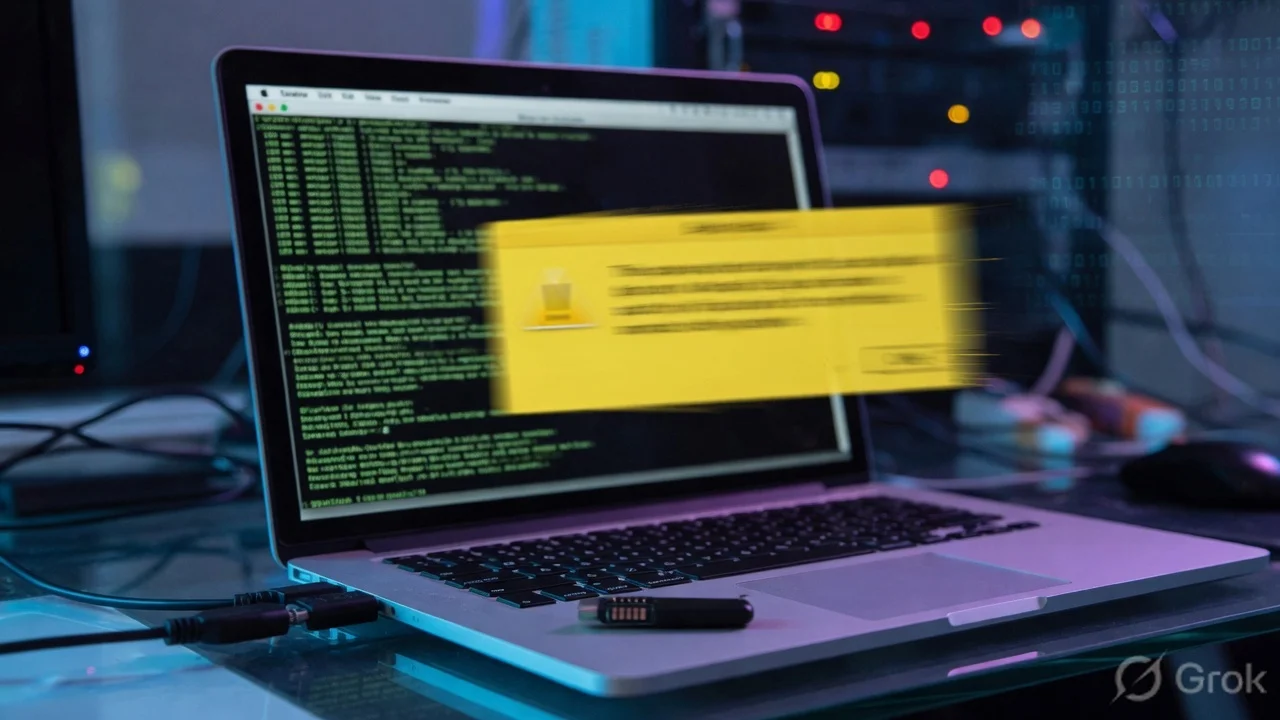
புதிய attack இப்படி நடக்கும்: நீங்க ஒரு app download பண்றீங்க — Chrome போல, OpenAI tool போல, productivity app போல தெரியும். App open ஆகும்போது ஒரு screen வரும்: "Installation complete பண்ண, Terminal open பண்ணி இந்த command paste பண்ணுங்க." Command copy-paste பண்ணி Enter press பண்ணீங்கன்னா — Mac infected.
macOS-க்கு இது legitimate user action-ஆ தெரியும். நீங்க Terminal open பண்ணீங்க, command type பண்ணீங்க — Gatekeeper-ஓட security bypass ஆகிடுது. macOS 26.4 இதை address பண்ண warning system add பண்ணியிருக்கு.
Gatekeeper என்னன்னு, ஏன் இந்த Attack Work ஆகுது?
Gatekeeper என்பது Mac-ஓட built-in security system. ஒரு app open ஆவதுக்கு முன்னே check பண்ணும் — Apple sign மற்றும் notarize பண்ணியிருக்கா-ன்னு. Unsigned app automatically block ஆகும்.
2023-ல் macOS Sonoma-வரை ஒரு bypass இருந்தது: right-click செய்து Open select பண்ணினா warning கொடுத்தாலும் app run ஆகும். Hackers இதை exploit பண்றாங்க — "malware install பண்ண right-click open பண்ணுங்க" instruct பண்றாங்க.
macOS Sonoma 2023-ல் அந்த bypass close பண்ணியது. Right-click open option போச்சு — unsigned apps simply block ஆகும்.
Hackers adapt ஆகினாங்க. Terminal paste attack என்ற new method கண்டுபிடிச்சாங்க. More steps require பண்றது, social engineering கொஞ்சம் அதிகமா வேணும். ஆனா work ஆகுது — Gatekeeper completely irrelevant.
ஏன்னா Terminal என்பது Mac-ஓட command line tool — exactly what you type, it runs. Gatekeeper app execution-ஐ check பண்றது, manually typed commands-ஐ இல்லை. User voluntarily command paste பண்றாங்க — macOS sees it as legitimate action.
macOS 26.4 என்ன பண்றது?
macOS Tahoe 26.4-ல் புதிய protection: Terminal-ல் suspicious அல்லது potentially malicious command paste பண்றதுன்னு macOS detect பண்ணும்போது — Execute பண்றதுக்கு முன்னே warning prompt show ஆகும். Continue அல்லது Cancel choose பண்ணலாம்.
Warning appearance-ல் attack ஒரு pause கிடைக்கும். "Wait, ஏன் ஒரு app installation Terminal command require பண்றது?" — அந்த question கேட்க chance கிடைக்கும்.
Foolproof இல்லை — warning-ஐ read பண்ணாம click through பண்ணிட்டா protect ஆகாது. Effectiveness depends on users actually pausing and thinking.
இந்த Attack எப்படி Identify பண்றது?
Pattern consistent-ஆ இருக்கு, learn பண்ணலாம்:
Legitimate software Mac-ல் installation-க்கு Terminal open பண்ணி command paste பண்ணு-ன்னு சொல்லாது. Chrome இல்லை, Firefox இல்லை, Adobe இல்லை, Apple-ஓட own apps இல்லை — எந்த major application-உம் இப்படி சொல்லாது.
Fake apps often impersonate well-known software — Google Chrome look-alike, OpenAI browser tool, productivity apps, crypto wallets. These are common targets. Always official website அல்லது Mac App Store-லிருந்து மட்டுமே download பண்ணுங்க.
Command usually long, technical-ஆ தெரியும் — read பண்ண discourage பண்ற design. Terminal-ல் understand பண்ணாத command paste பண்ணீங்களா — stop. Terminal close பண்ணுங்க. Enter press பண்ணாதீங்க.
India-ல் Mac Users-க்கு Specifically என்ன?
India-ல் MacBook sales grow ஆகியிருக்கு — software developers, content creators, designers, business professionals Chennai, Bengaluru, Mumbai, Delhi, Pune-ல் Mac use பண்றாங்க.
Terminal paste attack developers-க்கு especially relevant — regularly Terminal use பண்றவங்க command-ஐ less suspicious-ஆ பார்க்கிறாங்க. "Of course Terminal command know பண்றேன்" — அந்த confidence exploit ஆகுது. Technically literate people-க்கு social engineering more convincing.
India-ல் paid software-ஓட free/cracked versions unofficial sources-லிருந்து download பண்றது common. GitHub-adjacent sites, developer communities, WhatsApp/Telegram groups-ல் share ஆகற software — இவை delivery methods. Pirated app, cracked version, "free" paid tool — இவை இந்த attack-ஓட common vectors.
macOS 26.4-க்கு update பண்ணலையா — Terminal paste warning கிடைக்காது. Update பண்ணுங்க: System Settings → General → Software Update. Update பண்ண முடியாத older Mac-ல் — rule manually apply பண்ணுங்க.
The Rule — இதை Remember பண்ணுங்க
எந்த warning-ஐயும் விட powerful rule ஒன்னு இருக்கு:
எந்த legitimate Mac application-உம் installation-ல் Terminal open பண்ணி command paste பண்ணு-ன்னு சொல்லாது.
இந்த rule remember பண்ணுங்க, consistently apply பண்ணுங்க — Terminal paste attack every time fail ஆகும். Warning இருந்தாலும் இல்லாவிட்டாலும்.
TamilTech-ஓட கருத்து
Cybercriminals clever-ஆ adapt பண்றாங்க — technical exploit find பண்றதுக்கு பதிலா social engineering use பண்றாங்க. Human trust-ஐ exploit பண்றது almost always easier than finding zero-day vulnerability.
macOS 26.4-ஓட warning system right direction. ஆனா warning system-ஐ விட நம்பகமான defense: rule understand பண்றது. No legitimate app requires Terminal during installation — period. அந்த one rule-ஐ internalize பண்ணினா இந்த attack never works.



கருத்துகள் (0)
Be the first to comment!