‹ Back to Home

Gemini Controls Apps and Gets Desktop Access: Agent Mode, Chrome Auto Browse, Screen Automation, and Project Mariner Explained

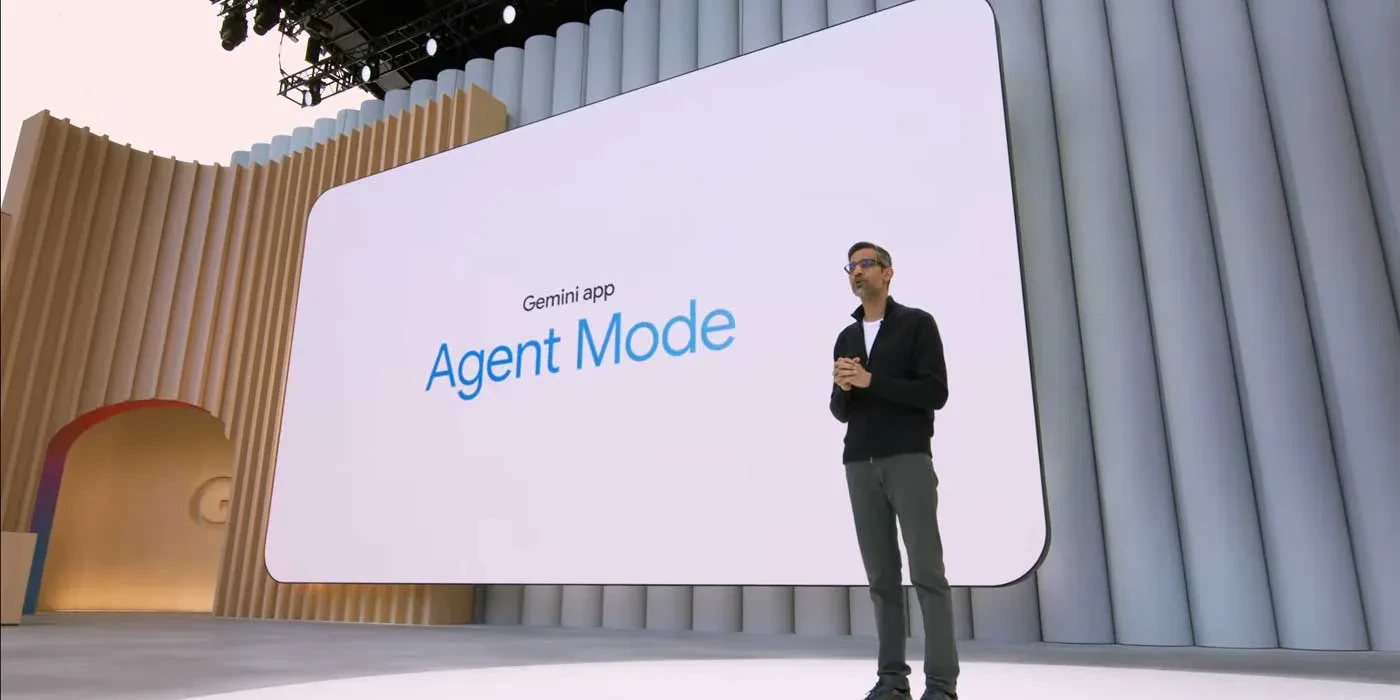
Google Gemini is evolving into a three-layer agentic AI system: Agent Mode controls Google apps (Gmail, Calendar, Drive, Maps, YouTube), Chrome Auto Browse handles multi-step web tasks announced with Gemini 3, and Screen Automation (codename "Bonobo") discovered in Google App beta 17.4 sees and interacts with your phone screen. Project Mariner scores 83.5% on WebVoyager. India pricing: Rs 399/mo (Plus) to Rs 24,500/mo (Ultra). But Agent Mode and Mariner remain US-only.

Keerthika 12 min read 858
Follow on Google
Updated 2 weeks ago
ChatGPT & AI Tools Gemini Controls Apps and Gets Desktop Access: Agent Mode, Chrome Auto Browse, Screen Automation, and Project Mariner Explained 12 min left Follow on Google
Gemini Controls Apps and Gets Desktop Access: Agent Mode, Chrome Auto Browse, Screen Automation, and Project Mariner Explained

TamilTech AI summary

Google is turning Gemini into a full agentic AI that can actually do work for you, not just chat, through three layers: Agent Mode for controlling Google apps like Gmail and Calendar, Chrome Auto Browse for autonomous multi-step web tasks, and Screen Automation (codenamed Bonobo) that can see and tap any app on your phone screen. Project Mariner from DeepMind adds even stronger autonomous browsing with teach-and-repeat workflows and strong benchmark scores, giving Gemini broad reach across apps, the web, and Android. This matters because it aims to handle complex everyday digital chores in plain language and is already helping Gemini gain market share against ChatGPT and Claude, though Claude still leads on full desktop control. Privacy is a real concern since screen captures may be reviewed by humans and kept for up to three years, so you should review Gemini app permissions, turn off training data sharing, and avoid banking or sensitive tasks with these features for now. Advanced Agent Mode, Auto Browse, and Screen Automation are still US-only (with Screen Automation limited to Pixel 10 beta), so Indian users can expect them around mid-to-late 2026 while Jio subscribers already get Gemini AI Pro free for 18 months and can enable current extensions today.

  • What is Gemini Agent Mode and which apps can it control?
  • What is Chrome Auto Browse in Gemini 3?
  • What is Screen Automation "Bonobo" and when will it be available?
  • Is Gemini Agent Mode available in India?

AI-assisted summary, checked by the TamilTech editorial team.

Gemini Controls Apps and Gets Desktop Access: Google's Three-Layer Agentic AI Revolution Explained

Google is systematically transforming Gemini from a chatbot into something far more ambitious: a full-stack agentic AI that can control your apps, browse the web autonomously, and interact with your phone screen. Over the past few months, Google has revealed — and users have discovered — three distinct layers of agentic capability that together represent the most comprehensive vision any company has articulated for AI-powered device control.

This is not incremental. The three layers — Agent Mode, Chrome Auto Browse, and Screen Automation (codename "Bonobo") — each address a different domain of computer interaction, and together they create a system where Gemini can theoretically handle any digital task you can describe in natural language. Combined with Project Mariner, Google DeepMind's autonomous web browsing agent, the picture that emerges is of an AI assistant that does not just answer questions but actively works on your behalf across every digital surface.

Layer 1: Gemini Agent Mode — Controlling Google Apps

The first and most visible layer is Gemini Agent Mode, which gives Gemini the ability to directly control Google's suite of applications. Instead of simply providing information, Agent Mode can take actions — sending emails, creating calendar events, setting reminders, managing files, and more.

Apps Under Gemini's Control

AppWhat Gemini Can DoExample Command
GmailRead, compose, reply, search, organize emails"Draft a reply to Priya's email about the project deadline"
CalendarCreate, modify, delete events; check availability"Schedule a team meeting for Thursday 3 PM"
DriveSearch files, organize folders, share documents"Find the Q4 report and share it with the marketing team"
KeepCreate notes, checklists, reminders"Add milk, eggs, and bread to my shopping list"
TasksCreate, complete, organize tasks"Add 'Submit tax documents' to my tasks for next Friday"
MapsNavigation, place search, traffic info"Navigate to the nearest petrol station"
YouTubeSearch, play, create playlists"Play the latest Marques Brownlee video"
ShoppingSearch products, compare prices"Find the best price for iPhone 16 in India"
FlightsSearch flights, compare fares"Show me flights from Chennai to Delhi next weekend"

How Agent Mode Works

Agent Mode operates through Google's deep integration with its own services. When you give Gemini a command like "Email Rahul the meeting notes from yesterday," Gemini does not just generate the text — it accesses your Google Calendar to find yesterday's meeting, retrieves the relevant notes from Google Keep or Drive, composes an email in Gmail, and sends it to Rahul. The entire workflow happens in seconds, with Gemini coordinating across multiple Google services.

Premium Content

You've read all your free articles today. Subscribe to continue reading.

You've used 3 of 3 free articles today.

Subscribe Now

Already subscribed? Sign in

Get tomorrow’s tech news on WhatsApp

One short update a day, free. Follow the TamilTech channel.

What do you think?

people reacted

Keerthika

TamilTech editorial team · 3,344 articles

Keerthika is an editor at TamilTech, the Tamil and English technology publication founded by Praveen Kumar S. She covers AI, smartphones, gadgets, EVs, startups and cybersecurity i...

More from Keerthika

Ask TamilTech on WhatsApp

Tech doubt? Ask in Tamil or English — our WhatsApp assistant answers from TamilTech articles in seconds.

Related stories

Comments (0)

| Supports **bold**, *italic*, `code`

Be the first to comment!

Next story GPT-6 Astra and GPT-6.1 Sol: A Simple Guide to OpenAI’s Newest Models
Tamiltech

Tamiltech

Install app for faster access

Earn XP 🏆
WhatsApp
Notifications