


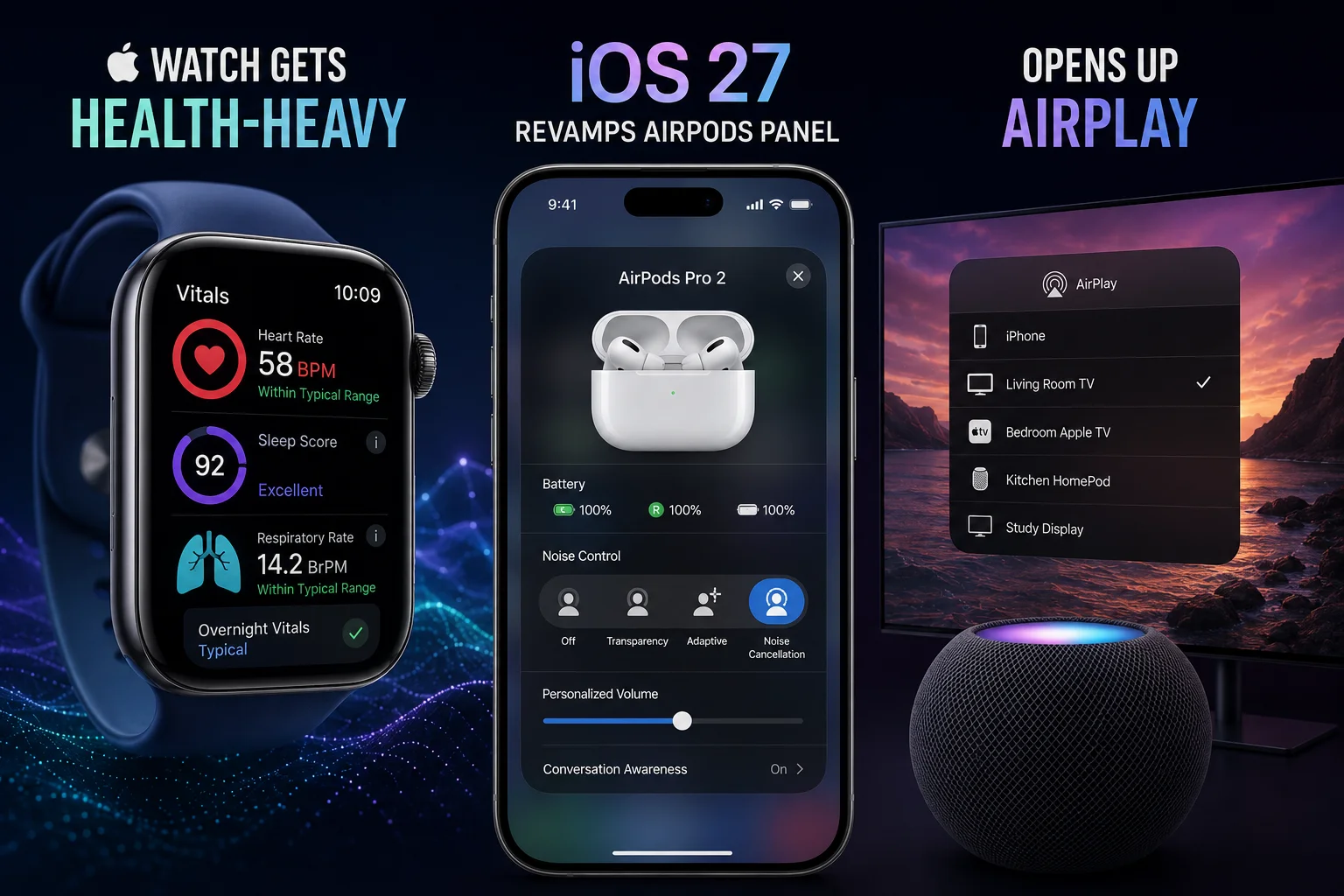
Apple’s health push isn’t a side‑project any more
When you look at the Apple Watch today, it’s not just a smartwatch. It’s a health‑first device that now tracks blood oxygen, ECG, sleep stages and even body temperature. The newest watchOS update adds a few more tricks that make the wrist‑band feel more like a personal doctor than a fashion accessory.
First up, the Blood‑Sugar Monitor preview. Apple has partnered with a handful of FDA‑cleared devices to pull glucose data straight into the Health app. It’s still in beta, but the data shows up as a smooth graph alongside your heart‑rate and VO₂ max. No more juggling a separate app for your Dexcom or Freestyle Libre – everything lives on the watch.
Next, the Medication Reminder got smarter. Using the new Medication‑Schedule framework, the watch can now suggest the best time to take pills based on your activity level and sleep patterns. If you’re about to skip a dose, a gentle haptic tap reminds you, and the Health app logs the skip for your doctor to see.
iOS 27’s AirPods control panel – a UI makeover
Apple finally gave the AirPods a dedicated control hub. Swipe down from the top‑right corner, tap the new AirPods widget, and you’ll see a clean card with battery levels, a quick toggle for “Transparency” versus “Active Noise Cancellation”, and a one‑tap switch to change the mic mode.
What’s cooler is the Spatial Audio preset selector. Choose “Cinema”, “Music” or “Gaming” and the iPhone will automatically adjust head‑tracking and Dolby‑Atmos settings. The panel also shows a Live‑Listening shortcut that streams ambient sound to your AirPods – perfect for hearing a baby’s cry in another room.
Apple finally embraces AirPlay rivals
For years, iOS kept AirPlay locked to Apple TV and a few select speakers. iOS 27 breaks that wall and adds native support for Google Cast devices. That means you can tap the usual AirPlay icon and see your Chromecast, Nest Hub or even a third‑party smart TV in the list.
How does it work? Under the hood, Apple introduced a Cast‑Bridge service that translates the AirPlay protocol to the Cast protocol on the fly. No extra apps, no firmware updates – just a seamless “Play on” experience.
What does this mean for Indian users?
Health‑focused Indians have been waiting for a reliable wrist‑monitor that works with local clinics. With the Blood‑Sugar preview, Apple Watch users in metros can now share glucose trends directly with their doctors via the Health app – a boon for diabetes management, which affects over 77 million Indians.
On the entertainment front, the AirPods panel is a win for commuters on Mumbai local trains. Quick toggles mean you can switch to Transparency mode to hear announcements without fumbling for your phone.
And the Cast support? It finally lets iPhone users stream to cheap Chromecast sticks that cost around ₹1,200. No need to buy an Apple TV just to cast a YouTube video in a small town.
TamilTech‑ஓட கருத்து
Honestly, Apple is playing a long game. By making the Watch a health hub, they’re targeting the same market that phones like the OnePlus Nord are eyeing – the budget‑conscious yet health‑aware crowd. The downside? All these features need a watchOS 10‑compatible Watch, which still retails at ₹39,990 for the Series 9. That’s a steep price for most Indian families.
The AirPods UI feels polished, but the real test will be battery life when you keep toggling Spatial Audio presets. If you’re a heavy music streamer, you might notice a 10‑15% drop.
Google Cast support is a pragmatic move. Apple knows the Indian market loves affordable streaming sticks. By opening the door, they avoid the criticism of “walled garden” while still keeping the core AirPlay experience exclusive to Apple TV.
What to watch next?
Apple is expected to roll out the full Blood‑Sugar integration in watchOS 10.5, which will include alerts for hypo‑ and hyper‑glycemia. Keep an eye on the next iOS beta for a deeper Cast‑Bridge UI that might let you control Chromecast volume directly from the Control Center.
For now, if you own a Watch Series 9 or SE 2, enable the new Health features in Settings → Health → Blood‑Sugar Preview. And iPhone users, swipe down, tap the AirPods card, and start playing with Spatial presets – you might just love the new soundstage.





Comments (0)
Be the first to comment!