


Key Takeaways
- Apple is redesigning its App Tracking Transparency (ATT) alert across five European Union nations following antitrust pressure.
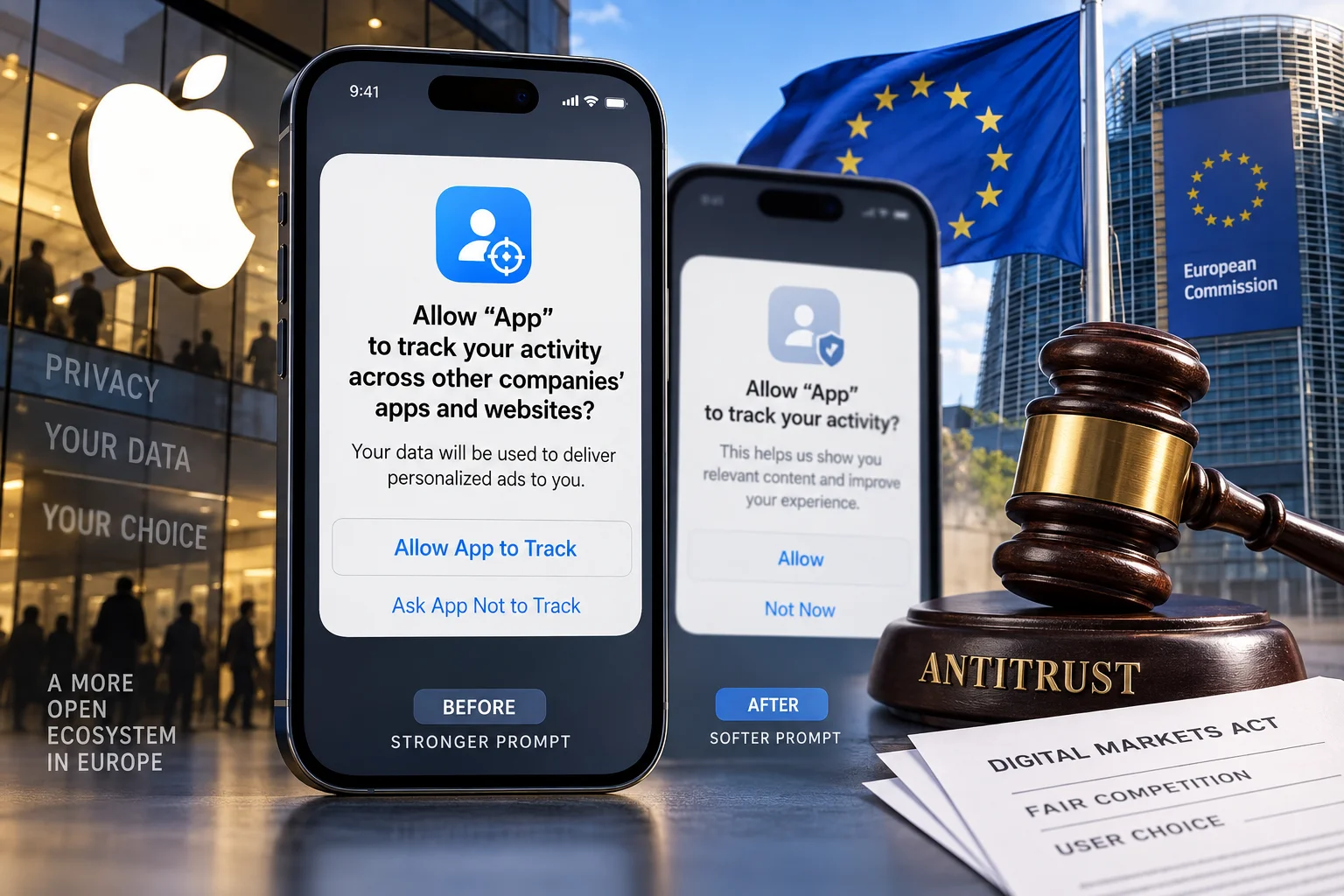
- The new screen drops the loaded word 'track', switching from a blunt popup dialog to a full-screen explainer with clickable links.
- Digital ad networks and app developers argued the original phrasing scared users and unfairly crippled third-party ad revenues.
- For iPhone users in India, the classic 'Ask App not to Track' prompt remains completely unchanged for now.
- Users everywhere can still disable tracking requests completely inside iOS Privacy settings.
Why is Apple changing its iconic privacy popup?
Picture this regular scene. You pick up your iPhone, open the App Store, and download a new shopping app, a food delivery tool, or a casual puzzle game. The second you open the app, iOS immediately slaps a dialog box right across your screen: Allow this app to track your activity across other companies' apps and websites?
Almost every single person taps 'Ask App not to Track' without giving it a second thought. The word 'track' carries an unsettling mental image, like someone quietly following your footsteps down a dark street. That single prompt cost the global digital advertising industry billions of dollars in addressable revenue over the years.
European competition watchdogs and digital publishers were not happy with how Apple structured this alert. They argued that Apple created a double standard. While third-party ad networks were forced behind an intimidating warning screen, Apple's own ad products operated under far friendlier terms. Under heavy antitrust heat across Europe, Apple is now changing its stance across five EU member states with a substantially softer redesign.
What does the new prompt actually look like?
The redesign completely overhauls the visual presentation and the choice of words. Instead of the small, high-friction dialog box that pops up right in the middle of an app interface, users in the selected EU countries will now see a dedicated full-screen layout.
The biggest shift is vocabulary. Apple is dropping the harsh word 'track' from the primary messaging on this screen. Instead, the interface describes data sharing in neutral, functional terms, explaining how sharing device identifiers helps apps deliver tailored content and customized advertisements.
The updated screen also introduces a clickable link embedded directly into the prompt. Users can tap this link to read specific details from the developer before making up their mind. Previously, developers had zero room to explain their business model or justify why customized ads help keep their app free to use.
Why were app developers and advertisers so upset?
When Apple introduced App Tracking Transparency, it was celebrated as a massive consumer privacy win. On paper, giving users direct control over their digital footprint is hard to argue against. But in practice, the execution heavily favored closed ecosystems.
Small app makers, indie game studios, and niche e-commerce sellers rely heavily on targeted ad networks to discover new customers. If a small leather-goods seller in Europe or an indie developer building a productivity tool cannot target interested buyers, their cost to acquire a single paying customer shoots through the roof.
Large advertising federations filed formal antitrust complaints with European regulators. They claimed Apple's prompt was deliberately engineered to induce fear. By phrasing the question around surveillance instead of service personalization, opt-in rates plummeted below twenty percent in many categories. The full-screen update gives app publishers a fighting chance to explain the value exchange to users without instant alarm bells ringing.
Will this change hit iPhones in India?
If you are using an iPhone in Chennai, Bengaluru, Mumbai, or Delhi, you will not see any change on your screen today. When you install Swiggy, Flipkart, Zepto, or any mobile game, iOS will continue displaying the familiar 'Ask App not to Track' popup dialog box.
Apple has kept this redesign strictly geo-fenced to the five European Union nations where regulatory investigations forced their hand. We have seen this playbook repeatedly over the past few years. Alternative app marketplaces, third-party browser engines, and sideloading options were all restricted exclusively to EU borders.
Unless the Competition Commission of India (CCI) or local data governance bodies push for identical structural changes, Apple has no incentive to change the user interface in the Indian market. For now, the standard ATT alert remains the default experience across all Indian iOS devices.
How does this affect your day-to-day iPhone privacy?
A softer prompt does not mean your personal data is suddenly up for grabs without your permission. The underlying technical permission architecture behind iOS has not disappeared. Apps still cannot access your device's Identifier for Advertisers (IDFA) unless you explicitly grant them permission to do so.
The difference lies entirely in presentation and user psychology. Instead of making an impulsive decision based on a scary popup, users in those five European countries are presented with a detailed, calmer choice. You still retain the absolute right to say no.
If you choose to allow sharing, the app gets access to standard ad-measurement identifiers so you receive ads relevant to your interests. If you decline, the app is blocked from tracking your behavior across other apps, exactly as it was before.
How can you take control of your tracking settings today?
You do not have to wait for an app to trigger a popup box to manage your data preferences. iOS gives you global toggles that let you dictate how apps behave on your device with a single switch.
If you want to avoid seeing tracking alerts completely on your iPhone, open Settings, scroll down to Privacy & Security, and tap on Tracking. At the top of the screen, turn off the toggle for Allow Apps to Request to Track.
When this master toggle is turned off, iOS automatically denies permission to every new app you install in the background. No alert box will appear on your screen, and apps will automatically receive a blanket denial. If you ever change your mind for specific shopping or travel apps where tailored deals are helpful, you can turn the toggle back on and manage permissions app by app.






Comments (0)
Be the first to comment!