


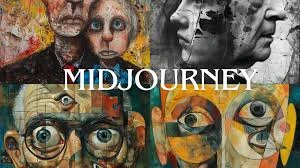
What is Midjourney?
Midjourney is one of the most popular AI image generation tools, known for producing stunning, artistic images with a distinctive aesthetic quality. Unlike other tools, Midjourney operates entirely through Discord, making it unique in its approach.
Setting Up Your Midjourney Account
Step 1: Join Discord
If you don't have a Discord account, create one at discord.com. Discord is a free communication platform that Midjourney uses as its interface.
Step 2: Subscribe to Midjourney
Visit midjourney.com and click "Join the Beta" or "Sign In". You'll need a paid subscription to generate images:
- Basic Plan ($10/month): ~200 generations/month
- Standard Plan ($30/month): 15 hours of fast generation
- Pro Plan ($60/month): 30 hours of fast generation + stealth mode
Step 3: Access Midjourney
Once subscribed, you can use Midjourney in the official Discord server or invite the Midjourney bot to your own server for privacy.
Your First Midjourney Image
To generate an image, type in any channel where Midjourney bot is present:
/imagine prompt: a beautiful sunset over mountains, cinematic lighting, 8k
Understanding Midjourney Parameters
Aspect Ratio (--ar)
Control the shape of your image:
- --ar 16:9 - Widescreen landscape
- --ar 9:16 - Vertical/portrait
- --ar 1:1 - Square (default)
- --ar 3:2 - Standard photo ratio
Stylize (--s)
Controls how artistic vs literal the output is:
- --s 0 - Very literal interpretation
- --s 100 - Default balance
- --s 1000 - Maximum artistic interpretation
Quality (--q)
Affects detail and generation time:
- --q .25 - Quick, rough preview
- --q .5 - Less detailed
- --q 1 - Default quality
Version (--v)
Select which Midjourney model version to use:- --v 6.1 - Latest version (best quality)
- --v 5.2 - Previous stable version
- --niji 6 - Anime-focused model
Effective Prompting Techniques
Structure Your Prompts
A well-structured prompt follows this pattern:
[Subject] + [Environment] + [Style] + [Lighting] + [Camera/Perspective] + [Parameters]Example Prompts
Portrait:
/imagine prompt: portrait of a wise elderly man, silver beard, kind eyes, rembrandt lighting, oil painting style, detailed brushstrokes --ar 2:3 --s 250
Landscape:
/imagine prompt: mystical forest with bioluminescent plants, fog, moonlight filtering through trees, fantasy art style, highly detailed --ar 16:9 --v 6.1
Product:
/imagine prompt: sleek wireless headphones floating, studio lighting, minimal white background, product photography, 8k render --ar 1:1
Working with Results
When Midjourney generates images, you get a grid of 4 variations. Use the buttons below:
- U1-U4: Upscale the selected image to full resolution
- V1-V4: Generate new variations of that image
- 🔄: Re-run the same prompt for new results
Pro Tips for Better Results
- Be Specific: "golden retriever puppy" is better than "dog"
- Use Art References: Mention artists or art movements for style
- Describe Lighting: "golden hour", "studio lighting", "dramatic shadows"
- Include Medium: "oil painting", "digital art", "photograph"
- Use Negative Prompts: --no blur, text, watermark
Conclusion
Midjourney is an incredibly powerful tool for creating artistic images. With practice and experimentation, you'll develop your own style and techniques. In the next article, we'll explore DALL-E 3 and its unique capabilities.




Comments (0)
Be the first to comment!