


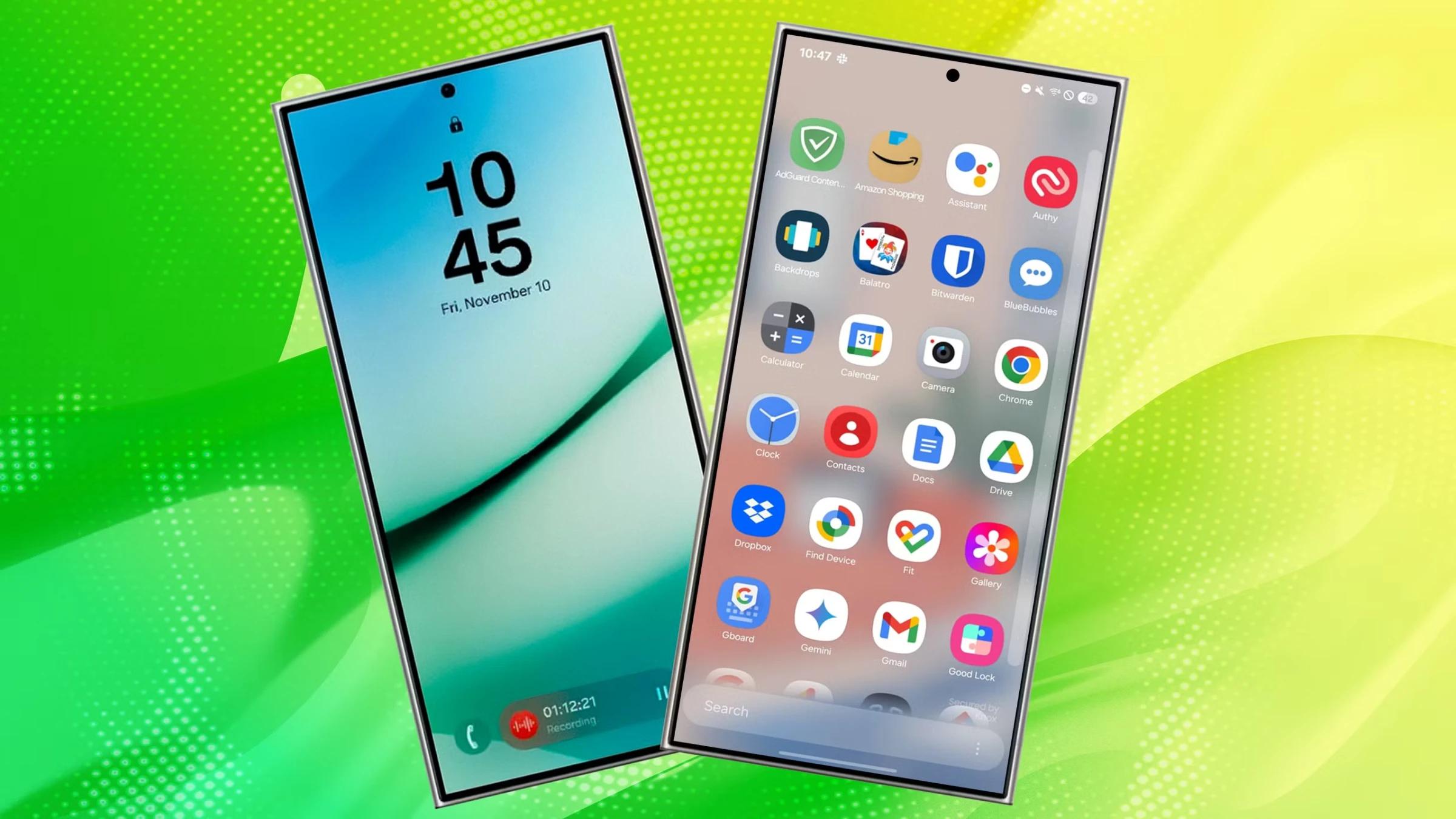
Samsung's One UI 7 update brought a massive redesign and dozens of new features to Galaxy phones. But beyond the obvious visual changes, there are powerful hidden features that most users never discover. Here are the 10 best-kept secrets of One UI 7.
1. Now Bar — Live Info on Your Lock Screen
The Now Bar is a horizontal, pill-shaped widget that sits on your lock screen, showing live information from active apps without unlocking your phone:
- Music playback controls and song info
- Stopwatch and timer progress
- Real-time sports scores
- Workout progress from Samsung Health
- News updates and weather alerts
How to enable: Settings → Lock Screen → Now Bar → Toggle ON
2. Separated Notification & Quick Settings
One UI 7 splits the notification shade and quick settings into two separate panels:
- Left/Center swipe down: Opens Notification panel
- Right swipe down: Opens Quick Settings panel
- Swipe left/right: Switch between them
The number of visual quick settings toggles has increased from 20 to 24 toggles, giving you more control at a glance.
3. AI Select — Intelligent Screen Capture
AI Select is the upgraded Smart Select that lives in the Edge Panel. It suggests relevant AI tools based on what's on your screen:
- Watching a video? AI Select suggests creating a GIF
- Viewing text? It offers translation and summarization
- Looking at an image? Extract text or search the web for it
How to access: Swipe the Edge Panel handle on the right side of the screen
4. Flexible Battery Protection (80/90/95%)
One UI 7 no longer limits you to just 85%. You can now choose your preferred charging cap:
- 80%: Maximum battery longevity
- 90%: Good balance of longevity and daily use
- 95%: Near-full charge with slight protection
Path: Settings → Battery → Battery Protection
5. Natural Language Settings Search
The revamped Settings menu understands natural language. Instead of navigating menus, just tell your phone what you want:
- Tap the mic icon in Settings search
- Say "make my screen warmer" → Goes to Eye Comfort Shield
- Say "save battery" → Shows battery optimization options
- Text search also shows categorized topics: Popular, Music, S Pen, Battery, Emergency
6. Motion Photo Boomerang & Slow-Mo
When you capture a motion photo, One UI 7 adds two new creative options:
- Boomerang: Transforms the clip into a fun looping video
- Slow-mo: Creates a slowed-down snippet with a single tap
How to use: Open a motion photo in Gallery → tap the motion icon → select Boomerang or Slow-mo
7. Auto Trim Videos
The Gallery video editor can now automatically identify highlights from your video clips:
- Select multiple clips in the Studio app
- AI identifies the best moments from each clip
- Automatically creates a highlight reel
8. RAW Photo Editing in Gallery
A hidden treasure: you can edit RAW photos directly in the Gallery without third-party apps:
- Path: Gallery → Menu (⋮) → Settings → Photo Editor Settings → Enable "Raw Image Editor"
- Full RAW editing controls including exposure, white balance, and tone curves
9. Samsung Health Mindfulness (Powered by Calm)
One UI 7 integrates Calm into Samsung Health with a new Mindfulness category:
- Sleep stories for better rest
- Guided meditation sessions
- Calming music playlists
- Breathing exercises
10. Enhanced Edge Panel Customization
The Edge Panel is more powerful than ever with One UI 7:
- Add up to 10 panels for apps, contacts, tools, and more
- Customize the handle position, size, and transparency
- New "Apps" panel shows your most-used apps automatically
- Quick access to clipboard history, smart select, and AI tools
Supported Devices
One UI 7 is available on Galaxy S25 through S21 series, Z Fold6 through Z Fold3, Z Flip6 through Z Flip3, Tab S10/S9/S8 series, and select A-series phones including A36 5G, A26 5G, and A16 5G.



Comments (0)
Be the first to comment!