


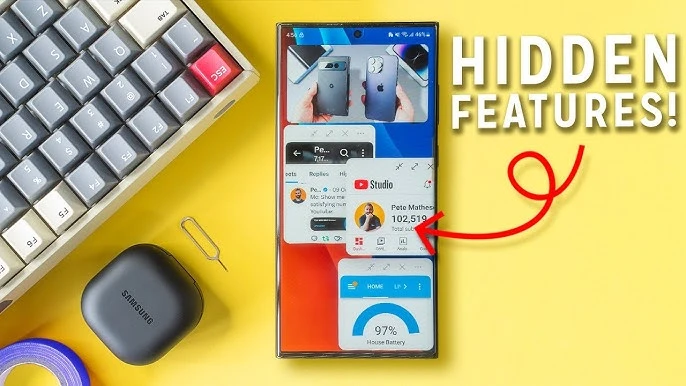
Android is packed with features that most users never discover because they're tucked away in menus or require specific actions to activate. Here are 10 hidden gems that will genuinely change how you use your phone.
1. Quick Tap Gestures — Double-Tap the Back of Your Phone
Double-tap the back of your phone to trigger any action you choose:
- Path: Settings → System → Gestures → Quick Tap
- Actions: Take a screenshot, launch an app, toggle flashlight, play/pause media, open Google Assistant
- Available on Pixel phones and many Android 12+ devices
- Pro tip: Set it to "Screenshot" for the fastest screenshot method possible
2. Developer Options — Not Just for Developers
Unlock a hidden settings menu with powerful tweaks:
- How to unlock: Settings → About Phone → tap "Build Number" 7 times
- Animation speed: Set window/transition/animator duration to 0.5x for a noticeably snappier phone
- Force 60Hz: Cap refresh rate to save battery
- Background process limit: Restrict how many apps run in the background
- USB debugging: Required for advanced tools like ADB and screen mirroring
3. Clipboard History (Gboard)
Stop losing copied text! Gboard keeps a history of everything you copy:
- How: Open keyboard → tap the clipboard icon on the toolbar
- Shows copied text, images, and links from the past hour
- Pin items: Long-press to pin frequently used text (addresses, email templates)
- First time? You may need to tap "Turn on clipboard" to enable it
4. Live Transcribe — Real-Time Subtitles for Everything
Turn your phone into a live transcription device:
- Path: Settings → Accessibility → Live Transcribe
- Provides real-time subtitles for conversations around you
- Supports 80+ languages including Tamil
- Perfect for: loud environments, meetings, lectures, hearing accessibility
- Pro tip: Add it to your quick settings tile for instant access
5. App Shortcuts — Direct Deep Links
Long-press any app icon to reveal shortcut menus that jump directly to specific features:
- YouTube: Search, Subscriptions, Explore, Library
- Chrome: New tab, Incognito tab, Voice Search
- WhatsApp: Pinned chats, Camera, New Chat
- Camera: Selfie, Video, Portrait
- Pro tip: Long-press a shortcut and drag it to your home screen for a permanent quick-access icon
6. Sound Notifications — Your Phone Listens for You
Android can alert you when it detects important sounds around you:
- Path: Settings → Accessibility → Sound Notifications
- Detects: Doorbell, fire alarm, baby crying, dog barking, running water, appliance beeping
- Sends a notification and vibration when detected
- Useful for: wearing headphones, sleeping, hearing impairment
7. Network Anonymity — Hide Your Device Name
When connecting to Wi-Fi, your phone broadcasts its name to the network. Android 15 lets you stop this:
- Path: Settings → Network & Internet → Internet → tap the connected network → Privacy → "Send device name to network" → OFF
- Combined with MAC randomization (enabled by default), this makes you nearly anonymous on public Wi-Fi
8. Notification Cooldown (Pixel/Android 15 QPR)
Getting spammed by a group chat? Notification Cooldown automatically lowers the volume for rapid-fire notifications:
- Path: Settings → Notifications → Notification Cooldown → ON
- When the same app sends multiple notifications in quick succession, each subsequent one gets progressively quieter
- Prevents notification overload without missing anything
9. Smart Folders in App Drawer
Android can automatically organize your app drawer into categories:
- Apps are grouped by type: Social, Productivity, Entertainment, Games, Tools
- You can rename folders and manually move apps between categories
- Available on Pixel and Samsung (One UI 7) devices
10. Private Compute Core — AI That Stays on Your Device
Android's Private Compute Core processes sensitive AI features entirely on your device:
- Powers: Smart Reply, Now Playing (music identification), Live Caption, Live Translate
- Privacy: None of this data leaves your phone or goes to Google's servers
- No setup needed — it's running in the background on all modern Android phones
- You can verify: Settings → Security & Privacy → More Privacy Settings → Private Compute Core





Comments (0)
Be the first to comment!