


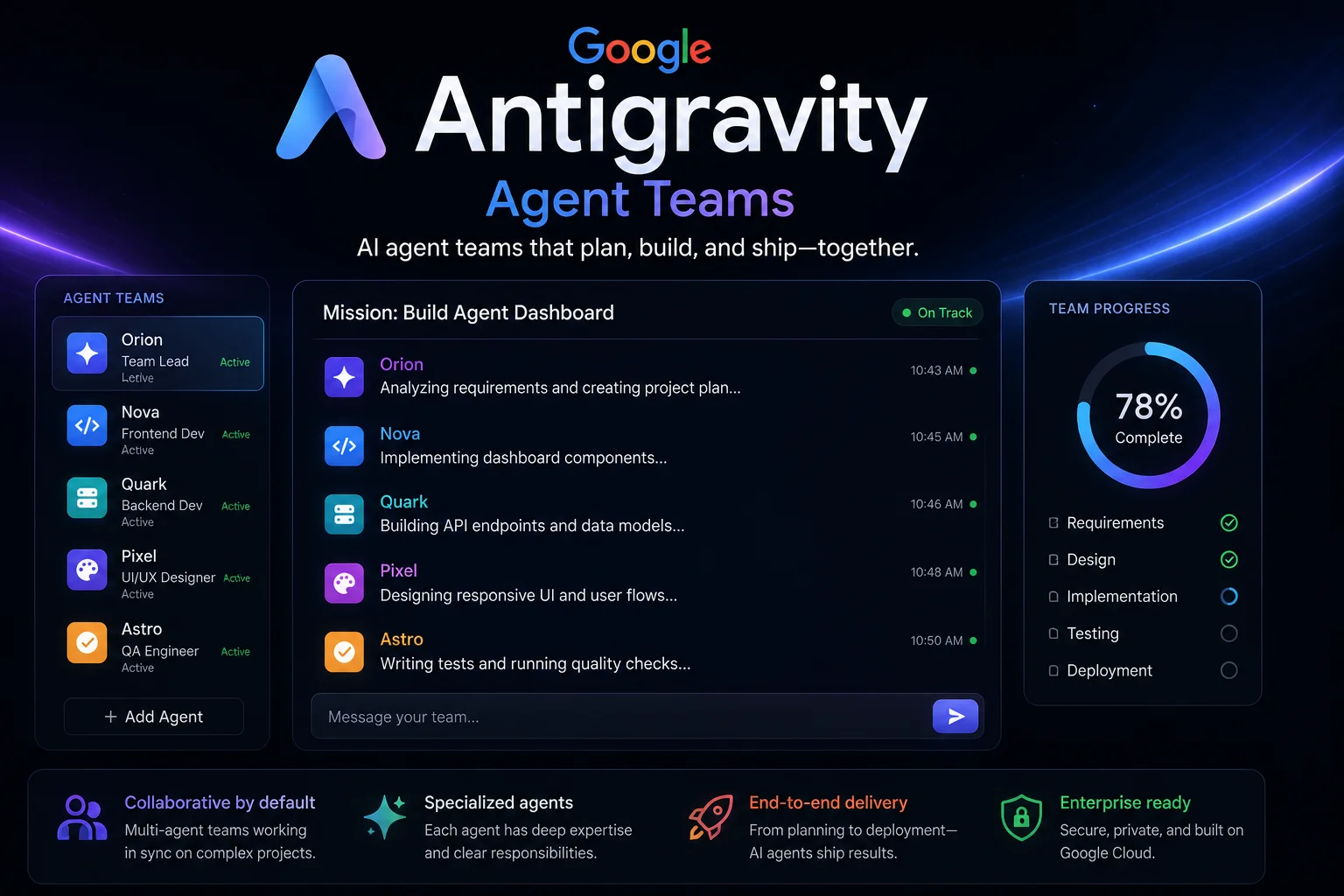
The pitch sounds like science fiction: instead of one AI assistant, you run a team of them. One agent writes the code. A second generates the brand assets. A third schedules itself to run every morning. They all report back to a coordinating layer, and you supervise rather than type.
That is Google Antigravity 2.0, and the feature at the centre of it is Agent Teams. It is worth being precise about the timeline, because a lot of coverage blurs it: Agent Teams was announced at Google I/O on 19 May 2026. It is not a brand-new July announcement. What is new is where the idea has landed two months on - and that is a more useful question anyway, because launch demos always work.
What Antigravity was, and what it became
Antigravity started life as an agent-first IDE built on VS Code - an editor where AI agents were the primary way you worked, rather than a sidebar bolted onto a text editor.
Antigravity 2.0 threw that framing out. It is now a standalone desktop application, rebuilt from scratch, and Google is explicit that it is no longer positioning it as a code editor at all. Koray Kavukcuoglu, CTO of Google DeepMind, put it plainly: Google is expanding Antigravity "beyond a coding environment" and turning it into a platform to develop and manage teams of autonomous AI agents.
The launch post from the official Antigravity account lists what got rebuilt:
What Agent Teams actually does
Strip away the marketing and there are three real mechanics.
1. Parallel orchestration
You can spin up multiple independent agent teams. Each works on a separate problem. Each has its own subagent tree and its own progress feed. The demo that got the room at I/O was one agent building a website while a second agent generated the brand assets to fill it - both running simultaneously, both reporting to a coordinating layer above them.
This is the actual conceptual shift. In a single-agent tool, you are the coordinator: you decide what happens next, every turn. In a multi-agent tool, the coordination itself is delegated. Your job moves up a level - from writing prompts to reviewing output.
2. Scheduled tasks
Agents can be put on cron-style schedules to run autonomously and repeatedly. This is quietly one of the most consequential features, because it decouples the agent from your presence. An agent that runs every morning at 6am and triages your overnight issue queue does not need you to be awake.
3. The primitives underneath
The July update to this story is worth more attention than the launch. Kevin Hou from the Antigravity team broke down the primitives the product is actually being built on - dynamic agent teams, active sidecars, and generative UI:
Two of those terms deserve unpacking. Dynamic agent teams means the team composition is not fixed by you up front - the system decides what agents it needs. Generative UI means the interface itself is generated to suit the task, rather than being a fixed set of panels. Both are bets that as agents get more capable, the human interface has to become less rigid, not more detailed.
What shipped alongside it
Antigravity 2.0 was not a single product. It arrived as a stack:
| Component | What it is |
|---|---|
| Desktop app | Standalone, cross-platform, agent-first. The flagship. |
| Antigravity CLI | Terminal agent - and it sunsets Gemini CLI. If you use Gemini CLI, this affects you. |
| Antigravity SDK | Build your own agents on the same runtime. |
| Managed Agents API | Server-hosted agents via Gemini, no local runtime needed. |
| Gemini 3.5 Flash | The new default model powering all of it. |
Note row two carefully - the Antigravity CLI replacing Gemini CLI is a migration, not just an addition. Google claims Gemini 3.5 Flash outperforms Gemini 3.1 Pro on coding and agentic benchmarks while running roughly four times faster than competing frontier models. As always with vendor benchmarks, treat the number as a direction, not a fact.
Where it fits for Indian developers
Three practical points.
Cost. Antigravity has a free tier, and this is the single biggest reason it matters in India. A student in Coimbatore can run agent teams without a corporate card. Compare that to the terminal agents gated behind a monthly subscription - the accessibility difference is not marginal, it is the whole ballgame for a student or a first-job developer.
The skill that is now valuable. If agents write the code, the scarce skill stops being "can you write a for loop" and becomes: can you specify a problem precisely, review a diff critically, and catch the thing the agent got confidently wrong? That is closer to tech lead work than to junior developer work - and it is now being asked of people two years into their career. This is worth taking seriously if you are a student choosing what to practise.
The freelance angle. A single developer coordinating four agents can plausibly deliver what a small team delivered last year. For the large Indian freelance and services market, that is a genuine opportunity - and, honestly, a genuine threat to anyone whose value was purely the volume of code they could type.
The honest caveats
Everything above is what the tool promises. Here is the friction:
- Multi-agent coordination is genuinely hard. Agents duplicate work, contradict each other, and confidently build on a wrong assumption made by a sibling agent. A demo with two well-scoped agents is a very different thing from five agents on a messy real codebase.
- Review load grows with agent count. Four agents produce four times the diff. If you cannot review it all, you are not supervising - you are just approving. This is the central unsolved problem of the whole category, and no vendor has solved it.
- Vendor lock-in is real. Deep integration with the Google stack is convenient right up until you want to leave.
- Gemini CLI users must migrate. A sunset is a sunset. Plan for it.
- Benchmarks are vendor-supplied. "Four times faster" is Google measuring Google.
Antigravity vs the terminal agents
| Antigravity 2.0 | Grok Build / Claude Code | |
|---|---|---|
| Primary surface | Desktop app (plus CLI) | Terminal |
| Core idea | Manage teams of agents | Drive one agent well |
| Scheduled autonomous runs | Yes, cron-style | Via your own scripts |
| Free tier | Yes | Subscription or API credits |
| Best for | Parallel, multi-part projects | Focused work in one codebase |
These are not really the same product. A terminal agent is a sharp tool for one job. Antigravity is a control room. Which one you want depends entirely on whether your bottleneck is doing the work or coordinating several streams of work at once. For most individual developers most of the time, it is still the former.
How to try it
- Download the Antigravity desktop app from the official site (antigravity.google) and sign in with a Google account.
- Start with a single agent on a small project. Do not start with a team - you will not be able to tell what went wrong.
- Once one agent behaves predictably, add a second with a clearly separate scope. Separate scope is the whole trick: two agents editing the same files is how you get chaos.
- Try one scheduled task before you try five.
- Review every diff. Especially the ones that look fine.
The bigger picture
Antigravity, Grok Build, Claude Code and the rest are all converging on the same bet: that the unit of AI-assisted work is shifting from a prompt to a project, and from one assistant to many. Google is making that bet more aggressively than anyone by rebuilding its entire developer surface around it.
Whether the bet pays off comes down to one unglamorous question that no launch demo answers: can a human meaningfully review the output of five agents working in parallel? Until someone solves that, "agent teams" describes the generation side of the problem beautifully and the verification side not at all. Watch that space - the company that solves review, not the company that spawns the most agents, wins this.





Comments (0)
Be the first to comment!