


What’s the buzz?
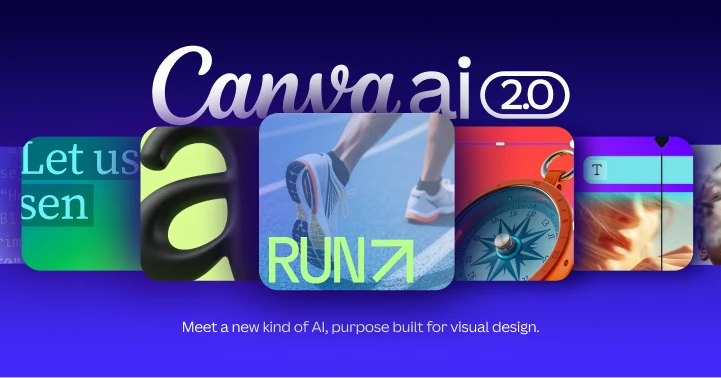
Canva announced Canva AI 2.0, a brand‑new foundation model built especially for design work. Unlike the old text‑to‑image generators that give you a flat picture, this AI spits out a full layered file (think PSD or Canva’s own format) that you can open, move, recolor and tweak right inside the editor.
How does it work?
All you need is a conversational prompt. Type something like “Create a modern Instagram post for a vegan bakery with pastel colours and a hand‑drawn cupcake” and the model will:
- Generate a multi‑layer composition – background, text, icons, images – each as a separate editable element.
- Fill in the colour palette, font choices and layout based on design best‑practices baked into the model.
- Give you a ready‑to‑edit canvas in under 30 seconds.
The magic is that Canva trained the model on millions of its own templates, so the output feels native to the platform – no weird artefacts, no missing fonts.
Key specs and features
- Layered output: Every graphic component is a distinct layer, so you can edit text, swap images or change colours without starting from scratch.
- Real‑time chat: The prompt window works like a chat – you can ask follow‑up questions (“Make the headline bolder”) and the AI updates the design instantly.
- Speed: Average generation time is 20‑30 seconds for a typical social post; complex multi‑page decks take about a minute.
- Pricing: Currently part of Canva’s “Pro” plan, which costs ₹1,299 per month in India. A free‑tier trial of the AI feature is available for 7 days.
- Integration: Works on web, iOS and Android – the same AI powers the desktop editor and the mobile app.
Why Indian users should sit up
India’s creator economy is booming – more freelancers, small businesses and social media influencers need quick, professional graphics. Until now, most relied on either manual template editing or third‑party AI image tools that produce flat PNGs. Canva AI 2.0 bridges that gap:
- Time saver: A freelancer can generate a full Instagram carousel in under 2 minutes, then fine‑tune each slide.
- Cost‑effective: No need to buy expensive Adobe licences. The Pro plan is cheaper than a single Photoshop subscription.
- Local relevance: The model has been fed with Indian design trends – think festive colour palettes for Diwali, regional typography for Tamil or Hindi.
Our take – TamilTech-ஓட கருத்து
Honestly, this feels like a game‑changer for small‑scale creators. The ability to ask “Give me a banner for a Jio recharge promo, 1080x1920, with a blue gradient” and get a fully editable canvas is huge. It cuts down the back‑and‑forth with a designer by half.
But there are a couple of things to watch out for:
- Template fatigue: Since the AI is trained on Canva’s own templates, many outputs will look “Canva‑ish”. Brands that need a truly unique look might still need a human touch.
- Data privacy: Prompts are sent to Canva’s servers. If you’re working with confidential client material, make sure you’re comfortable with their privacy policy.
Overall, we think Canva AI 2.0 is a solid step toward democratizing design. It won’t replace a senior art director, but for everyday marketing teams, it’s a massive productivity boost.
How to try it right now
Follow these steps:
- Open Canva (web or app) and log in to your Pro account.
- Click the ‘+ Create’ button and choose ‘AI Design’ from the dropdown.
- Enter your prompt in plain English (or Hindi/Tamil if you prefer) and hit ‘Generate’.
- When the layered canvas appears, start editing – move objects, change fonts, replace images.
- Save or export as PDF, PNG, or directly share to Instagram/Facebook.
What’s next?
Canva says they’ll keep training the model on more niche domains – think infographics for government data, e‑learning slides, and even video storyboards. Expect deeper integrations with stock photo APIs and maybe a “voice‑to‑design” mode in the next few months.
For Indian creators, the real test will be how quickly the AI adapts to regional festivals, local business jargon and the ever‑changing social media trends. Keep an eye on the updates – the next version could literally understand “Make this Diwali post look like a traditional rangoli”.





Comments (0)
Be the first to comment!