


முக்கிய விஷயங்கள்
- Laravel is still quietly running a huge chunk of Indian agency and startup backend work - admin panels, CRMs, small business sites.
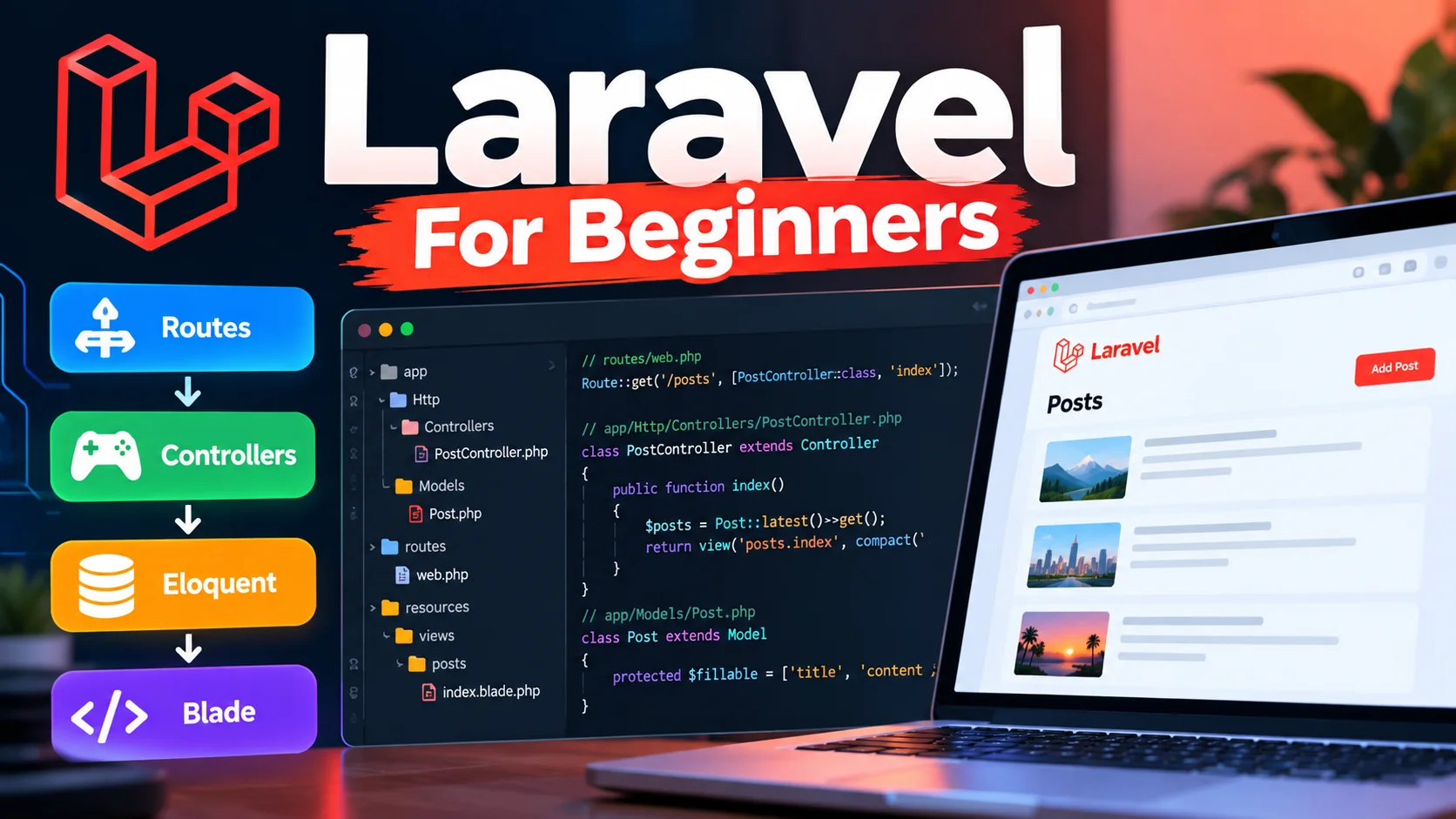
- One tiny 'posts' style app is enough to learn the full flow: route hits controller, controller talks to Eloquent, Eloquent returns data, Blade renders it.
- A route is just a URL-to-function mapping. A controller holds the logic. Eloquent is Laravel's way of talking to MySQL using plain PHP instead of raw SQL.
- Blade lets you mix PHP inside HTML cleanly using
{{ }}and directives like@foreach,@if. - You don't hand-build login/register pages - Laravel Breeze gives you working auth scaffolding in a few commands.
- This exact stack still comes up in interviews at Indian service companies and agencies, so it's worth knowing properly, not just by memory.
What just happened?
Every couple of years, someone on Twitter declares PHP dead and moves on. Meanwhile, if you've ever worked with an Indian web agency - the kind that builds a hospital's appointment system or a real estate CRM - there's a very good chance the backend is Laravel.
It's not flashy. Nobody's writing a funding story about it. But Laravel keeps winning because it's fast to set up, well documented, and one developer can build a working app in a weekend without fighting the framework.
This piece is not news - it's a sit-down guide. We'll build one small app (a list of blog posts) and touch every piece beginners get confused about: install and folder structure, routes and controllers, Eloquent models and migrations, Blade templates, and auth scaffolding.
How does this actually work?
Install and project structure
You need PHP 8.3 or newer and Composer installed. Creating a new project is one line:
composer create-project laravel/laravel blog
Once it finishes, open the folder. The folders that actually matter for a beginner are: routes/ (your URLs), app/Http/Controllers/ (your logic), app/Models/ (your database tables as PHP classes), resources/views/ (your Blade templates), and database/migrations/ (your table definitions). Everything else - config, storage, vendor - you can ignore for now.
Run php artisan serve and you've got a local server at http://127.0.0.1:8000. That's it, app is alive.
Routes and controllers
A route answers one question: when someone visits this URL, which function should run? Nothing fancy.
<?php

use App\Http\Controllers\PostController;
use Illuminate\Support\Facades\Route;

Route::get('/posts', [PostController::class, 'index']);
Route::get('/posts/{id}', [PostController::class, 'show']);
Route::post('/posts', [PostController::class, 'store'])->middleware('auth');
Now generate the controller: php artisan make:controller PostController. The controller is where the actual work happens - fetching data, validating input, deciding which view to show.
<?php

namespace App\Http\Controllers;

use App\Models\Post;
use Illuminate\Http\Request;

class PostController extends Controller
{
    public function index()
    {
        $posts = Post::latest()->paginate(10);

        return view('posts.index', ['posts' => $posts]);
    }

    public function show($id)
    {
        $post = Post::findOrFail($id);

        return view('posts.show', ['post' => $post]);
    }

    public function store(Request $request)
    {
        $data = $request->validate([
            'title' => 'required|max:255',
            'body' => 'required',
        ]);

        Post::create($data);

        return redirect('/posts');
    }
}
Notice there's no raw SQL anywhere. That's the whole point of the next piece.
Eloquent models and migrations
Eloquent is Laravel's ORM - a fancy way of saying "PHP classes that represent your database tables." You don't write SELECT * FROM posts, you write Post::all() and Eloquent builds the SQL for you underneath.
First, a migration - this is version-controlled code for your database schema, so your teammate can run the same command and get the same table:
<?php

use Illuminate\Database\Migrations\Migration;
use Illuminate\Database\Schema\Blueprint;
use Illuminate\Support\Facades\Schema;

return new class extends Migration
{
    public function up(): void
    {
        Schema::create('posts', function (Blueprint $table) {
            $table->id();
            $table->string('title');
            $table->text('body');
            $table->timestamps();
        });
    }

    public function down(): void
    {
        Schema::dropIfExists('posts');
    }
};
Run it with php artisan migrate. Then the model:
<?php

namespace App\Models;

use Illuminate\Database\Eloquent\Factories\HasFactory;
use Illuminate\Database\Eloquent\Model;

class Post extends Model
{
    use HasFactory;

    protected $fillable = ['title', 'body'];
}
The $fillable line matters more than beginners realise - it's a whitelist telling Eloquent exactly which fields can be mass-assigned from a form. Skip this and Laravel will throw a mass assignment error the moment you try Post::create($request->all()).
Blade templates
Blade is Laravel's template engine - plain HTML with a few extra tricks for looping and printing data safely.
<!DOCTYPE html>
<html>
<head>
    <title>All Posts</title>
</head>
<body>
    <h1>Posts</h1>

    @foreach ($posts as $post)
        <div class="post">
            <h2><a href="/posts/{{ $post->id }}">{{ $post->title }}</a></h2>
            <p>{{ Str::limit($post->body, 100) }}</p>
        </div>
    @endforeach

    {{ $posts->links() }}
</body>
</html>
Save this as resources/views/posts/index.blade.php. The {{ }} syntax auto-escapes output, so you're protected from basic XSS by default - something you'd have to remember manually in plain PHP.
Auth scaffolding
You almost never hand-build login and registration pages anymore. Laravel ships a package called Breeze for exactly this:
composer require laravel/breeze --dev then php artisan breeze:install then npm install && npm run build then php artisan migrate.
That gives you working login, register, password reset and email verification views, already wired to a users table. If your app needs API tokens too (say, a mobile app hitting the same backend), Laravel Sanctum handles that on top of the same user model. For bigger apps with teams and 2FA, Jetstream is the heavier option - most small projects don't need it.
Common mistakes beginners make
Forgetting $fillable or $guarded on the model and then wondering why form data won't save. Writing business logic directly in routes instead of controllers, which turns routes/web.php into an unreadable mess by week two. Not running php artisan migrate after pulling new migration files from a teammate, then getting a confusing "table not found" error. Using {!! !!} instead of {{ }} in Blade out of habit, which switches off auto-escaping and opens an XSS hole. And the classic one - editing the .env file, changing nothing in code, then wondering why old settings are still cached (run php artisan config:clear).
What changes for people in India?
If you're job-hunting in Chennai, Coimbatore or any Tier-2 IT hub, Laravel still shows up in a surprising number of job descriptions - especially from agencies that build for real estate, healthcare, logistics and D2C brands. These companies don't need a React/Node/microservices stack for a client's inventory dashboard. They need something one or two developers can ship in three weeks, and Laravel fits that budget and timeline.
In interviews, the questions rarely go deep into internals. They stay practical: explain the request lifecycle, what's the difference between hasMany and belongsTo, how do you prevent N+1 queries, what does middleware do. If you've actually built one small CRUD app like the one above, you can answer every one of those without memorising anything.
What should you do now?
Build the exact app in this piece, then extend it yourself: add a category field with a migration, add a comments table with a belongsTo relationship back to Post, and lock the store route behind Breeze auth so only logged-in users can create posts. If you can do all three without copying code from here, you've actually learned Laravel - not just read about it.


Comments (0)
Be the first to comment!