


TerminUI — React-Like DX Meets the Terminal
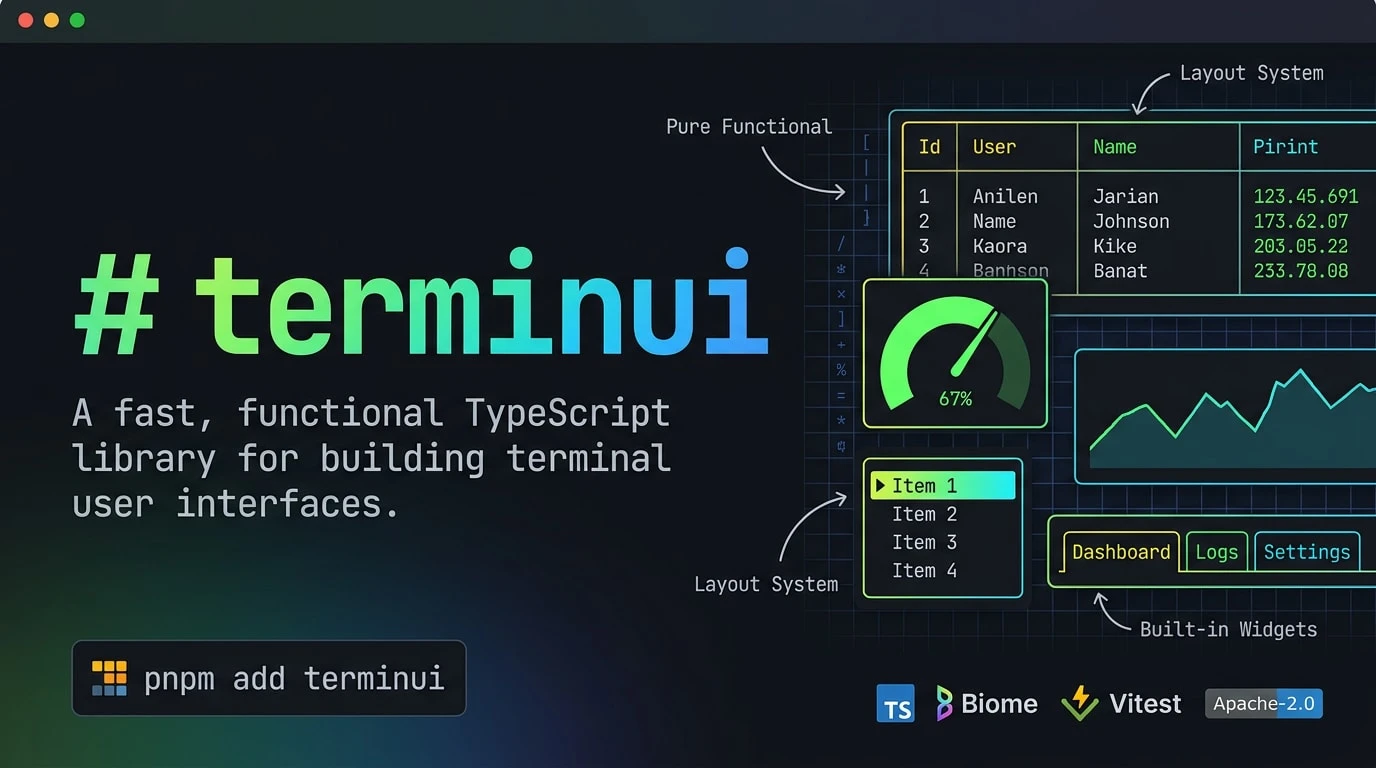
If you've ever tried building a terminal UI in Node.js, you know the pain. Most TUI libraries are either too low-level (curses-style) or too opinionated (Ink/React model). Enter TerminUI — a brand-new TypeScript library by Ahmad Awais that takes a radically different approach: purely functional, zero classes, no mutation. Think of it as what would happen if Ratatui (Rust's popular TUI library) and React had a TypeScript baby.
Released under the Apache 2.0 license, TerminUI (currently at v0.3.1) has already garnered 225+ stars on GitHub and is rapidly gaining traction among developers building CLI tools, dashboards, and AI agent interfaces.
Why Another TUI Library?
The terminal UI space in the JavaScript/TypeScript ecosystem has been dominated by a few players:
| Library | Architecture | Language | Rendering |
|---|---|---|---|
| Ink | React-based (classes/hooks) | TypeScript | Full re-render |
| Blessed | Object-oriented (class hierarchy) | JavaScript | Widget tree |
| terminal-kit | Imperative API | JavaScript | Direct write |
| TerminUI | Purely functional | TypeScript | Double-buffered diff |
TerminUI's core philosophy is simple: plain objects in, plain objects out. Every widget is just a function that takes an area and a buffer, and renders cells into it. No this, no class hierarchies, no hidden state.
Core Architecture
TerminUI follows a clean data flow pipeline:
Backend → Terminal → Frame → Buffer → Cells
↑ Widgets (pure render functions)
↑ Layout (constraint solver)
Double-Buffered Rendering
This is where TerminUI really shines. Instead of re-writing the entire terminal every frame (like most TUI libraries), it maintains two buffers:
- Previous frame buffer — What's currently displayed
- Current frame buffer — What needs to be displayed
Between frames, only changed cells are flushed to the terminal. This means buttery-smooth updates even in complex dashboards with multiple widgets. If you've ever used Ratatui in Rust, you'll recognize this pattern — TerminUI brings it to TypeScript for the first time.
The Layout System
TerminUI's constraint-based layout system is one of its most powerful features. You can split any rectangle using six constraint types:
| Constraint | Function | Example |
|---|---|---|
| Length | lengthConstraint(n) | Exactly 10 cells wide |
| Percentage | percentageConstraint(n) | 50% of available space |
| Ratio | ratioConstraint(num, den) | 1/3 proportion |
| Min | minConstraint(n) | At least 5 cells |
| Max | maxConstraint(n) | At most 20 cells |
| Fill | fillConstraint(weight) | Fill remaining space |
Layouts support both vertical (default) and horizontal directions, and constraints can be nested for complex layouts.
Built-in Widgets
TerminUI ships with 10+ production-ready widgets:
- Block — Container with optional borders and titles
- Paragraph — Text rendering with word-wrap and alignment
- List — Scrollable lists with selection highlighting
- Table — Data tables with column constraints
- Gauge — Progress bars with customizable styles
- Tabs — Tab navigation widget
- Sparkline — Inline mini-charts for data visualization
- BarChart — Horizontal/vertical bar charts
- Scrollbar — Scrollbar indicators
- Clear — Area clearing widget
The Style System
TerminUI supports a comprehensive styling system:
Colors
- 16 ANSI colors — Black, Red, Green, Yellow, Blue, Magenta, Cyan, White, and their bright variants
- 256-color indexed — indexedColor(n) for the extended palette
- 24-bit RGB — rgbColor(r, g, b) for true color support
Modifiers
BOLD, DIM, ITALIC, UNDERLINED, SLOW_BLINK, RAPID_BLINK, REVERSED, HIDDEN, CROSSED_OUT, DOUBLE_UNDERLINED, OVERLINED — all composable via createStyle(), styleFg(), styleBg(), and styleAddModifier().
JSX Support — React-Like Syntax Without React
Perhaps the most developer-friendly feature is TerminUI's JSX API. It provides React-like components without a virtual DOM:
- VStack / Column — Vertical layout
- HStack / Row — Horizontal layout
- Box / Panel — Container with borders
- Text / Label — Text rendering
- List, Table, Gauge, LineGauge, Tabs, Sparkline, BarChart, Scrollbar, Clear, Cursor
Common props include gap for spacing, p/px/py for padding, border and title for containers, and fg/bg/bold for styling.
TypeScript Strict Mode
TerminUI is written with the strictest TypeScript configuration:
- strict: true
- noUncheckedIndexedAccess: true
- Zero any types in the entire codebase
This means you get full type safety for all widgets, layouts, and styles — IDE autocompletion works perfectly.
Use Cases for Indian Developers
- CLI dashboards — Build monitoring tools for your servers with real-time charts and gauges
- AI agent interfaces — Create terminal UIs for LLM-based agents (the article "From Browser to Terminal: How TypeScript Conquered the AI Agent TUI" on Medium highlights this trend)
- DevOps tools — Status monitors, deployment dashboards, log viewers
- Interview prep — Building CLI tools is a great portfolio project for job seekers
Getting Started
Install via your preferred package manager:
pnpm add terminui (or npm install terminui)
The basic pattern uses a backend, terminal, and draw loop:
- Create a backend (test backend for development, crossterm backend for production)
- Create a terminal with the backend
- Call terminalDraw(terminal, renderFn) in your main loop
- Inside the render function, create layouts and render widgets
Limitations
- Early stage (v0.3.1) — API may change in breaking ways
- No input handling — Currently focused on rendering; input handling is planned
- Small community — 225 stars, 10 forks; ecosystem is still forming
- No event system — Unlike Ink/React, there's no built-in state management or event loop
Despite these limitations, TerminUI's functional-first approach and TypeScript-native design make it a compelling choice for developers who want the ergonomics of React without the complexity of a full UI framework.



Comments (0)
Be the first to comment!