


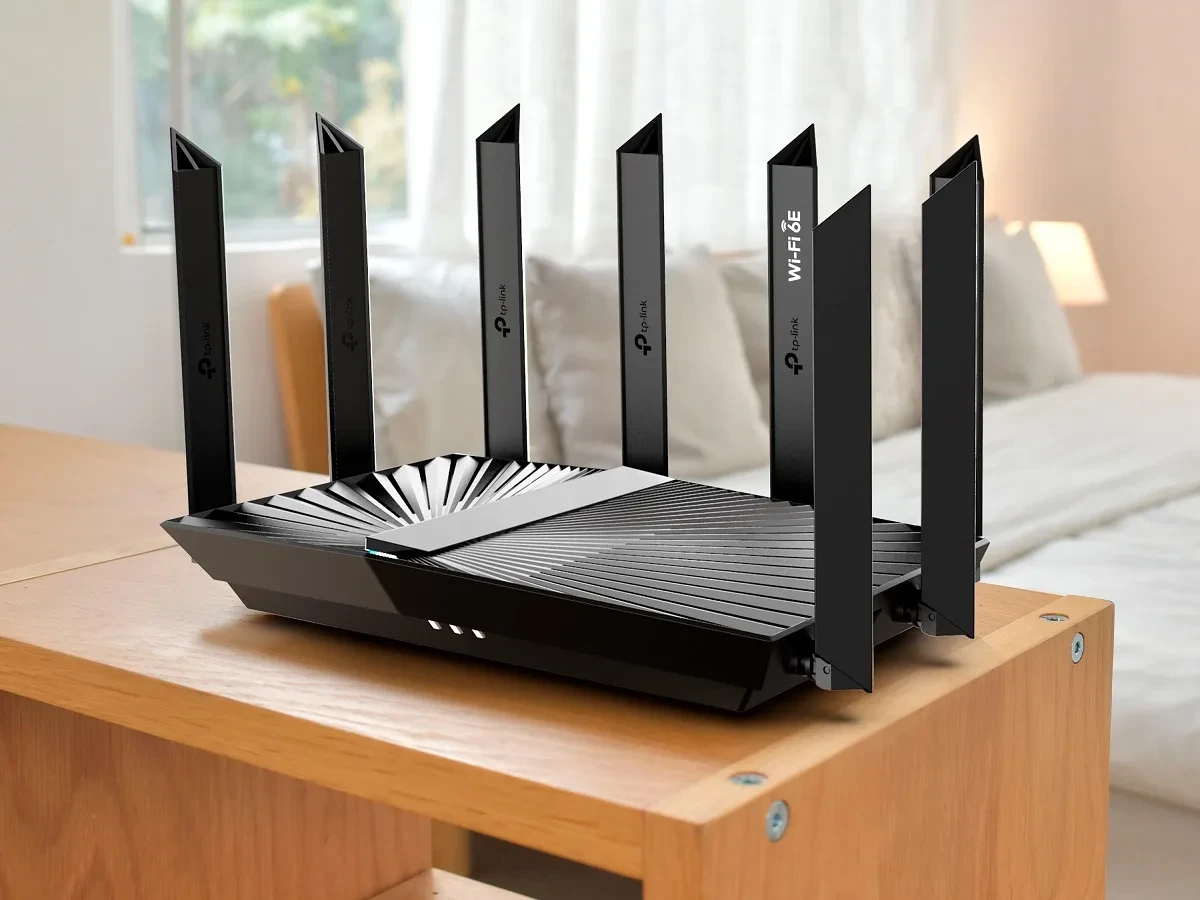
Your TP-Link router might let hackers in without knowing your Wi-Fi password
TP-Link released security patches this week for a critical vulnerability in its Archer NX router lineup. The flaw is bad enough that the company issued a warning directly to customers: update your router firmware immediately, or face potential compromise.
The vulnerability, tracked as CVE-2025-15517, affects four popular Archer NX models: the NX200, NX210, NX500, and NX600. All of these are commonly used in Indian homes and offices because they offer good performance at reasonable prices and have solid local distribution through Flipkart and Amazon India.
Here's what makes this flaw critical: an attacker can bypass your router's authentication system entirely — meaning they don't need to know your Wi-Fi password or admin login — and gain the ability to upload new firmware directly to your device. Once they control the firmware, they control everything: your Wi-Fi traffic, your DNS, what websites you can access, what data passes through your network.
What exactly can go wrong?
TP-Link explained the vulnerability in technical terms: "A missing authentication check in the HTTP server to certain cgi endpoints allows unauthenticated access intended for authenticated users."
In plain English: your router's admin interface is supposed to require a password before letting anyone make changes. This vulnerability removes that password requirement for specific functions. An attacker on the same network as your router — or even remotely through certain network conditions — could access admin functions without authentication.
The most dangerous capability this enables is firmware upload. Firmware is the core software that runs your router. If an attacker uploads malicious firmware, they can:
Intercept all your internet traffic — anything you browse, any data you send, any logins you perform can be captured and read.
Redirect you to fake websites — when you type amazon.in, they can redirect you to a lookalike site designed to steal your login credentials. Particularly dangerous if you use the same password across multiple accounts.
Inject malware into websites — even if you visit a legitimate site, the hacked router can insert malicious code that infects your devices.
Run your router as a botnet node — hackers can use your router to attack other systems or send spam, while the network traffic traces back to your ISP account.
Monitor all your family's online activity — for parents or domestic abusers, this becomes a surveillance tool.
TP-Link also fixed three other vulnerabilities in the same update
Along with the authentication bypass, TP-Link patched three additional security issues in the same router models:
CVE-2025-15605 — Hardcoded cryptographic key: The router was using a hardcoded encryption key (basically, a password baked into the firmware that never changes) to encrypt configuration files. An attacker with access to the router could grab the encrypted config, decrypt it using the hardcoded key, modify the settings, re-encrypt it, and upload it back. This could be used to change your Wi-Fi name, reset admin passwords, or alter network settings.
CVE-2025-15518 and CVE-2025-15519 — Command injection vulnerabilities: These allow someone with admin access to execute arbitrary system commands on the router. If combined with the authentication bypass, this becomes catastrophic — an unauthenticated attacker can run commands directly on your router as if they had full admin rights.
How to check if you're affected and fix it
Step 1: Check your router model. Go to your TP-Link router's admin panel (usually 192.168.0.1 in your browser, or check the label on your router). Look for the model number — it should start with Archer NX. If you have NX200, NX210, NX500, or NX600, you're affected.
Step 2: Check your current firmware version. In the admin panel, navigate to System Tools or Administration (varies by model), then look for "Firmware Version" or "System Status." Note the current version.
Step 3: Visit TP-Link's support page. Go to support.tplink.com/in (for India), search for your exact router model (e.g., "Archer NX600"), and navigate to the Downloads section. Look for the latest firmware file.
Step 4: Download and install the latest firmware. Download the firmware file to your computer. In your router's admin panel, go to System Tools > Firmware Upgrade and select the file you downloaded. The router will reboot and apply the update. This usually takes 2-3 minutes. Do NOT disconnect power or internet during this process.
Step 5: Verify the update worked. After the router reboots, log back in to the admin panel and confirm that the firmware version has changed to the latest version.
What if you can't access your router admin panel?
If you've forgotten your admin password, you'll need to factory reset the router (usually a small button held for 10+ seconds) and then update the firmware. This will erase your custom settings, so you'll need to reconfigure your Wi-Fi name and password afterward.
Is this happening right now, or is it theoretical?
This is a published vulnerability with patches available. There's no evidence of widespread active exploitation (yet), but TP-Link's warning suggests this is serious enough to patch immediately. The company stated: "If you do not take all recommended actions, this vulnerability will remain."
TP-Link also has a history of vulnerabilities being exploited after public disclosure. Earlier this year, the company had to rush emergency patches for other flaws that were being actively exploited by botnet malware. The longer you wait to update, the more likely this becomes a real-world attack vector.
What about other TP-Link routers — are they affected?
TP-Link has multiple router product lines: Archer (the most popular), TL-series, Deco (mesh), Tapo (smart home), and others. This specific vulnerability affects only the Archer NX series. However, TP-Link has had multiple security issues across different product lines over the past year, so it's worth checking if your other devices need updates too.
Should you switch routers?
Not necessarily based on this one vulnerability. What matters is whether the company patches issues when they're found and how quickly they provide updates. TP-Link's response here — releasing patches within days of the vulnerability being disclosed — is actually the right behavior. Other router manufacturers have been much slower.
That said, if you've been wanting to upgrade anyway, this is a good nudge. Popular Indian alternatives include:
ASUS routers — good security track record, regularly updated, widely available in India at ₹3,000-15,000 range.
Netgear routers — solid performance and security, though sometimes slower on patches than ASUS.
Mi Router — Xiaomi's router line, good value, but smaller update track record.
Mesh systems — if you want better coverage, Netgear Orbi, ASUS AiMesh, or TP-Link Deco M series are options (though Deco might have the same vulnerabilities as Archer, so research first).
TamilTech's take
This vulnerability is a reminder that your router is a critical piece of security infrastructure, not just a device for Wi-Fi. It sits between your devices and the internet, seeing all your traffic. Keeping it updated is as important as keeping your phone or laptop patched.
The good news: the patch is available and relatively simple to install. The bad news: most people don't update their router firmware regularly (if ever), which means this vulnerability will probably be exploited against Indian users for months or years to come.
If you have a TP-Link Archer NX router, spend 10 minutes today updating it. Don't wait. This is the kind of vulnerability that combines ease of exploitation with maximum damage potential — attackers don't need physical access, don't need authentication, and gain complete network control once exploited.
After you update, consider setting a calendar reminder to check for router firmware updates every 3-6 months. It's not sexy, but it's the difference between a secure network and a compromised one.




Comments (0)
Be the first to comment!