


இந்த Gestures-ஐ யாரும் சொல்லவே இல்லை — ஆனா Daily Use பண்றதுக்கு Superfast!
Android phone-ல் கொட்டக்கொட்ட gestures இருக்கு — யாரும் சொல்லவே இல்லை. Secret settings-ல் இல்லை, developer options-ல் இல்லை — daily use பண்ற apps-ல் right there. Gboard, Chrome, YouTube, notification shade — இவற்றில் இருக்கு.
WhatsApp message type பண்றீங்க, IRCTC ticket check பண்றீங்க, YouTube video watch பண்றீங்க — day-ல் multiple times பண்றது. இந்த gestures seconds save பண்றது — accumulated-ஆ significant time saving.
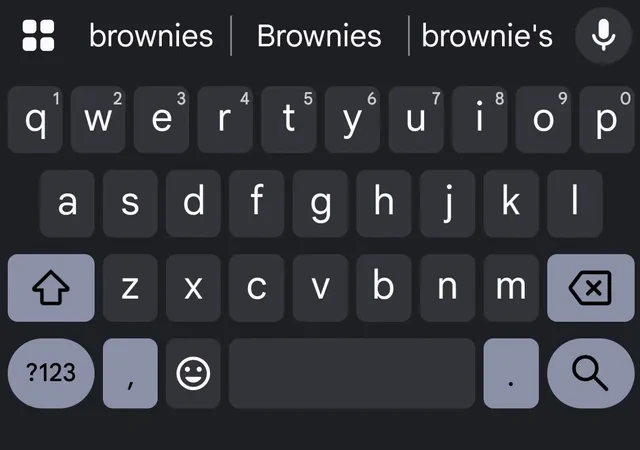
Gesture 1: Gboard Spacebar Trackpad — இதுவே Best Trick!
WhatsApp-ல் long message type பண்ணி, middle-ல் spelling mistake பாருங்க. அந்த exact spot-ல் cursor place பண்ண 15 seconds struggle. ஒரு letter wrong-ஆ tap ஆகும், again try பண்ணணும்.
Better way இருக்கு. Gboard-ல் (Google-ஓட keyboard, India-ல் most Android phones-ல் pre-installed) spacebar-ஐ long-press பண்ணுங்க. Spacebar trackpad-ஆக மாறும். Finger-ஐ left அல்லது right slide பண்ணுங்க — cursor precisely text-ல் move ஆகும். Pixel phones-ல் vibration feedback-உம் கிடைக்கும் — each cursor position feel பண்ணலாம்.
WhatsApp, Gmail, Google Docs, SMS — Gboard active-ஆ இருக்கும் எந்த text field-லயும் work ஆகும். ஒரு முறை use பண்ணுங்க — இனிமேல் இல்லாம இருக்க முடியாது.
Gesture 2: Gboard Backspace Swipe — Whole Sentence Delete
Spacebar trick-உடன் related: Gboard-ல் backspace key-ல் left swipe பண்ணுங்க (tap இல்லை, swipe). Entire sentence highlight ஆகி delete ஆகும். 30 characters-க்கு repeatedly backspace tap பண்றதில்லை.
Voice dictation wrong-ஆ transcribe ஆனால் — backspace swipe, gone. Fresh attempt ready.
Gesture 3: Chrome Address Bar Swipe — Tabs Switch Without Opening Grid
Chrome-ல் tabs switch பண்றது normally annoying — tab count button tap, grid open, find tab, tap. Flipkart மற்றும் Amazon India tabs compare பண்றது இப்படி பண்ணா time waste.
Skip பண்ணுங்க. Chrome-ஓட address bar-ல் left அல்லது right swipe பண்ணுங்க — directly open tabs-க்கு switch ஆகும். Grid இல்லை, counting இல்லை.
Better-ஆ: Chrome Settings → Accessibility → Address bar position → Bottom set பண்ணுங்க. Address bar thumb-ஓட reach-ல் இருக்கும், swipe easier.
Gesture 4: App Switcher Quick-Swap — Android-ஓட Alt+Tab
PC-ல் Alt+Tab two windows-க்கு switch பண்றது. Android-ல் equivalent: bottom navigation bar-ல் horizontally swipe (left அல்லது right) பண்ணுங்க. Most recent previous app-க்கு directly jump ஆகும்.
Use case: Google Maps-ல் direction பார்க்கிறீங்க, GPay-ல் UPI payment confirm பண்ணணும். Nav bar-ல் right swipe — GPay. Again right swipe — Maps back. Back button அல்லது app switcher button-ஐ விட much faster.
Gesture 5: Notification Shade Two-Finger Pull
Single finger-ல் notification shade pull down பண்றீங்க — few quick settings tiles மட்டும் show ஆகும். WiFi, Bluetooth, Do Not Disturb. Full grid-க்கு again swipe பண்ணணும்.
Two fingers slightly spread apart-ஆ top-லிருந்து pull down பண்ணுங்க — full quick settings grid immediately expand ஆகும். Daily multiple times use பண்ற gesture — time savings real.
Gesture 6: YouTube Double-Tap Skip Customize பண்றது
YouTube-ல் left/right double-tap 10 seconds skip ஆகும் — எல்லாருக்கும் தெரியும். தெரியாதது: seconds customize பண்ணலாம்.
YouTube Settings → General → Double-tap to seek. Options: 5, 10, 15, 20, 30, அல்லது 60 seconds. Cricket highlights watch பண்றீங்க, 30-second skip perfect-ஆ இருக்கும்.
YouTube-ல் screen long-press பண்றீங்க — 2x speed play ஆகும் hold பண்ணும் வரை. Release — normal speed. Long video skim பண்ண useful.
Gesture 7: Scroll Screenshot — Long Pages Capture
India-ல் most Samsung, Xiaomi, OnePlus phones-ல் — screenshot எடுத்த பிறகு bottom-ல் toolbar appear ஆகும். Scroll capture button (down arrow icon) tap பண்ணுங்க — automatically scroll பண்ணி entire page one long screenshot-ஆக stitch பண்ணும்.
Swiggy order history, IRCTC ticket details, bank statement — one screen-ல் fit ஆகாத content-க்கு super useful. Samsung-ல் screenshot toolbar-ல் இருக்கும், Xiaomi-ல் "Extended screenshot" என்று call ஆகலாம்.
Gesture 8: Notification-ல் Two-Finger Volume Swipe
Spotify, YouTube Music, Gaana notification notification shade-ல் இருந்தால் — அந்த notification-ல் two fingers-ஆல் swipe பண்ணுங்க. Full volume slider directly notification-ல் expand ஆகும். Side buttons press பண்றதில்லை, settings போகவில்லை.
Gesture 9: Back Gesture Peek — Screen-க்கு பிறகு என்னன்னு Preview
Gesture navigation use பண்றவங்க (screen-ல் buttons இல்லாம edge swipe) — back gesture initiate பண்ணி hold பண்ணுங்க, complete பண்ணாதீங்க. Current app peek ஆகும், behind இருக்குறதை preview காட்டும். Long form fill பண்றீங்க, back button accidentally press பண்ணி lose ஆகுமா-ன்னு check பண்ண — peek பண்ணி confirm பண்ணிட்டு decide பண்ணலாம்.
Gesture 10: Google Maps Two-Finger Rotation
Google Maps-ல் two fingers வச்சு rotate பண்ணுங்க (dial turn பண்றது-மாதிரி) — map orientation rotate ஆகும். Top-right-ல் compass icon appear ஆகும் — tap பண்ணி north-facing-க்கு snap back. T Nagar அல்லது busy market area navigation-ல் map orientation confusing-ஆ இருந்தால் — rotate பண்ணி உங்கள் direction-க்கு match பண்ணிக்கோங்க.
TamilTech-ஓட கருத்து
Gboard spacebar trackpad — ஒரு முறை use பண்ணினால் daily behavior change ஆகும். Chrome address bar swipe — second most useful. இந்த two மட்டுமே தெரிஞ்சாலும் this article worth-ஆனது.
Android-ஓட problem: Google மற்றும் phone manufacturers setup-ல் இந்த features explain பண்றதில்லை. Onboarding tutorials-ல் இல்லை. Friend, Reddit, article-ல் தான் discover ஆகுது. உங்கள் family, friends-கிட்ட share பண்ணுங்க — especially Gboard cursor tip, text editing-ல் எல்லாருக்கும் genuinely useful.





கருத்துகள் (0)
Be the first to comment!