‹ முகப்புக்கு திரும்ப

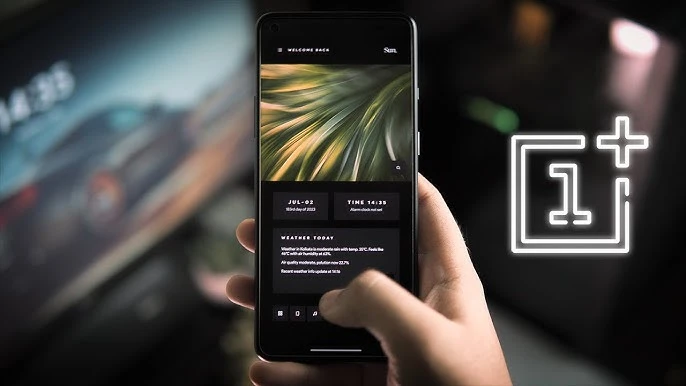
OnePlus Customization வழிகாட்டி: Home Screen, Themes & Icons தனிப்பயனாக்கம்

Themes, wallpapers, icons, fonts, home screen layouts தனிப்பயனாக்கி தனித்துவமான look உருவாக்குங்கள்.

Keerthika 1 min read
Google-ல் Follow
அப்டேட் 2 வாரங்கள் முன்
Android Tips OnePlus Customization வழிகாட்டி: Home Screen, Themes & Icons தனிப்பயனாக்கம் 1 நிமிடம் மீதம் Google-ல் Follow
OnePlus Customization வழிகாட்டி: Home Screen, Themes & Icons தனிப்பயனாக்கம்

தமிழ்டெக் AI சுருக்கம்

OnePlus-ல OxygenOS மூலம் Home Screen, Themes, Icons எல்லாத்தையும் நீங்க easy-ஆ customize பண்ணலாம். Theme Store-ல போய் complete themes download பண்ணலாம், elements-ஐ mix and match பண்ணலாம், Theme Editor வச்சு உங்களோட custom theme-உம் உருவாக்கலாம். Wallpaper side-ல Static, Live, Video wallpapers இருக்கு, அதோட AI Wallpaper, 3D depth கொடுக்கும் Portrait Wallpaper, time/weather basе-ஆ மாறும் Dynamic Wallpapers-உம் use பண்ணலாம். Icons-ஐ built-in styles, third-party packs, Circle/Square/Rounded shapes, size and labels adjust பண்ணி மாத்தலாம்; Always-On Display-ல clock designs, custom images, Canvas AOD AI art-உம் set பண்ணலாம். Home Screen-ல grid size, app drawer, folder, widget styling மாத்தலாம், App drawer-ல right swipe பண்ணி Hidden Space-ல apps-ஐ hide பண்ணி password protect-உம் பண்ணலாம்—so உங்க phone உங்க style-ல neat-ஆ இருக்கும்.

  • Themes எவ்வாறு மாற்றுவது?
  • Custom icon packs பயன்படுத்த முடியுமா?
  • Always-On Display எவ்வாறு customize செய்வது?
  • Apps rename செய்ய முடியுமா?

AI உதவியுடன் தயாரான சுருக்கம் — தமிழ்டெக் எடிட்டர்ஸ் சரிபார்த்தது.

0:00
0:00
🔒 Listen வசதி subscribers-க்கு மட்டும். Subscribe செய்யுங்கள்

OxygenOS விரிவான customization options வழங்குகிறது.

Theme Store

Settings → Personalization → Theme Store:

  • Complete themes download செய்யுங்கள்
  • Elements mix and match செய்யுங்கள்
  • Theme Editor மூலம் custom themes உருவாக்குங்கள்

Wallpaper Options

  • Static, Live, Video Wallpapers
  • AI Wallpaper - unique wallpapers generate
  • Portrait Wallpaper - 3D depth effect
  • Dynamic Wallpapers - time/weather based

Icon Customization

  • Built-in icon styles
  • Third-party icon packs
  • Icon shapes: Circle, Square, Rounded
  • Size மற்றும் labels adjust

Always-On Display

  • Various clock designs
  • Custom images
  • Canvas AOD - AI art

Home Screen

  • Grid size options
  • App drawer style
  • Folder style
  • Widget styling

Hidden Space

App drawer-ல் right swipe செய்து apps hide மற்றும் password protect செய்யுங்கள்.

நாளைய டெக் செய்திகள் உங்க WhatsApp-க்கே

தினமும் ஒரு சின்ன update, இலவசம். TamilTech channel-ஐ follow பண்ணுங்க.

What do you think?

people reacted

Keerthika

தமிழ்டெக் எடிட்டோரியல் டீம் · 3,346 கட்டுரைகள்

Keerthika is an editor at TamilTech, the Tamil and English technology publication founded by Praveen Kumar S. She covers AI, smartphones, gadgets, EVs, startups and cybersecurity i...

மேலும் Keerthika

WhatsApp-ல் TamilTech-ஐக் கேளுங்க

டெக் சந்தேகமா? தமிழிலோ ஆங்கிலத்திலோ கேளுங்க — எங்க WhatsApp அசிஸ்டன்ட் TamilTech கட்டுரைகளில் இருந்து சில நொடிகளில் பதில் சொல்லும்.

தொடர்புடைய செய்திகள்

கருத்துகள் (0)

| Supports **bold**, *italic*, `code`

Be the first to comment!

அடுத்த செய்தி Samsung US‑ல் Messages ஆப் மூடுகிறது – Android பயனர்கள் என்ன செய்ய வேண்டும்?
Tamiltech

Tamiltech

Install app for faster access

Earn XP 🏆
WhatsApp
Notifications