


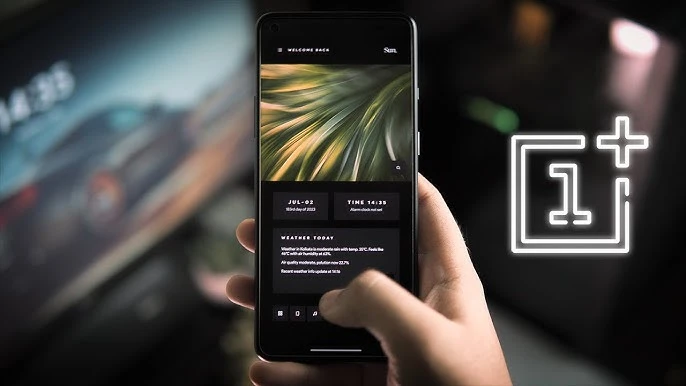
OxygenOS offers extensive customization options. This guide shows you every way to personalize your OnePlus device.
Theme Store
Access at Settings → Personalization → Theme Store:
- Download complete themes (wallpaper, icons, fonts, sounds)
- Mix and match elements from different themes
- Free and premium themes available
- Create custom themes with Theme Editor
Wallpaper Options
Navigate to Settings → Personalization → Wallpaper:
Advertisement
- Static Wallpapers - OnePlus gallery of high-quality images
- Live Wallpapers - Animated backgrounds
- Video Wallpapers - Use any video as wallpaper
- AI Wallpaper - Generate unique wallpapers with AI
- Portrait Wallpaper - 3D depth effect with your photos
- Dynamic Wallpapers - Change based on time/weather
Icon Customization
Go to Settings → Home Screen → Icon Pack:
- Choose from built-in icon styles
- Download third-party icon packs
- Customize icon shapes: Circle, Square, Rounded, Squircle, Teardrop
- Adjust icon size (small, medium, large)
- Enable/disable icon labels
Font Customization
At Settings → Personalization → Font Style:
- OnePlus Sans (default)
- Download additional fonts from Theme Store
- Adjust font size system-wide
- Bold text option for visibility
Always-On Display Styles
Configure at Settings → Display → Always-On Display → Style:
- Various clock designs (analog, digital, creative)
- Custom images and patterns
- Canvas AOD - AI generates art from your photos
- Bitmoji integration
- Custom colors matching your wallpaper
Quick Settings Customization
Swipe down twice → Tap pencil icon to edit:
- Add/remove quick setting tiles
- Reorder tiles by dragging
- Choose between 4/5 column layout
- Customize tile colors with themes
Home Screen Layout
Long-press home screen → Settings:
Advertisement
- Grid size - 4x5, 4x6, 5x5, 5x6 options
- App drawer style - List, Grid, Alphabetical
- Swipe gestures - Swipe down for notification/search
- Folder style - Large, Small, Expanded
- Widget styling - Customizable widget backgrounds
Lock Screen Customization
At Settings → Personalization → Lock Screen:
- Clock style and position
- Show/hide elements (date, weather, steps)
- Shortcut apps (bottom left/right)
- Notification display options
- Lock screen wallpaper carousel
Accent Colors
Configure at Settings → Personalization → Colors:
- System-wide accent color
- Auto-extract from wallpaper
- Custom color picker
- Applies to toggles, buttons, highlights
App Renaming
Long-press any app → Edit:
- Rename apps with custom names
- Useful for organizing or personalizing
- Works on home screen and drawer
Hidden Space
Swipe right in app drawer:
- Hide apps from main drawer
- Password protect hidden space
- Apps still receive notifications (configurable)
Shelf (Today View)
Swipe right from home screen (or swipe down):
- Add widgets and shortcuts
- Quick notes
- Recent files access
- Step counter and health data
Ringtone & Notification Sounds
At Settings → Sound → Ringtone/Notification:
- OnePlus exclusive ringtones
- Custom sounds from your files
- Per-contact ringtones
- Per-app notification sounds



Comments (0)
Be the first to comment!