‹ முகப்புக்கு திரும்ப

OnePlus Display & Sound Settings: Visual மற்றும் Audio அனுபவத்தை Optimize செய்யுங்கள்

Refresh rate, color modes, Dolby Atmos, Holo Audio மற்றும் speaker optimization பற்றி அறியுங்கள்.

Keerthika 1 min read
Google-ல் Follow
அப்டேட் 2 வாரங்கள் முன்
Android Tips OnePlus Display & Sound Settings: Visual மற்றும் Audio அனுபவத்தை Optimize செய்யுங்கள் 1 நிமிடம் மீதம் Google-ல் Follow
OnePlus Display & Sound Settings: Visual மற்றும் Audio அனுபவத்தை Optimize செய்யுங்கள்

தமிழ்டெக் AI சுருக்கம்

OnePlus phones-ல அற்புதமான LTPO AMOLED display மற்றும் premium audio இருக்கு, so display மற்றும் sound settings-ஐ சரியாக adjust பண்ணினா visual-audio experience ரொம்ப improve ஆகும். Screen Resolution-ல High QHD+ போட்டா sharpest visuals கிடைக்கும், Medium FHD+ quality-battery balance கொடுக்கும், Auto mode content basе-ஆ switch ஆகும். Refresh Rate-ல 120Hz ultra-smooth scrolling தரும், 60Hz maximum battery life கொடுக்கும், recommended-ஆ Auto LTPO dynamic adjustment use பண்ணுங்க. Color Mode-ல Vivid, Natural, Pro P3 options இருக்கு; Eye Comfort Mode blue light filter, Dark Mode battery save plus eye comfort, Reading Mode grayscale reading-க்கு help பண்ணும். Sound-ல Dolby Atmos-ஓட Dynamic, Movie, Music, Game modes மற்றும் Holo Audio spatial surround simulation போட்டு immersive audio experience எடுக்கலாம், users இந்த settings-ஐ try பண்ணி பாத்துக்கோங்க.

  • 120Hz அல்லது 60Hz எது சிறந்தது?
  • Holo Audio என்றால் என்ன?
  • Eye strain எவ்வாறு குறைப்பது?
  • சிறந்த color mode எது?

AI உதவியுடன் தயாரான சுருக்கம் — தமிழ்டெக் எடிட்டர்ஸ் சரிபார்த்தது.

0:00
0:00
🔒 Listen வசதி subscribers-க்கு மட்டும். Subscribe செய்யுங்கள்

OnePlus devices அற்புதமான LTPO AMOLED displays மற்றும் premium audio கொண்டுள்ளது.

Display Resolution

Settings → Display & Brightness → Screen Resolution:

  • High (QHD+) - Sharpest visuals, more battery
  • Medium (FHD+) - Balance of quality and battery
  • Auto - Content based switching

Refresh Rate

  • 60Hz - Maximum battery life
  • 120Hz - Ultra-smooth scrolling
  • Auto - LTPO dynamic adjustment (recommended)

Color Mode

  • Vivid - Saturated colors
  • Natural - Accurate sRGB
  • Pro (P3) - Wide color gamut

Eye Comfort

  • Eye Comfort Mode - Blue light filter
  • Dark Mode - Battery save + eye comfort
  • Reading Mode - Grayscale for reading

Dolby Atmos

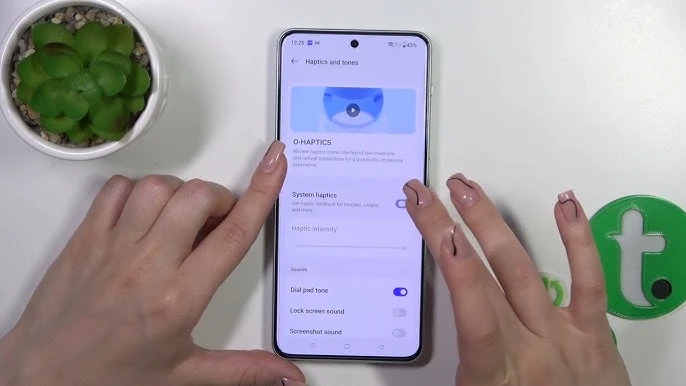
Settings → Sound & Vibration → Dolby Atmos:

  • Dynamic, Movie, Music, Game modes

Holo Audio

Spatial surround sound simulation for immersive experience.

நாளைய டெக் செய்திகள் உங்க WhatsApp-க்கே

தினமும் ஒரு சின்ன update, இலவசம். TamilTech channel-ஐ follow பண்ணுங்க.

What do you think?

people reacted

Keerthika

தமிழ்டெக் எடிட்டோரியல் டீம் · 3,346 கட்டுரைகள்

Keerthika is an editor at TamilTech, the Tamil and English technology publication founded by Praveen Kumar S. She covers AI, smartphones, gadgets, EVs, startups and cybersecurity i...

மேலும் Keerthika

WhatsApp-ல் TamilTech-ஐக் கேளுங்க

டெக் சந்தேகமா? தமிழிலோ ஆங்கிலத்திலோ கேளுங்க — எங்க WhatsApp அசிஸ்டன்ட் TamilTech கட்டுரைகளில் இருந்து சில நொடிகளில் பதில் சொல்லும்.

தொடர்புடைய செய்திகள்

கருத்துகள் (0)

| Supports **bold**, *italic*, `code`

Be the first to comment!

அடுத்த செய்தி Samsung US‑ல் Messages ஆப் மூடுகிறது – Android பயனர்கள் என்ன செய்ய வேண்டும்?
Tamiltech

Tamiltech

Install app for faster access

Earn XP 🏆
WhatsApp
Notifications