‹ முகப்புக்கு திரும்ப

OnePlus Gestures & Navigation: அனைத்து Shortcuts மற்றும் Quick Actions கற்றுக்கொள்ளுங்கள்

Screen-off gestures முதல் multitasking வரை அனைத்து gestures மற்றும் navigation shortcuts கற்றுக்கொள்ளுங்கள்.

Keerthika 1 min read
Google-ல் Follow
அப்டேட் 2 வாரங்கள் முன்
Android Tips OnePlus Gestures & Navigation: அனைத்து Shortcuts மற்றும் Quick Actions கற்றுக்கொள்ளுங்கள் 1 நிமிடம் மீதம் Google-ல் Follow
OnePlus Gestures & Navigation: அனைத்து Shortcuts மற்றும் Quick Actions கற்றுக்கொள்ளுங்கள்

தமிழ்டெக் AI சுருக்கம்

OnePlus phone-ல OxygenOS efficient navigation-க்கு நிறைய useful gesture controls கொடுக்குது, so daily use ரொம்ப smooth-ஆ இருக்கும். Settings → System Settings → Navigation போய் Gesture Navigation (swipe-based) அல்லது traditional 3-button Virtual Keys-ஐ choose பண்ணிக்கலாம். Screen off-ஆ இருக்கும்போது double-tap to wake, O draw பண்ணி camera open, V draw பண்ணி flashlight toggle, || draw பண்ணி music play/pause எல்லாம் செய்யலாம். Three-finger screenshot, three-finger swipe up-ல split screen, flip to mute-ல face-down silence மாதிரி quick gestures phone-ஐ வேகமா handle பண்ண உதவும். One-handed mode-க்கு gesture bar-ல swipe down பண்ணி screen shrink பண்ணலாம், edge-ல இருந்து swipe பண்ணி sidebar-ல favorite apps access பண்ணலாம், Recents மூலமாவும் split screen use பண்ணலாம் — users இதெல்லாம் தெரிஞ்சுக்கிட்டா multitasking easy ஆகும்.

  • Gesture-மூலம் screenshot எவ்வாறு எடுப்பது?
  • Screen-off gestures என்றால் என்ன?
  • Split screen எவ்வாறு பயன்படுத்துவது?
  • One-handed mode எவ்வாறு enable செய்வது?

AI உதவியுடன் தயாரான சுருக்கம் — தமிழ்டெக் எடிட்டர்ஸ் சரிபார்த்தது.

0:00
0:00
🔒 Listen வசதி subscribers-க்கு மட்டும். Subscribe செய்யுங்கள்

OxygenOS திறமையான navigation-க்கு விரிவான gesture controls வழங்குகிறது.

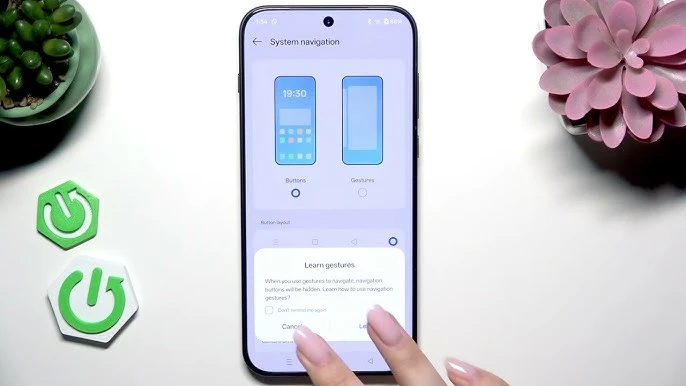
Settings → System Settings → Navigation:

  • Gesture Navigation - Swipe based
  • Virtual Keys - Traditional 3-button

Screen-Off Gestures

  • Double-tap to wake
  • Draw O - Camera open
  • Draw V - Flashlight toggle
  • Draw || - Music play/pause

Quick Gestures

  • Three-finger screenshot
  • Three-finger swipe up - Split screen
  • Flip to mute - Face-down silence

One-Handed Mode

Gesture bar-ல் swipe down செய்து screen shrink செய்யுங்கள்.

Screen edge-ல் இருந்து swipe செய்து favorite apps access செய்யுங்கள்.

Split Screen & Floating Windows

Three-finger swipe up அல்லது Recents → Split Screen.

நாளைய டெக் செய்திகள் உங்க WhatsApp-க்கே

தினமும் ஒரு சின்ன update, இலவசம். TamilTech channel-ஐ follow பண்ணுங்க.

What do you think?

people reacted

Keerthika

தமிழ்டெக் எடிட்டோரியல் டீம் · 3,346 கட்டுரைகள்

Keerthika is an editor at TamilTech, the Tamil and English technology publication founded by Praveen Kumar S. She covers AI, smartphones, gadgets, EVs, startups and cybersecurity i...

மேலும் Keerthika

WhatsApp-ல் TamilTech-ஐக் கேளுங்க

டெக் சந்தேகமா? தமிழிலோ ஆங்கிலத்திலோ கேளுங்க — எங்க WhatsApp அசிஸ்டன்ட் TamilTech கட்டுரைகளில் இருந்து சில நொடிகளில் பதில் சொல்லும்.

தொடர்புடைய செய்திகள்

கருத்துகள் (0)

| Supports **bold**, *italic*, `code`

Be the first to comment!

அடுத்த செய்தி Samsung US‑ல் Messages ஆப் மூடுகிறது – Android பயனர்கள் என்ன செய்ய வேண்டும்?
Tamiltech

Tamiltech

Install app for faster access

Earn XP 🏆
WhatsApp
Notifications