


முக்கிய விஷயங்கள்
- Voter ID-ஐ free PDF (e-EPIC) ஆ Official Election Commission voter portal-ல இருந்து download பண்ணலாம் — agent வேண்டாம், fee வேண்டாம்.
- EPIC number இருந்தா straight-ஆ enter பண்ணுங்க; இல்லன்னா name, relative name, age, state/district detail-ல search பண்ணலாம்.
- இந்த file பல daily ID needs-க்கு use ஆகும்; ஆனா counter hard copy கேட்டா physical card எடுத்துட்டு போங்க.
- voters.eci.gov.in மட்டும் use பண்ணுங்க. Random “voter id download” APK-ம் WhatsApp forward-ம் trap.
- OTP வரலைய்னா முதல்ல roll-ல இருக்கிற mobile number update பண்ணுங்க — அதுதான் #1 fail reason.
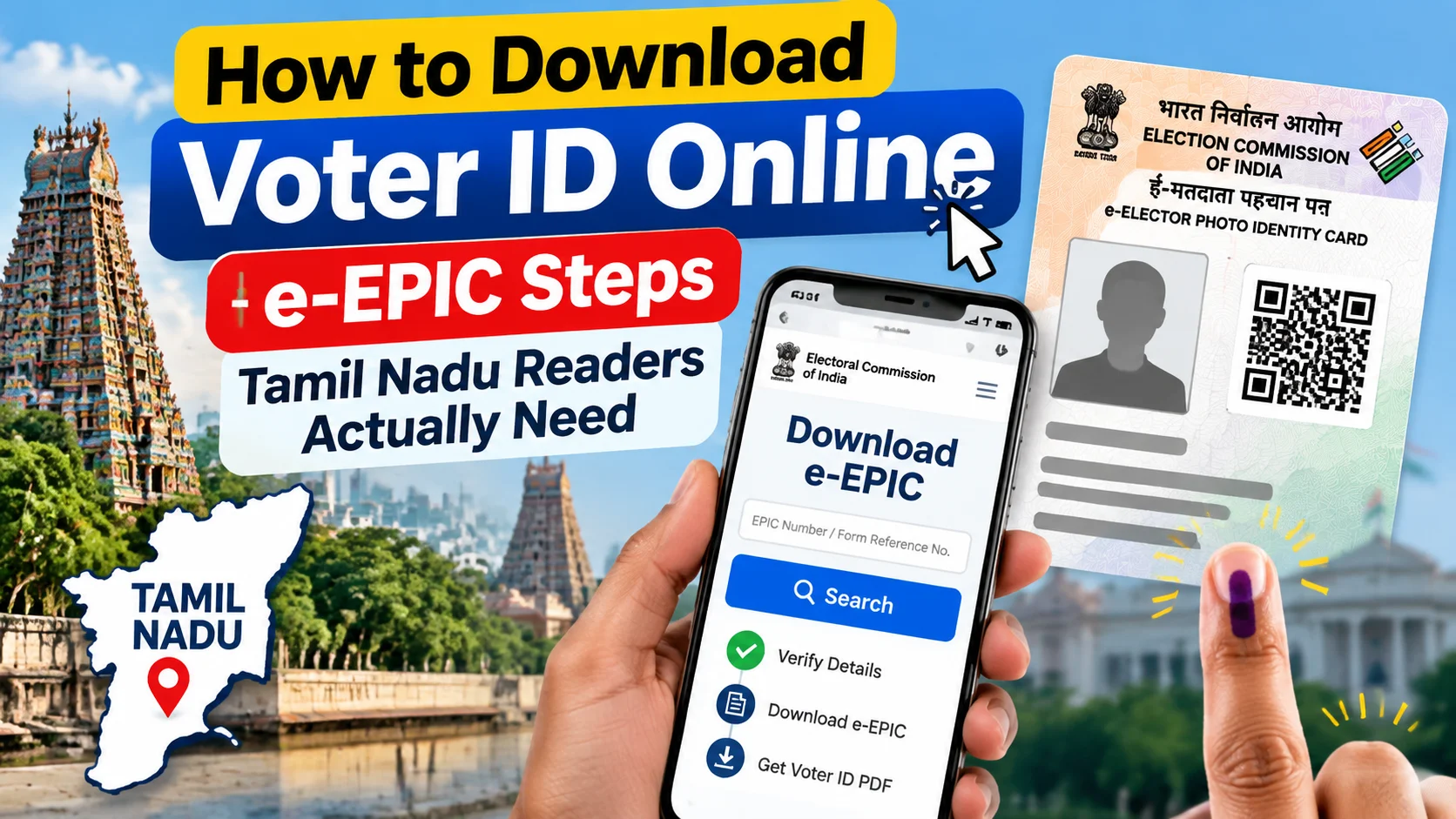
Voter ID-ஐ free-ஆ e-EPIC PDF மாதிரி download பண்ணணும்னா official Election Commission voter portal voters.eci.gov.in-ல போய் EPIC number இல்ல name search பண்ணி எடுக்கலாம் — agent-ம் fee-யும் வேண்டாம். இந்த article-ல Tamil Nadu readers-க்கு steps, EPIC number மறந்தா என்ன பண்றது, OTP fail ஆனா என்ன, fake App/WhatsApp trap எப்படி தவிர்ப்பது, daily use-ல limit என்னனு simple-ஆ சொல்றோம்.
நல்ல விஷயம்: India இதை already simple-ஆ solve பண்ணிருக்கு. அதுதான் e-EPIC. அதாவது உங்க Voter ID-ோட official digital copy. Official site-ல இருந்து PDF எடுத்து save பண்ணிட்டு move on ஆகலாம். Stamp இல்ல, courier இல்ல, “next Tuesday வாங்க” இல்ல.
Tamil Nadu-ல நிறைய பேர் type பண்ற exact search இதுதான் — voter id download pannuvathu eppadi tamil. Lab demo இல்ல. Normal Jio/Airtel Phone-ல browser open பண்ணி முடியற steps தான் இங்க பேசுறோம்.
e-EPICன்னா என்ன? எளியா சொல்லுங்க
e-EPICன்னா உங்க Electoral Photo Identity Card-ோட official PDF version. Plastic card-ல என்ன name, EPIC number, photo, constituency detail இருக்குமோ — அதே data இந்த file-லயும் இருக்கும்.
Election Commission issue பண்றது. நீங்க national voter portal-ல login/search பண்ணி download பண்றீங்க. அவ்வளவுதான்.
2026-ல இது ஏன் matter ஆகுது? Daily life-ல half work upload-ல போகுது. Bank KYC follow-up, SIM related check, scholarship form, apartment gate app, சில travel desk — எல்லாம் ID கேக்குது. அப்போ blurry WhatsApp crop வேணாம்; clean file வேணும்.
Limit முன்னாடியே சொல்லிடறோம்: e-EPIC உங்க electoral roll entry-ோட copy தான். Name roll-லயே இல்லன்னா, address பழையதா இருந்து reverse ஆகலைய்னா, PDF magic-ஆ fix பண்ணாது. Roll wrong-னா முதல்ல correction/enrolment. Download அடுத்த step.
Voter ID online download பண்றது எப்படி?
Browser open பண்ணுங்க. Official voter portal type பண்ணுங்க — voters.eci.gov.in. அந்த domain-லயே இருங்க. Bookmark போட்டுக்கோங்க.
Google-ல முதல்ல வர்ற ad link “Download Voter ID Fast”னு சொன்னாலும் click பண்ணாதீங்க. Fake page-ல EPIC number + OTP கொடுத்துட்டு வீணா நேரம் போகும்; data risk-ம் வரும்.
EPIC number தெரியும்னா (card-ல print ஆகியிருக்கும் code — state code + digits/letters mix மாதிரி):
e-EPIC / download Voter ID section-க்கு போங்க. EPIC number enter பண்ணுங்க. Captcha complete பண்ணுங்க. Roll-ல register ஆன mobile number-க்கு OTP request பண்ணுங்க. PDF open ஆனதும் photo, spelling, address ஒரு வாட்டி check பண்ணுங்க. அப்புறம் Phone Files-லயோ Google Drive-லயோ save பண்ணுங்க.
PDF password/open issue வந்தா browser update, storage permission, இல்ல normal download folder பாருங்க. பெரும்பாலும் file “Downloads” குள்ளே இருக்கும்.
EPIC number மறந்துட்டா என்ன பண்றது?
Panic வேண்டாம். Portal-ல “Search your name in the voter list” option இருக்கு. State-ஆ Tamil Nadu (இல்ல உங்க state) select பண்ணுங்க. அப்புறம் district, details fill பண்ணுங்க.
Name-ஐ old document-ல எப்படி இருக்குமோ அப்படியே போடுங்க. Instagram-ல use பண்ற stylish English spelling வேணாம். Initial, space, initial-without-dot — சின்ன difference-லும் result மாறும்.
Relative name (father/husband/mother — roll-ல எது register ஆகியிருக்குமோ அது), age/year range, part/booth detail தெரிஞ்சா கொடுங்க. Match list வந்ததும் correct row select பண்ணி EPIC number note பண்ணிக்கோங்க. அதுக்கப்புறம் same e-EPIC download flow.
ஒரே name ஊர்ல நிறைய பேருக்கு இருக்கும். Photo + relative name + age பார்த்து confirm பண்ணாத download start பண்ணாதீங்க. Wrong person file எடுத்துட்டு later confusion வரும்.
App மூலமா முடியுமா? Options என்ன?
Official route இரண்டு மாதிரி feel ஆகும்: mobile browser-ல voters.eci.gov.in, இல்ல Election Commission link பண்ணிய official voter-related app/services. எது எடுத்தாலும் source official-ஆ இருக்கணும்.
Third-party “Voter ID Download” APK, unknown Play Store listing, Telegram bot, WhatsApp-ல வர்ற “free epic pdf” link — இதெல்லாம் skip. உங்க EPIC number + DOB + mobile combo sensitive. அதை random form-ல கொடுக்கிறதே risky.
Office போய் physical card duplicate apply பண்றது வேற path. அது lost/damaged card-க்கு. இங்க பேசுறது digital copy download — fast, free, home-ல இருந்தே.
இதற்கு fee உண்டா? Price என்ன?
Official e-EPIC download-க்கு portal charge பண்ணாது. ₹0. உங்க Phone data (Jio/Airtel pack) மட்டும் போதும்.
யாராவது “online apply பண்ணி தரேன், ₹200–₹500”னு சொன்னா think பண்ணுங்க. Same work நீங்க 10–15 நிமிஷத்துல free-ஆ முடிக்கலாம். Agent legit correction help வேற விஷயம்; plain download-க்கு agent தேவையில்லை.
Print வேணும்னா house-லயோ shop-லயோ PDF print பண்ணிக்கலாம். அது optional cost — download itself free.
என்ன mistakes நேரத்தை வீணாக்கும்?
ஒன்னு: wrong mobile number on the roll. OTP அங்க தான் போகும். Old SIM, family number, long-back given number — இதெல்லாம் common. OTP வரலைய்னா மறுபடி மறுபடி try பண்றதுக்கு முன்னாடி same portal-ல contact detail correction/update flow பாருங்க.
ரெண்டு: unofficial links. Search result-ல top ad ≠ official site. Address bar-ல domain read பண்ணுங்க.
மூணு: name spelling mismatch. Tamil-English mix, initials, village name variation — search fail-க்கு இது frequent reason. Old ration card/school certificate spelling try பண்ணுங்க.
நாலு: photo/quality ignore பண்ணி save பண்றது. Download ஆனதும் open பண்ணி face clear-ஆ தெரியுதா, EPIC number readable-ஆ இருக்கா பாருங்க. Blur file later upload reject ஆகலாம்.
அஞ்சு: roll-லயே name இல்லாம download expect பண்றது. New voter, shift ஆன address, recent correction pending — first status check, then download.
இந்தியாவுல / நம்ம Phone-ல என்ன மாறும்?
முன்னாடி card drawer-ல தேடுவது, neighbor கிட்ட xerox, weekend office queue — இதெல்லாம் ordinary scene. இப்போ majority time Phone browser போதும்.
உதாரணமாக, GPay/UPI setup already பண்ணியிருக்கிற same Phone-ல voter portal open பண்ணி PDF save பண்ணலாம். அப்புறம் form-ல attach. Bank mail கேட்டா Drive link இல்ல file upload.
ஆனா reality check: சில counters still physical card மட்டும் accept பண்ணும். Gate entry, certain government counter, older process — soft copy காட்டினா போதாதுனு சொல்லலாம். So e-EPIC backup; plastic card secondary proof-ஆ bag-ல வச்சுக்கோங்க.
Shared family Phone use பண்றீங்கன்னா download முடிஞ்சதும் browser history/password clear பண்ணுங்க. PDF-ஐ personal folder-ல move பண்ணுங்க. Privacy simple-ஆ maintain பண்ணுங்க.
யாருக்கு இது ரொம்ப suits ஆகும்?
Card wallet-ல இல்லாம emergency-ல ID காட்டணும்னா. College/job form last-minute upload. Address proof + photo ID combo கேக்குற ordinary KYC. Out-of-station இருந்து physical card reach ஆகாத situation.
Roll correction pending-னா download மட்டும் solution இல்ல. Name spell change, photo update, shift vote — அதற்கு separate form/process. Download clean copy தரும்; wrong data-வை correct பண்ணாது.
First-time voters roll-ல add ஆனதும் EPIC generate ஆனதும்தான் e-EPIC meaningful. Apply பண்ணிட்டு next day PDF expect பண்ணாதீங்க — status first.
நீங்க இப்போ என்ன பண்ணுங்க?
இப்போ 5 நிமிஷம் இருந்தா இதை முடிங்க. Phone browser open. voters.eci.gov.in type பண்ணி bookmark. EPIC number தெரிஞ்சா download section. இல்ல search-ல Tamil Nadu + district + exact name.
OTP mobile right-ஆ இருக்கா confirm பண்ணுங்க. PDF வந்ததும் Files/Drive-ல “Voter-ID-eEPIC”னு clear name வச்சு save பண்ணுங்க. ஒரு print copy optional-ஆ house file-ல வச்சுக்கோங்க.
WhatsApp-ல “this apk full details” forward வந்தா ignore. Official domain மட்டும். அவ்வளவு discipline இருந்தா voter id download pannuvathu eppadiனு மறுபடி search பண்ணி hour waste ஆகாது.
நீங்க card காட்டாம நில்லுற moment மட்டும் இல்ல — clean PDF hand-ல இருக்குற calm-உம் சேர்ந்து கிடைக்கும். அதுதான் இந்த whole point.



கருத்துகள் (0)
Be the first to comment!