


முக்கிய விஷயங்கள்
- You can download your Voter ID as a free PDF (e-EPIC) from the official Election Commission voter portal — no agent, no fee.
- Keep your EPIC number handy; if you don’t have it, search with name, relative’s name, age, and state/district details.
- The file works as photo ID for many day-to-day needs, but always carry the physical card when a counter still insists on hard copy.
- Use only voters.eci.gov.in (or the linked official apps). Random “voter id download” APKs and WhatsApp forwards are a trap.
- Wrong mobile number on the roll is the #1 reason OTPs fail — update contact details on the same portal before you retry.
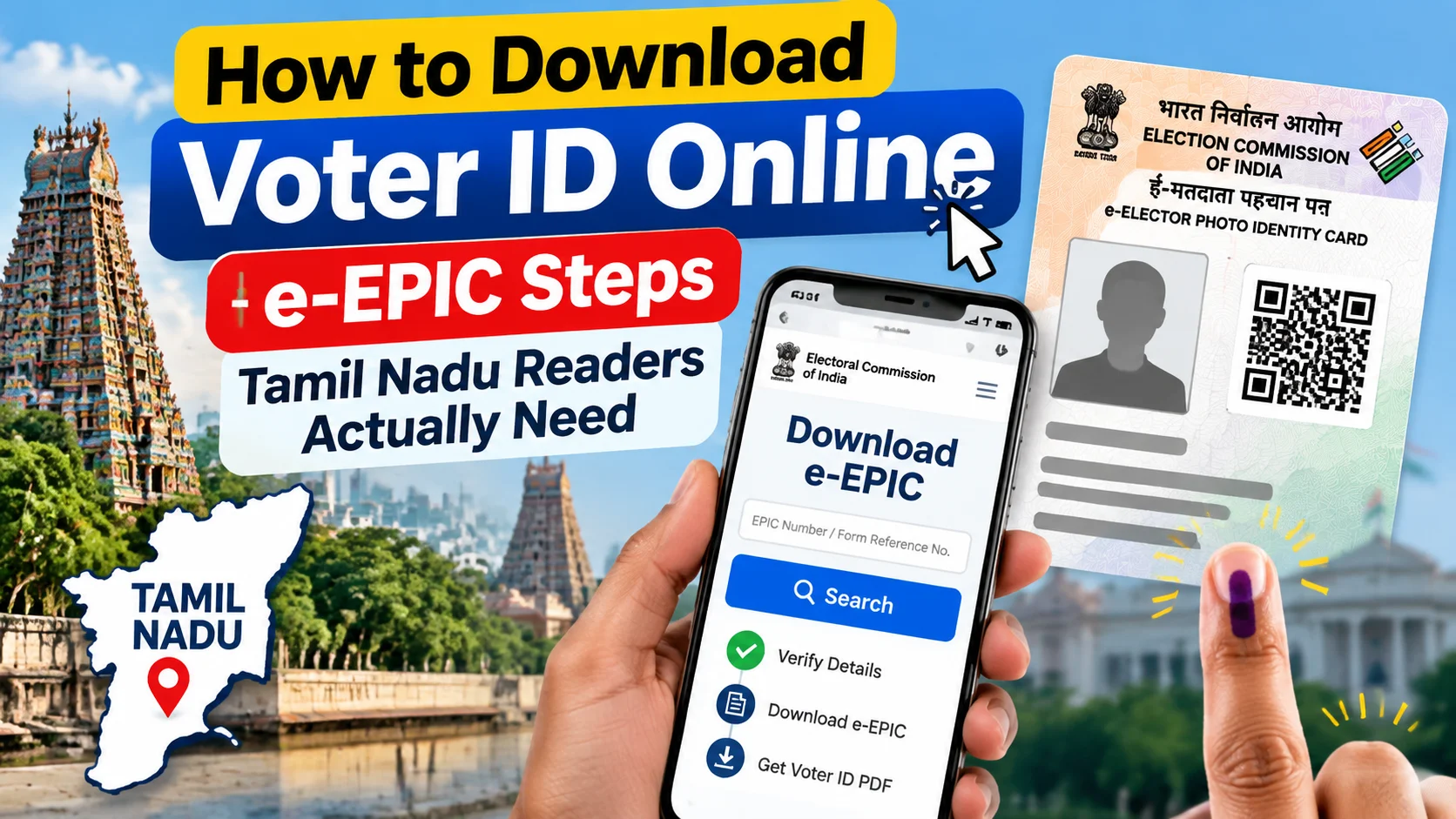
You can download your Voter ID online as a free e-EPIC PDF from the official Election Commission portal at voters.eci.gov.in—no agent and no fee required. This guide walks Tamil Nadu readers through the exact steps, what to do if you forget your EPIC number, common OTP failures, and the mistakes that waste a whole afternoon at a cyber café.
Good news: India already solved this with e-EPIC — a digital copy of your Electoral Photo Identity Card. You pull a PDF from the official site, save it, and move on. No stamp, no courier, no “come next Tuesday.”
This guide is for the exact search people type in Tamil Nadu — voter id download pannuvathu eppadi — broken into steps that work on a normal Jio/Airtel phone, not a lab demo.
What is e-EPIC, in plain words?
e-EPIC is your Voter ID card as an official PDF. Same name, EPIC number, photo, and constituency details you see on the plastic card. Election Commission issues it; you download it after login or a quick search on the national voter portal.
Why it matters in 2026: half of daily life runs on uploads. Bank KYC follow-ups, SIM-related checks, scholarship forms, apartment gate apps, even some travel desks — they ask for ID and they mean a clean file, not a blurry WhatsApp crop.
Limit, said upfront: e-EPIC is a copy of your entry on the electoral roll. If your name isn’t on the roll, or the address is ancient, the PDF won’t magically fix that. Download is step two; enrolment or correction is step one when the roll itself is wrong.
How do you actually download Voter ID online?
Open a browser. Type the official voter portal — voters.eci.gov.in — and stay on that domain. Bookmark it. Don’t trust the first ad link that says “Download Voter ID Fast.”
If you know your EPIC number (the printed code on the card, often like a state code plus digits/letters):
Go to the e-EPIC / download Voter ID section. Enter EPIC number. Complete the captcha. Request OTP on the mobile number registered with the roll. Open the PDF, check the photo and spelling, then save to Files or Drive.
If you don’t remember the EPIC number:
Use “Search your name in the voter list.” Pick Tamil Nadu (or your state), then district, and fill name details the way they appear on old documents — not the stylish English spelling you use on Instagram. Note the EPIC number from the result, then jump back to e-EPIC download.
On phone, the same flow works in Chrome. Landscape mode helps when the form fields feel cramped. If the site feels heavy on 4G, switch Wi-Fi for the PDF save step so the file doesn’t corrupt mid-download.
Official voter helpline apps linked from the Commission’s ecosystem can also show your details and guide you to the card. Stick to Play Store listings that point back to eci.gov.in — not clone names with extra dots and “pro” stuck on the end.
What does it cost? Any hidden charge?
Download is free. Zero rupees. No UPI nudge, no “service charge,” no courier add-on for a PDF.
If someone at a browsing centre quotes ₹50–200 “only for download,” you’re paying for their time and printer, not for a government fee. Fair if you chose the help. Not fair if they pretend the portal itself is paid.
Printing on your own is optional. Many counters accept the PDF on phone. Some still want paper — that’s their rule, not an Election Commission print mandate for every visit.
What trips people up in Tamil Nadu (and everywhere else)?
OTP never arrives. The roll still has an old number from a dual-SIM era. Update mobile number through the portal’s forms or the local BLO path before you blame the network.
Name spelling mismatch. Tamil-to-English transliteration is chaos. Try the spelling from your Aadhaar or old Voter ID first. One extra “h” in a name can hide you from search.
Wrong assembly segment. You moved from Coimbatore to Chennai years ago but never shifted enrolment. Search may show the old place — or nothing useful. File a shift/correction; don’t keep re-downloading a stale mental map.
Screenshot culture. A cropped gallery photo looks sketchy next to a proper PDF with clear EPIC layout. Download the real file once. Store it in Drive with a boring name like EPIC-yourname.pdf.
Third-party “agents.” Sharing EPIC number + OTP + Aadhaar photo in a random Telegram group is how identity messes start. The official flow never needs you to hand OTP to a stranger.
Who is this for — and who should do something else first?
Suits you if you’re already on the roll and just need a soft copy for forms, backups, or a lost-card week.
Not enough alone if you’re 18+, never registered, or your details are wildly wrong. In that case, new registration or form-based correction comes first; e-EPIC follows after the roll updates.
Also not a passport replacement, not a panacea for every KYC product, and not proof of address if the printed address is outdated and the verifier cares. Know the limit; save the argument at the counter.
What should you do now?
Five-minute version: open voters.eci.gov.in → find e-EPIC download → EPIC + OTP → save PDF to phone and one cloud folder → done.
Ten-minute version if EPIC is missing: search electoral roll with careful spelling → note EPIC and constituency → download → if mobile is wrong, start the contact update before the next urgent bank visit.
Keep the physical card when you have it. Digital is backup and convenience, not a reason to throw the original in a drawer behind old chargers and forget it exists.
And the next time a forward promises “one-click Voter ID without login,” delete it. The boring official path is the safe one — and it’s still free.
FAQs people actually type
The questions below mirror how folks search — including the Tamil-English mix — so you don’t have to decode government menu labels at 11 p.m.



Comments (0)
Be the first to comment!