


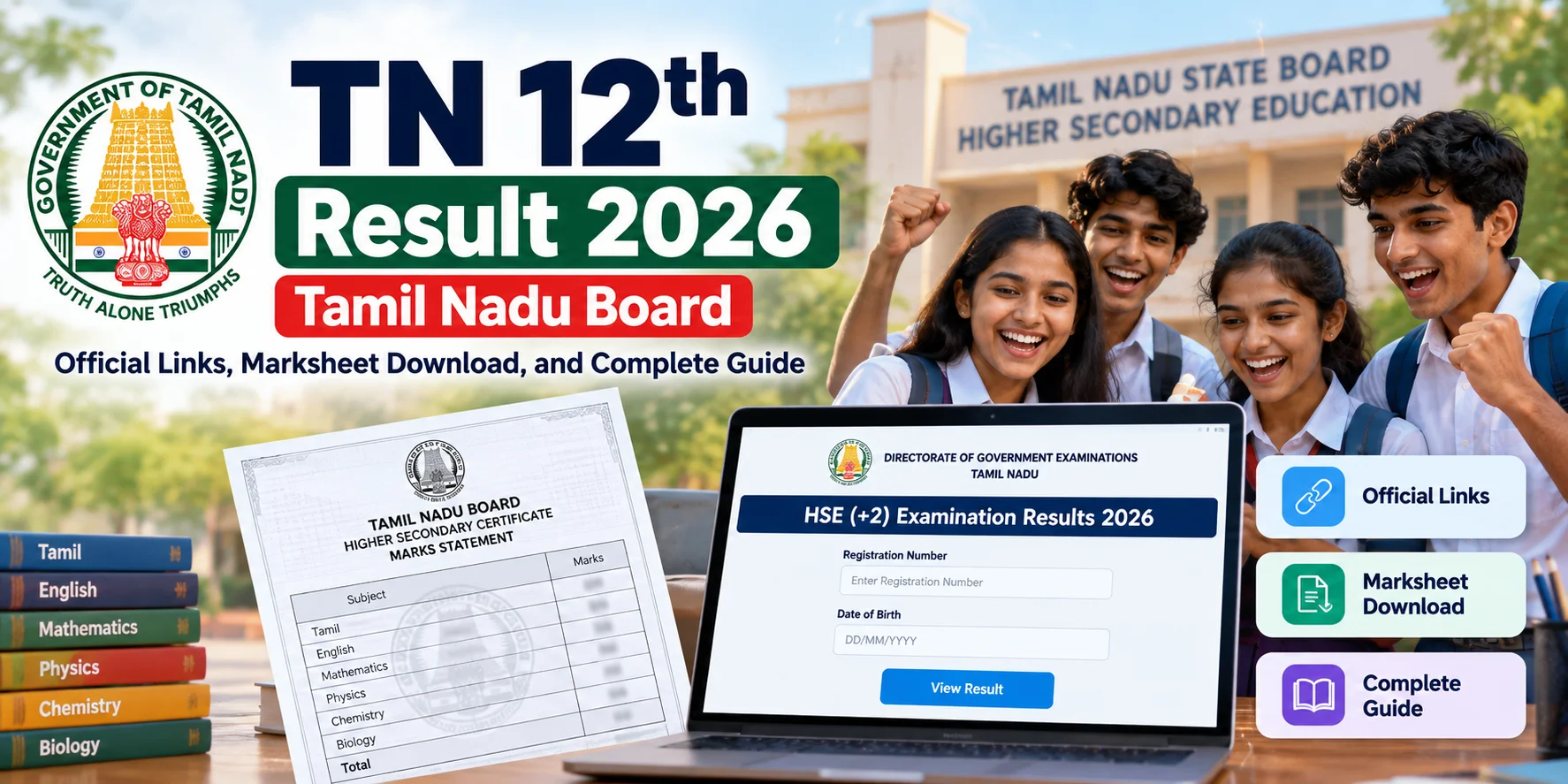
- The Directorate of Government Examinations (TNDGE) publishes the TN 12th result 2026 Tamil Nadu board scores primarily on tnresults.nic.in and dge.tn.gov.in.
- You only need two details to log in: your 10-digit roll/registration number and date of birth in DD/MM/YYYY format.
- Official marksheets are archived on DigiLocker within days of result publication for engineering and college counseling.
- If servers slow down during morning peak hours, SMS alerts directly hit registered mobile numbers without needing high-speed internet.
Where can you check the TN 12th result 2026 Tamil Nadu board score?
You can check your TN 12th result 2026 Tamil Nadu board scores directly on the official Directorate of Government Examinations portal at tnresults.nic.in using your registration number and date of birth. This practical guide walks you through the active mirror links, SMS result alerts, step-by-step marksheet downloads via DigiLocker, and smart workarounds when high-traffic morning servers slow down.
Result morning in Tamil Nadu has a familiar vibe. Group chats buzz, family members call from three districts away, and thousands of students tap refresh on their phones at the same second. Instead of panicking when pages take time to load, knowing the right sequence of official servers keeps things smooth.
The board hosts scorecards on dedicated National Informatics Centre (NIC) servers. Alongside desktop web browsers, the results also display at school premises, district collectorates, and via automatic SMS messages sent to student phone numbers submitted during exam hall ticket registration.
How does the online portal verification actually work?
Checking your score on the official portal takes less than two minutes if you have your exam hall ticket handy. The interface is clean, mobile-friendly, and lightweight so it loads even on basic 4G connections.
Here is the exact step-by-step flow:
First, open your mobile or desktop browser and navigate to tnresults.nic.in. If the main link feels heavy, switch to dge.tn.gov.in.
Second, locate and click the link titled "HSE (+2) Examination Results 2026".
Third, enter your Registration Number (printed clearly on your hall ticket) and your Date of Birth. Make sure your Date of Birth matches the exact DD/MM/YYYY format with slashes. Entering the date without forward slashes is the single most common reason why students get an 'invalid credentials' error.
Fourth, tap submit. Your subject-wise theory marks, practical marks, internal assessment scores, and final pass/fail status will load on the screen. Take an instant screenshot or tap the print option to save a clean PDF copy for quick reference.
What happens when the official servers crash on result day?
When half a million students and their families hit a single server at 9:30 AM, even cloud-backed government networks can stutter. You do not need to stress if the screen turns blank or throws a gateway error.
The Tamil Nadu School Education Department sends automated SMS messages containing subject scores directly to the mobile number registered with your school. These text messages usually arrive within 15 to 30 minutes of the official announcement, regardless of data connectivity.
Your school administration receives a master result gazette at the same hour. If home Wi-Fi or mobile data gives up entirely, you can simply call your class teacher or walk over to your school notice board to view the printed list.
Public libraries and e-Sevai centers across Tamil Nadu also keep active sessions running to help students in rural areas pull up provisional scorecards without paying any hidden portal charges.
What changes for students and parents across Tamil Nadu?
The moment the TN 12th result 2026 Tamil Nadu board scores go live, the race for higher education admissions begins immediately. Your online screenshot works fine for immediate celebration, but higher education admissions require digitally signed credentials.
TNDGE syncs all verified student records with DigiLocker. You can sign into your DigiLocker account using your Aadhaar number, navigate to the Tamil Nadu State Board education section, and pull your verifiable digital marksheet. This digital document carries an official cryptographic QR code valid for TNEA engineering counseling, Arts & Science college registrations, and central university admissions.
For students aiming at professional courses, cut-off calculations start right away. Engineering cut-offs calculate out of 200 by combining Maths (100) with Physics (50) and Chemistry (50). Make sure you calculate using theory plus practical composite marks rather than raw theoretical scores alone.
What should you do now after checking your marks?
Once you see your numbers, decide your immediate next step based on how closely your scores match your expectations.
If you scored well and cleared all subjects, head over to the DGE portal within 48 to 72 hours to download your Provisional Mark Certificate. Keep three physical photocopies handy along with your original school Transfer Certificate (TC) and Community Certificate.
If a particular subject score looks lower than expected, do not rush into conclusions. TNDGE offers two clear remedies: applying for a scanned copy of your evaluated answer script, and requesting re-totalling or revaluation. You must apply for the scanned answer sheet first through your school or designated government exam centers within the announced window. A nominal fee applies per subject, usually payable via standard online modes or treasury challan.
If you missed the pass mark in one or two subjects, remember that supplementary exams happen quickly within the same academic cycle. Applying for the supplementary attempt right away keeps your college admission eligibility open for the current academic year without losing time.
What common mistakes should you avoid after checking your score?
Many students rush to unofficial third-party websites and random Android APK files claiming to deliver lightning-fast result links when official servers crawl. Entering your roll number, date of birth, and active mobile number on unverified private aggregators exposes your personal data to aggressive marketing calls and spam SMS campaigns. Stick strictly to verified National Informatics Centre domains ending in gov.in or nic.in, official school channels, or DigiLocker rather than tapping unverified forwarded WhatsApp links.
Another frequent mistake happens during online counseling registrations for TNEA engineering admissions or state arts and science seats. Students often upload blurry phone camera photos of provisional screen grabs rather than downloading the crisp PDF certificate from the DGE portal or fetching the verified DigiLocker document. Unclear marksheet uploads can lead to immediate holds during online document verification, forcing you to visit physical facilitation centers under tight counseling deadlines.
Always cross-check the exact spelling of your name, initials, community classification, and subject marks against your 10th standard certificate and school admission register. If you spot any typographical error, wrong initial, or grading discrepancy, notify your school headmaster immediately before the final laminated marksheets go into physical state printing. Correcting administrative errors early through the school administrative desk prevents frustrating paperwork delays later when applying for passport verification, educational loans, or national entrance tests.



Comments (0)
Be the first to comment!