


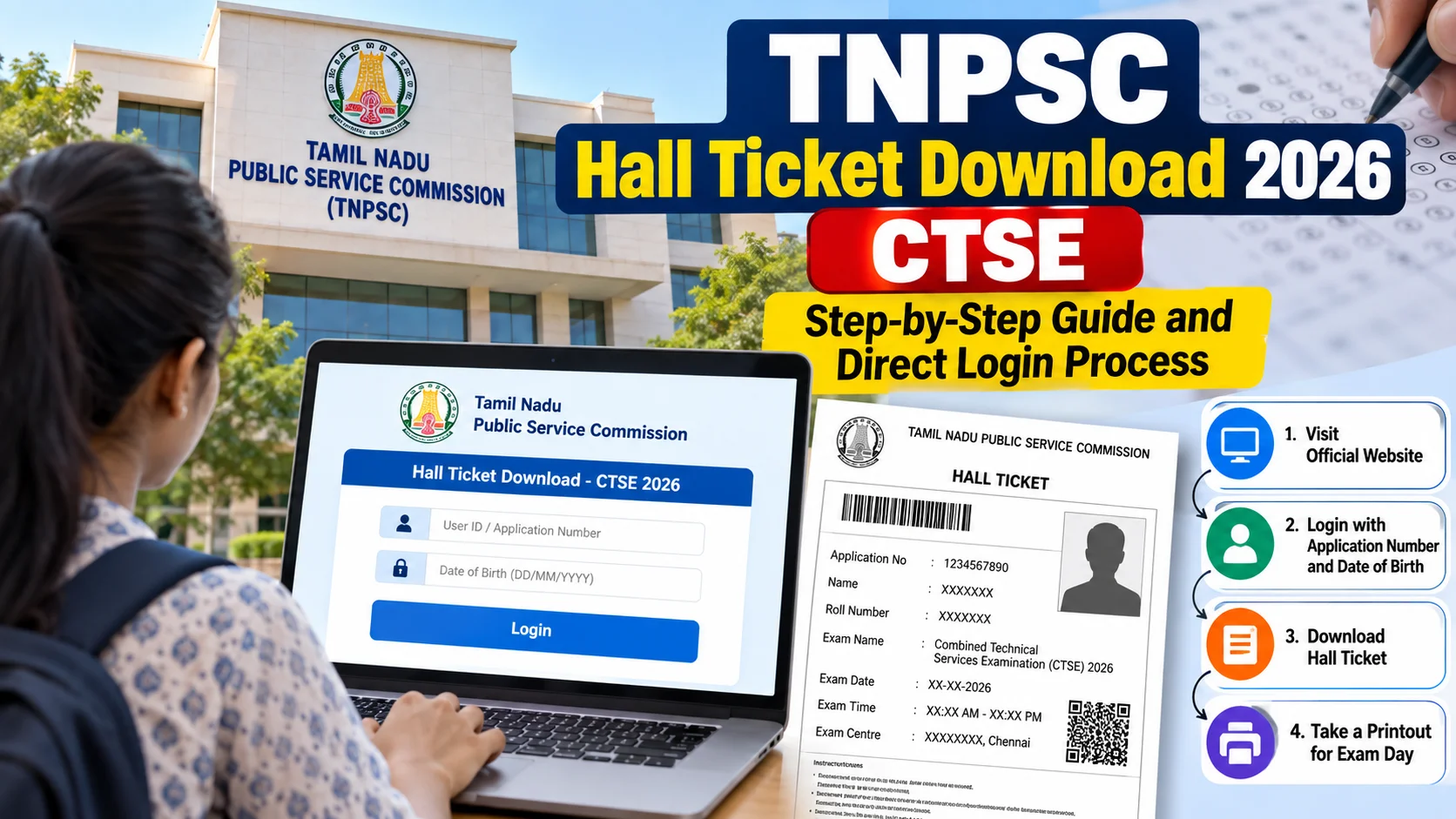
- TNPSC CTSE 2026 hall tickets are issued strictly through the candidate One Time Registration (OTR) dashboard on official portals (tnpsc.gov.in / tnpscexams.in).
- You need your registered Login ID, Password, and Date of Birth to view and generate the admit card.
- No physical hall ticket will ever be mailed to your home address by post or courier.
- Save a clean digital PDF copy immediately to your Google Drive before visiting a print shop to avoid corrupted mobile printouts.
What is the TNPSC CTSE 2026 hall ticket all about?
To complete your tnpsc hall ticket download 2026 ctse, head over to the official Tamil Nadu Public Service Commission portal at tnpscexams.in, log in using your One Time Registration (OTR) credentials, select the Combined Technical Services Examination (CTSE) link, and download your admit card PDF. The commission releases this document online roughly a week or two before the scheduled test date.
Think of your CTSE hall ticket as your digital entry badge. It confirms your exam venue, exact session timing, roll number, and specific technical subject paper details. Without a printed copy of this document and a valid original photo ID, test centre invigilators will turn you away at the gate.
Every year, thousands of engineering and diploma graduates across Tamil Nadu prepare for the Combined Technical Services Examination. When the download link opens, everyone rushes to the site at the exact same moment. Knowing the login path beforehand saves you from frantic last-minute panic at an internet cafe.
How does the hall ticket download actually work?
The download pipeline runs entirely through your centralized OTR profile. You cannot access your admit card directly with just an application number on an open search bar; you must pass through the authenticated student dashboard.
Here is the step-by-step walkthrough to get your file cleanly:
- Open your desktop browser and visit the official website: tnpscexams.in or tnpsc.gov.in.
- Click on the One Time Registration (OTR) & Dashboard tab on the homepage.
- Select Registered User and enter your OTR Login ID and Password, followed by the simple arithmetic captcha.
- Inside your dashboard, click on the Download Hall Ticket icon.
- Locate the row marked Combined Technical Services Examination (CTSE) 2026.
- Enter your CTSE Application Number and your Date of Birth (in DD/MM/YYYY format) as submitted during your registration.
- Click Submit. Your hall ticket will open on the screen as a printable PDF.
- Download and save the PDF directly to your device storage before hitting print.
What technical errors pop up and how do you fix them?
Peak server congestion is the single most common headache on the first two days after release. If the portal throws a 504 Gateway Timeout or a white blank screen, avoid repeatedly mashing the refresh button. Switch from mobile data to a stable Wi-Fi connection, or open an Incognito window on Google Chrome.
A lot of candidates also forget their OTR password. If that happens, click on Forgot Password on the login window. The system will ask for your registered email ID or phone number along with your date of birth to reset your credentials. Make sure your Aadhaar-linked mobile number is active, as TNPSC sends OTP verification alerts there.
Another common trap is downloading via a smartphone browser and printing directly using mobile printer plugins. Often, the photo, barcode, or signature banner gets cut off on mobile rendering. Always download the master PDF on a computer and verify that all four edges of the document print clearly on an A4 sheet.
What critical details must you double-check immediately?
Do not just download the file and file it away until exam morning. Take five minutes right now to inspect the printed text line by line:
- Candidate Name and Spelling: Match it letter for letter with your Aadhaar Card or Driving Licence.
- Subject Code and Trade: Ensure your specific engineering discipline or diploma specialization matches what you selected in the application form.
- Exam Venue Address: Some colleges in Chennai, Coimbatore, or Madurai have multiple sister campuses located kilometers apart. Identify the exact landmark well in advance.
- Session Timings: Note the morning and afternoon reporting windows. Gate closing times at TNPSC centers are strictly enforced down to the minute.
- Photo and Signature Clarity: If your photo is smudged, blurry, or missing, TNPSC rules typically require you to carry an additional passport-size photograph along with an attestation certificate.
What should you do right after downloading?
Print at least two clear physical copies on clean A4 paper. Keep one copy safely inside your exam folder alongside your original Photo ID proof (Aadhaar Card, Voter ID, or Passport) and black ballpoint pens. Keep the second copy at home as a backup.
Store the digital PDF in your cloud storage or send a copy to your family WhatsApp chat so you can retrieve it instantly if your physical paper gets damaged in transit. Plan your travel route to the test center a day early, especially if you need to travel from rural districts to tier-1 cities across Tamil Nadu.
Exam hall protocol, grievance redressal, and what to watch next
Entering the TNPSC examination hall requires strict adherence to the commission's standard operating procedures. Candidates must carry only their printed physical hall ticket, an original government-issued photo identification proof like an Aadhaar Card, Driving Licence, or Passport, and two reliable black ballpoint pens for bubbling the OMR sheet. Strict prohibitions apply to electronic devices, including smartphones, fitness bands, smartwatches, programmable calculators, and Bluetooth accessories. TNPSC test centers across Tamil Nadu operate strict manual verification checks at the entry gate, and arriving even a single minute past the designated gate closing time will result in outright disqualification without exceptions.
If you discover severe mismatches on your generated hall ticket, such as an incorrect photo, misspelled personal details, or misassigned technical engineering trade, you must alert the commission immediately rather than waiting for exam day. Reach out to the official TNPSC grievance desk via their toll-free helpline at 1800 419 0958 or email your query to [email protected] during official working hours from 10:00 AM to 5:45 PM on weekdays. Make sure to attach your OTR registration ID, CTSE application form PDF, and clear scanned copies of your valid identity proofs so the support officers can resolve the error and issue an updated clearance memo.
Looking ahead after the examination session concludes, candidates should securely preserve their physical admit card alongside their question booklet. The commission typically publishes tentative provisional answer keys on tnpsc.gov.in within three to six working days following the test. Aspirants are granted a brief online objection window to challenge disputed technical questions by submitting authentic textbook references through the grievance portal. Following the final key review, normalized scores and the shortlist for Certificate Verification and counselling are published on the OTR dashboard, making your original CTSE hall ticket roll number essential for tracking your selection status.



Comments (0)
Be the first to comment!