


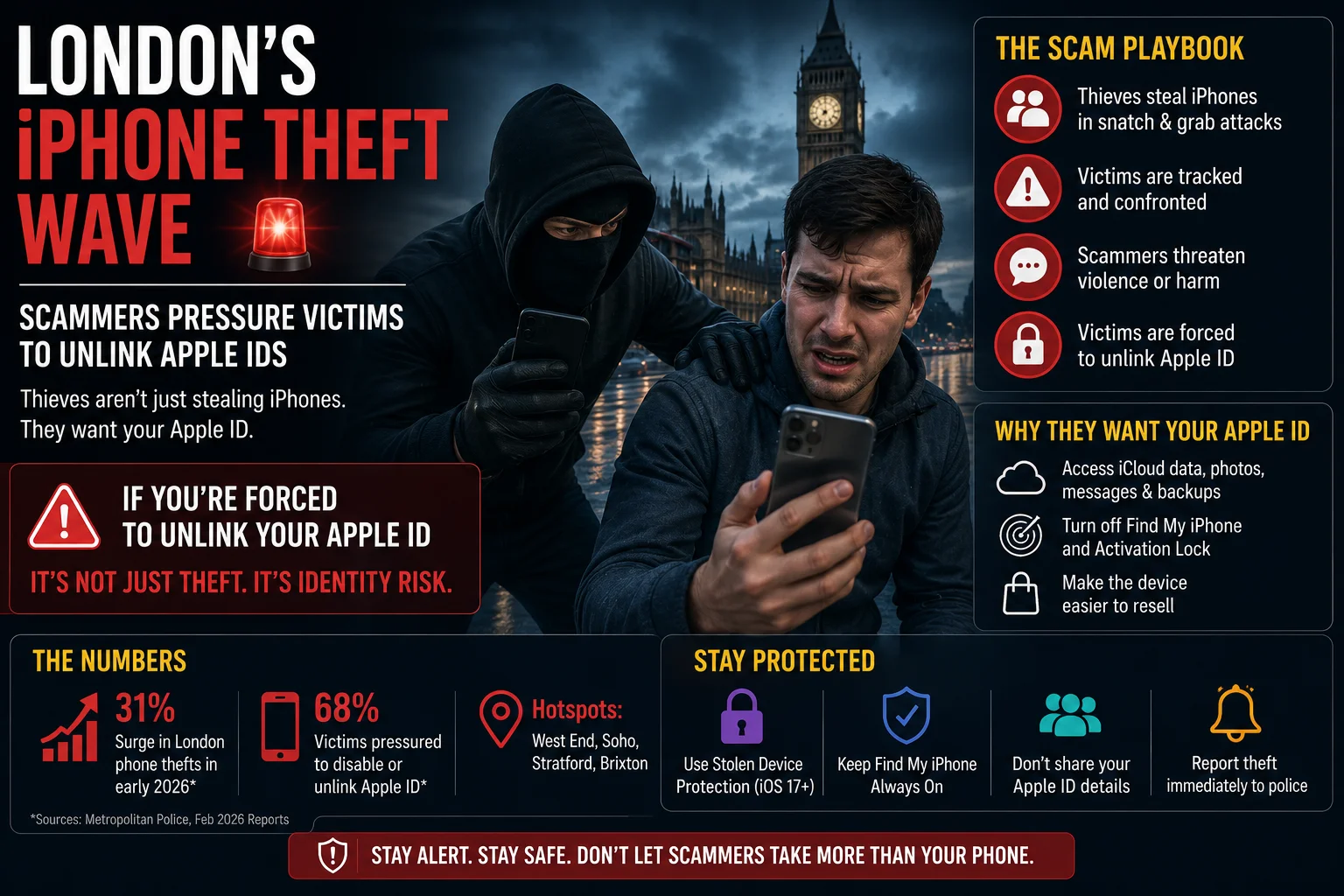
What’s happening in London?
Over the past few months London police have reported a sharp rise in iPhone thefts. But the real drama starts after the thief walks away with the device. Victims receive a text from an unknown number that says something like, “We have your iPhone. Unlink your Apple ID now or we will expose your personal data.” The message is a thinly‑veiled extortion attempt – the criminals want the owner to remove the iPhone from their Apple ecosystem so they can sell the phone clean.
How the scam works
The extortion text usually contains a short link. When the victim clicks, they are taken to a fake Apple‑support page that asks for the Apple ID password, two‑factor authentication code, or even the device’s serial number. Once the thieves have that info, they can turn off Find My iPhone, disable Activation Lock, and resell the phone as if it were never stolen.
Numbers that tell the story
Police data shows a 27% increase in reported iPhone thefts between January and March 2024 compared with the same period last year. In parallel, the Metropolitan Police’s cyber‑crime unit logged over 1,200 complaints about “Apple ID unlink” threats. Most victims are young professionals who rely heavily on iCloud for work files, photos, and even banking apps.
Why it matters to us in India
Even if you’re not in London, the tactics are global. Indian users buying iPhones from Apple Store or authorized dealers see the same resale market. A stolen iPhone can be wiped clean in a few minutes if the thief gets past your Apple ID security. That means all your iCloud‑backed data – from WhatsApp backups to UPI transaction logs – could be exposed.
How to protect your Apple ID – step by step
Below is a quick TamilTech‑style checklist you can follow right now:
- Open Settings → tap your name at the top.
- Select Password & Security.
- Turn on Two‑Factor Authentication (இரண்டு‑நிலை பாதுகாப்பு) if it’s not already active.
- Scroll down to Find My and make sure Find My iPhone and Send Last Location are ON.
- Enable Activation Lock – this automatically locks the device to your Apple ID.
- Under Trusted Phone Numbers, add a backup number that you control.
- Whenever you get a suspicious text, do NOT click any link. Instead, open Safari and type
apple.commanually to check for any alerts.
What to do if you’re already targeted
If you’ve received that threatening text, follow these steps immediately:
- Do not reply or click any link.
- Log in to iCloud.com from a secure computer.
- Go to Find iPhone → select the missing device → click Lost Mode. This locks the phone with a passcode and displays a custom message.
- Report the incident to your local police and to Apple’s support (support.apple.com).
- Change your Apple ID password from a different device.
- If you suspect your two‑factor code was compromised, remove the old trusted device and add a new one.
What TamilTech thinks
We think the real problem isn’t just the theft – it’s the lack of awareness around Apple’s built‑in security. In India, many iPhone owners still use the same password for multiple services and keep two‑factor authentication turned off to avoid “hassle”. That makes them easy targets for these overseas scammers.
Our take: If you own an iPhone, treat your Apple ID like your bank account. Enable every security layer, keep your recovery email up‑to‑date, and never share your password over text. The extra few seconds you spend securing the device will save you hours – or even days – of trouble later.
Looking ahead
London police are now working with Apple to trace the IP addresses behind the fake support pages. Meanwhile, Apple has announced a new “Remote Lock” feature that will let users lock a stolen iPhone directly from iCloud without needing to enable Lost Mode first. If rolled out globally, that could close the window thieves exploit.
Until then, stay vigilant, keep your Apple ID tight, and remember: a text that threatens you is almost always a scam.



Comments (0)
Be the first to comment!