


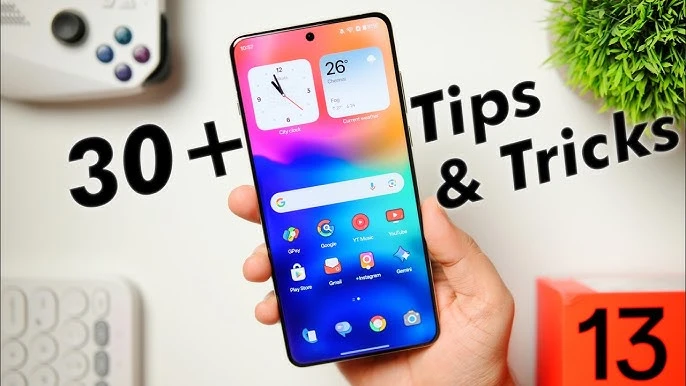
OnePlus Tips & Tricks: உங்கள் Phone-ன் Full Potential-ஐ Unlock பண்ணுங்க!
OnePlus phone வாங்கிட்டீங்களா? OxygenOS-ல hidden-ஆ இருக்குற powerful features-ஐ பத்தி தெரிஞ்சுக்கோங்க! Screen-off gestures, Hasselblad camera pro mode, AI features, privacy tools, battery optimization — இவை எல்லாம் உங்கள் OnePlus phone-ல already இருக்கு, ஆனா most users-க்கு தெரியாது.
இந்த guide-ல OnePlus 13, 12, Nord 4, Nord CE4 எல்லா models-க்கும் applicable-ஆன 30+ tips and tricks-ஐ explain பண்றோம்.
1. Screen-Off Gestures: Phone Touch பண்ணாமலே Control
Settings path: Settings → Buttons & Gestures → Quick Gestures
OnePlus-ன் best feature-ல ஒன்னு screen-off gestures. Phone lock-ல இருக்கும்போதே screen-ல letter draw பண்ணி apps-ஐ open பண்ணலாம்!
Available Gestures
| Gesture | Default Action | Customizable? |
|---|---|---|
| Draw "O" | Open Camera | Yes — any app |
| Draw "V" | Toggle Flashlight | Yes — any app |
| Draw "S" | Custom app | Yes |
| Draw "M" | Custom app | Yes |
| Draw "W" | Custom app | Yes |
| Double Tap | Wake Screen | No |
| Draw "||" (two fingers) | Play/Pause Music | No |
| Draw "<" | Previous Track | No |
| Draw ">" | Next Track | No |
Pro Tip: "V" gesture-ஐ flashlight-க்கு set பண்ணுங்க — dark-ல phone unlock பண்ணாமலே torch on ஆகும்! Late night-ல super useful.
System Gestures
- Three-finger swipe down: Screenshot எடுக்கலாம்
- Three-finger long press: Partial screenshot — screen-ல specific area மட்டும் capture
- Flip phone face-down: Incoming call silent ஆகும்
- Navigation gestures: Settings → Buttons & Gestures → Navigation Bar → Gestures enable பண்ணுங்க
2. Customization: Theme, Icons & Lock Screen
Settings path: Settings → Personalizations
Always-On Display
Settings → Personalizations → Always-On Display-ல:
- Clock style, color, font customize பண்ணலாம்
- Weather information add பண்ணலாம்
- Depth effect wallpapers (OxygenOS 15): Clock-ஐ wallpaper subject-க்கு பின்னாடி layer பண்ணும்
- OnePlus 13-ல AI auto-fill wallpapers available
Icon Packs
Home screen long-press → "Icons" tap → Play Store-ல இருந்து icon packs install பண்ணி apply பண்ணலாம். OxygenOS 15-ல built-in Radiance மற்றும் Shadow themes available.
Lock Screen
- Clock color wallpaper-உடன் blend ஆகும்
- Glass textures, blurred wallpaper effects
- Weather widget add பண்ணலாம்
3. Hasselblad Camera Pro Mode: DSLR-Level Control
Access: Camera app → "More" swipe → "Pro" (OnePlus 13-ல "Master" mode)
OnePlus 9 series-ல இருந்து Hasselblad partnership-ல camera tuning நடக்கிறது. OnePlus 13-ல 50MP Sony LYT-808 primary + 50MP ultrawide + 50MP telephoto — all Hasselblad-tuned.
Important: Hasselblad partnership September 2025-ல முடிந்தது. OnePlus 13 is the last phone with Hasselblad branding.
Manual Controls
| Control | What It Does | Best Setting |
|---|---|---|
| ISO | Light sensitivity | Daylight: 50-100, Night: 800-3200 |
| Shutter Speed | Motion control | Light trails: 1/4s, Action: 1/1000s+ |
| White Balance | Color temperature | Warm: 3000K, Cool: 7000K |
| Focus | Manual focus with peaking | Tap subject for focus lock |
| RAW | 12-bit DNG for editing | Enable for Lightroom editing |
Hasselblad Special Features
- XPan Mode: 65:24 ultra-wide cinematic ratio — Hasselblad XPan camera-ஐ mimic பண்ணும். B&W Ilford Delta 400 film simulation included!
- Hasselblad Portrait: XCD lens bokeh profiles (30mm, 65mm, 90V)
- Master Styles: One-tap color grading by Hasselblad Ambassadors
- Natural Color Calibration: Sensor-level accurate color tuning
4. Hidden Features Most Users Don't Know
Shelf — Your Quick Access Dashboard
Enable: Settings → Special Features → OnePlus Shelf
Home screen-ன் middle-ல இருந்து swipe down பண்ணா Shelf open ஆகும். Weather, step counter, quick notes, IR remote control, Zomato/Blinkit real-time updates (India-specific!) — எல்லாம் one place-ல!
Zen Mode — Digital Detox
Quick Settings tile-ல Zen Mode enable பண்ணுங்க. 20 minutes to 2 hours timer set பண்ணலாம் — phone completely lock ஆகும், calls மற்றும் camera மட்டும் work ஆகும். Cancel பண்ண முடியாது!
Group Sessions feature: Friends-உடன் room code share பண்ணி together digital detox பண்ணலாம்.
Parallel Apps — Dual WhatsApp
Path: Settings → Apps → App Cloner → Select app → Toggle on
India-ல dual SIM users-க்கு super useful! Two WhatsApp accounts (personal + business) simultaneously run பண்ணலாம். WhatsApp, Facebook, Instagram, Telegram, Snapchat — எல்லாமே clone பண்ணலாம்.
Hidden Space — Secret App Folder
OnePlus 13: Settings → Security & Privacy → Special Features → Hide Apps
Apps-ஐ completely hide பண்ணலாம் — home screen, app drawer, recent apps-ல கூட தெரியாது! Access பண்ண dialer-ல #0000# (your code) enter பண்ணுங்க.
Private Safe
Settings → Privacy → Private Safe-ல photos, videos, documents-ஐ securely store பண்ணலாம். Gallery மற்றும் file manager-ல தெரியாது — password/fingerprint required.
5. OxygenOS 15 AI Features
OxygenOS 15 (Android 15 based) OnePlus phones-க்கு powerful AI features கொண்டு வந்திருக்கு:
Google AI Integration
- Circle to Search: Home button long-press → screen-ல எதையும் circle draw பண்ணி search. Images, videos, text — எல்லாத்துக்கும் works!
- Gemini AI Assistant: Google Assistant-க்கு பதிலா Gemini — 40+ languages support, conversational AI
- Intelligent Search: Natural language-ல Settings, Files, Notes, Photos search பண்ணலாம்
AI Photography
- AI Detail Boost: Low-quality photos-ல lost details recover
- AI Unblur: Blurry images sharpen
- AI Reflection Eraser: Glass/window reflections remove
- AI Best Face 2.0: Closed eyes, bad expressions auto-correct
AI Communication
- AI VoiceScribe: Calls/meetings transcribe and summarize
- AI Translation: Real-time text, voice, camera, screen translation
- AI Writer: Notes app-ல text generate, summarize, format
6. Privacy & Security Tips
Alert Slider — Physical Privacy Control
OnePlus 13, 12, Nord 4-ல left side-ல physical switch:
- Bottom (Ring): Full sound
- Middle (Vibrate): Vibrate only, alarms ring
- Top (Silent): Completely mute, alarms still ring
App Lock
Settings → Security & Privacy → single privacy password set பண்ணுங்க. Individual apps-ஐ lock பண்ணலாம் — WhatsApp, Gallery, Banking apps எல்லாமே fingerprint/face unlock require ஆகும்.
Privacy Indicators
OxygenOS 15-ல camera அல்லது microphone use ஆகும்போது screen top-ல green dot appear ஆகும் — which app use பண்றதுன்னு தெரியும்.
7. Battery Optimization Tips
Smart Charging (Settings → Battery → Battery Health)
80%-ல charge pause ஆகி, உங்க usual wake-up time-க்கு 100 minutes முன்னாடி 100% ஆகும். Battery lifespan significantly improve ஆகும்!
Custom Charging Limit
80%, 85%, 90% — 5% intervals-ல max charge level set பண்ணலாம். Battery health long-term-ல preserve ஆகும்.
Quick Battery Saving Tips
- 60Hz mode: Settings → Display → Refresh Rate → 60Hz (battery 20%+ save)
- Dark Mode: AMOLED screen-ல significant battery save
- Adaptive Battery: Settings → Battery → Battery Optimization enable
- Airplane mode while charging: Faster charge, less heat
OnePlus 13-ன் 6,000 mAh battery + 100W SuperVOOC = 35-40 minutes-ல full charge!
8. Performance Tips
RAM Expansion
Path: Settings → About Device → Tap RAM section → RAM Expansion toggle
Internal storage-ஐ virtual RAM-ஆக use பண்ணும். OnePlus 13-ல 12/16/24GB physical RAM + expansion — heavy multitasking-க்கு perfect.
Gaming Mode (Game Space)
Game launch ஆகும்போது auto-activate:
- Pro Gaming Mode: Notifications block, mis-touch prevention
- Fnatic Mode: Maximum performance — background processes cut, network optimize
- Floating window: Game-ல இருந்தே WhatsApp reply பண்ணலாம்
Speed Boost: Animation Scale
Developer Options enable பண்ணுங்க (Settings → About Phone → Build Number 7 times tap). பின்னர்:
- Window animation scale: 0.5x
- Transition animation scale: 0.5x
- Animator duration scale: 0.5x
Phone visually 2x faster feel ஆகும்!
Model Compatibility Chart
| Feature | OnePlus 13 | OnePlus 12 | Nord 4 | Nord CE4 |
|---|---|---|---|---|
| Price (India) | Rs 69,999 | Rs 61,998 | Rs 23,999 | Rs 24,999 |
| Hasselblad Camera | Yes | Yes | No | No |
| Alert Slider | Yes | Yes | Yes | Check model |
| OxygenOS 15 | Out of box | Update | Update | Update |
| On-device AI | Full | Most | Limited | Limited |
| SuperVOOC | 100W | 150W | 100W | 67W |
| Circle to Search | Yes | Yes | Yes | Yes |





Comments (0)
Be the first to comment!