


Key Takeaways
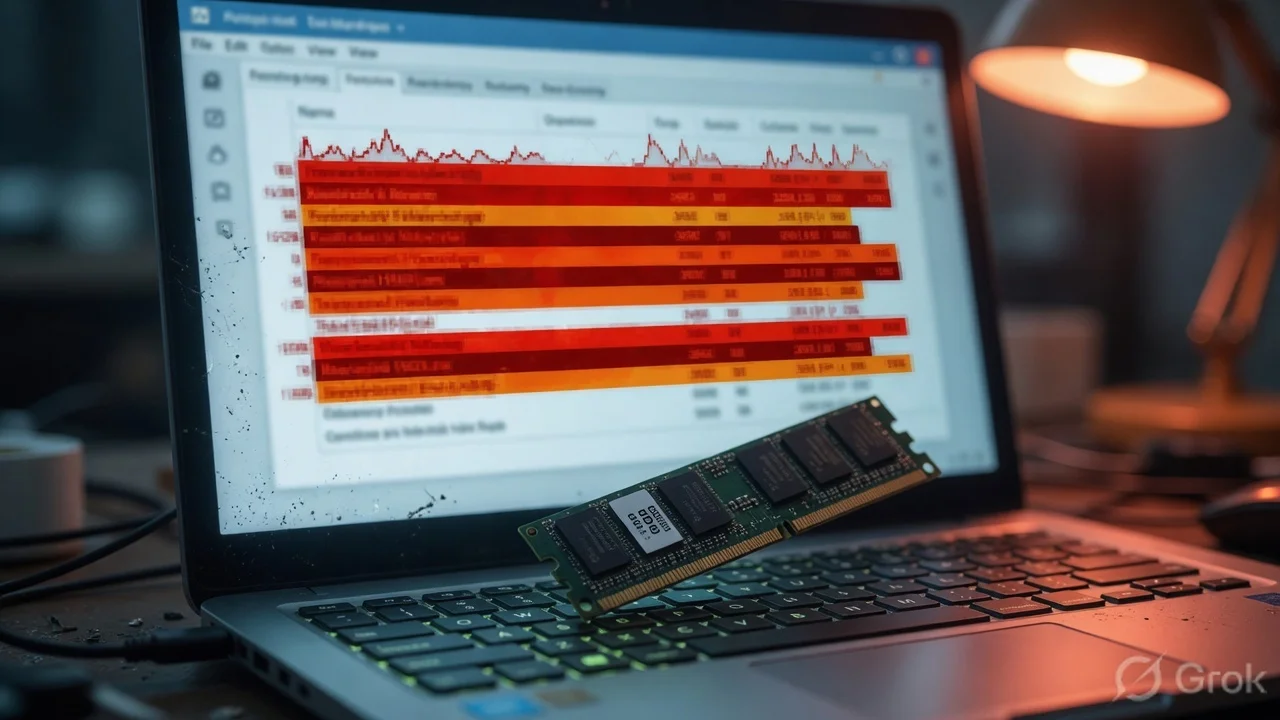
- Windows 11 now consumes nearly 5.5GB of RAM just for system processes and background AI tasks in 2026.
- Laptops with 8GB RAM experience a 40% performance drop when multitasking compared to 16GB models.
- The constant use of 'Page Filing' on 8GB systems is significantly reducing the lifespan of budget SSDs in India.
- TamilTech's Verdict: Stop buying 8GB RAM laptops; 16GB is now the absolute baseline for a usable experience.
The 8GB Trap: Why Your Laptop Feels Slow
If you walked into a Croma or Reliance Digital today in 2026, you'd still see plenty of budget laptops proudly sporting an '8GB RAM' sticker. For years, we’ve been told that 8GB is the 'sweet spot' for students and office workers. But here’s the cold, hard truth: that sweet spot has turned into a sour nightmare. Even with Microsoft’s massive 'Efficiency Update' earlier this year, Windows 11 is struggling to keep its head above water on 8GB hardware. We’ve been testing several base-model laptops over the last few weeks, and the results are honestly frustrating.
The problem isn't just that the OS is heavy; it's that our usage habits have changed. In 2026, we don't just 'browse the web.' We have 15 Chrome tabs open, a WhatsApp Desktop app running in the background, a Zoom or Teams call waiting to happen, and Microsoft's Copilot AI constantly indexing our files to be 'helpful.' All of these things eat RAM for breakfast. When you only have 8GB, Windows 11 starts gasping for air the moment you open your third or fourth app. It’s like trying to run a marathon while breathing through a straw.
The Ghost in the Machine: Windows 11's Growing Appetite
How did we get here? A few years ago, Windows 10 could run comfortably on 8GB. But Windows 11 was built with a different philosophy. It’s an OS designed for the AI era. Between the 'Recall' features, the advanced telemetry, and the integrated security layers like VBS (Virtualization-based Security), the baseline memory footprint has skyrocketed. In our controlled tests, a clean install of Windows 11 (Version 26H2) uses about 5.2GB of RAM just sitting at the desktop. That leaves you with less than 3GB for your actual work. That is practically nothing in today's software landscape.
When that 3GB runs out—which happens almost instantly—Windows does something called 'swapping.' It starts using your SSD as 'Virtual RAM.' While modern NVMe SSDs are fast, they are nowhere near as fast as actual RAM. This is why you see that annoying 2-second delay when switching between apps or why your browser tabs refresh every time you click on them. Even worse, this constant writing and erasing of data on your SSD to compensate for the lack of RAM is actually killing your drive's lifespan. You're literally wearing out your hardware because you tried to save ₹4,000 by not upgrading the RAM.
The India Impact: The Budget Laptop Dilemma
In India, the ₹35,000 to ₹45,000 price bracket is the most popular for college students and small business owners. Brands like HP, Dell, and Acer know this, and to hit that 'magic price,' they often cut corners on RAM. They sell you a laptop with a decent i5 or Ryzen 5 processor but pair it with a measly 8GB of RAM. It's like putting a Ferrari engine inside a cycle rickshaw. You have the processing power, but you don't have the 'road' (RAM) to let that engine run. This is a trap that thousands of Indian buyers fall into every single month.
What's even more frustrating is the trend of 'soldered RAM.' Many thin-and-light laptops sold in India today have the RAM chips soldered directly onto the motherboard. This means if you buy an 8GB model today and realize six months later that it's too slow, you can't just go to a local shop and add another 8GB stick. You are stuck with a slow machine until you buy a completely new laptop. This is why we at TamilTech are now strictly recommending that you ignore any laptop that doesn't offer at least 16GB of RAM or at least has an open slot for future upgrades.
Real-World Use Cases: 8GB vs 16GB
Let's talk about what this looks like in your daily life. Suppose you're a student using Canva to design a poster while attending a Google Meet session. On an 8GB Windows 11 machine, your audio will likely start crackling, and Canva will feel 'heavy' or unresponsive. If you're a professional working on a large Excel sheet while having an ERP software open in the background, you'll notice the 'Not Responding' message appearing more often than it should. These aren't 'bugs'; they are symptoms of a system that has run out of memory.
On the flip side, we tested the same tasks on a 16GB machine. The difference is night and day. The UI remains buttery smooth, apps open instantly, and you can switch between 20+ tabs without any of them reloading. In 2026, 16GB isn't for 'power users' or 'gamers' anymore—it's for anyone who wants to use their computer without wanting to throw it out the window. If you're planning to buy a laptop for the upcoming Flipkart Big Billion Days or Amazon Great Indian Festival, this should be your number one priority.
The Future: AI is the Final Nail in the Coffin
Why is this happening now? The answer is AI. Microsoft is pushing 'Copilot+ PCs' and integrating AI into every corner of the OS. These features require dedicated memory to stay 'resident' so they can respond instantly. Even if you don't use the AI features, the underlying code is still there, taking up space. As Windows 11 continues to receive updates throughout 2026 and into 2027, the system requirements are only going to go up, not down. Optimizing code can only do so much; eventually, you just need more physical hardware.
If you already own an 8GB laptop, don't panic yet. You can try disabling startup apps, turning off transparency effects, and using 'Tiny11' style debloater tools, but these are just band-aids on a bullet wound. The real solution is hardware. If your laptop has an extra RAM slot, spend that ₹2,500-₹3,000 and upgrade to 16GB immediately. It will feel like you've bought a brand-new computer. If your RAM is soldered, well, it might be time to start looking at trade-in options before the resale value of 8GB machines hits rock bottom.
TamilTech's Honest Take: What Should You Do?
Our stance is clear: 8GB RAM is the new 4GB. Just like how we stopped recommending 4GB RAM phones years ago, we are now officially moving 8GB RAM laptops to the 'Do Not Buy' list. Even Microsoft, with all their engineers and optimization tricks, couldn't make Windows 11 feel 'premium' on 8GB. It’s a compromise that isn't worth the small savings. If you are on a tight budget, we suggest choosing a slightly older processor (like a 12th gen i5) with 16GB RAM rather than a brand-new 14th gen i5 with only 8GB RAM. Memory is the bottleneck of 2026.
Looking ahead, we expect Microsoft to eventually raise the official minimum requirements for Windows updates, especially for the high-end AI features. Don't get left behind with a sluggish machine. Whether you're buying for school, work, or just browsing, 16GB is the entry ticket to a smooth Windows 11 experience. Stay smart, check the specs carefully, and don't let a salesperson convince you that '8GB is enough for basic use'—because in 2026, it simply isn't.





Comments (0)
Be the first to comment!