


What’s the buzz?
At the latest WWDC, Apple announced a bundle of new accessibility tools that are all powered by the company’s in‑house AI engine, Apple Intelligence. The biggest headlines are:
- Live subtitles generated on‑device for any video or FaceTime call.
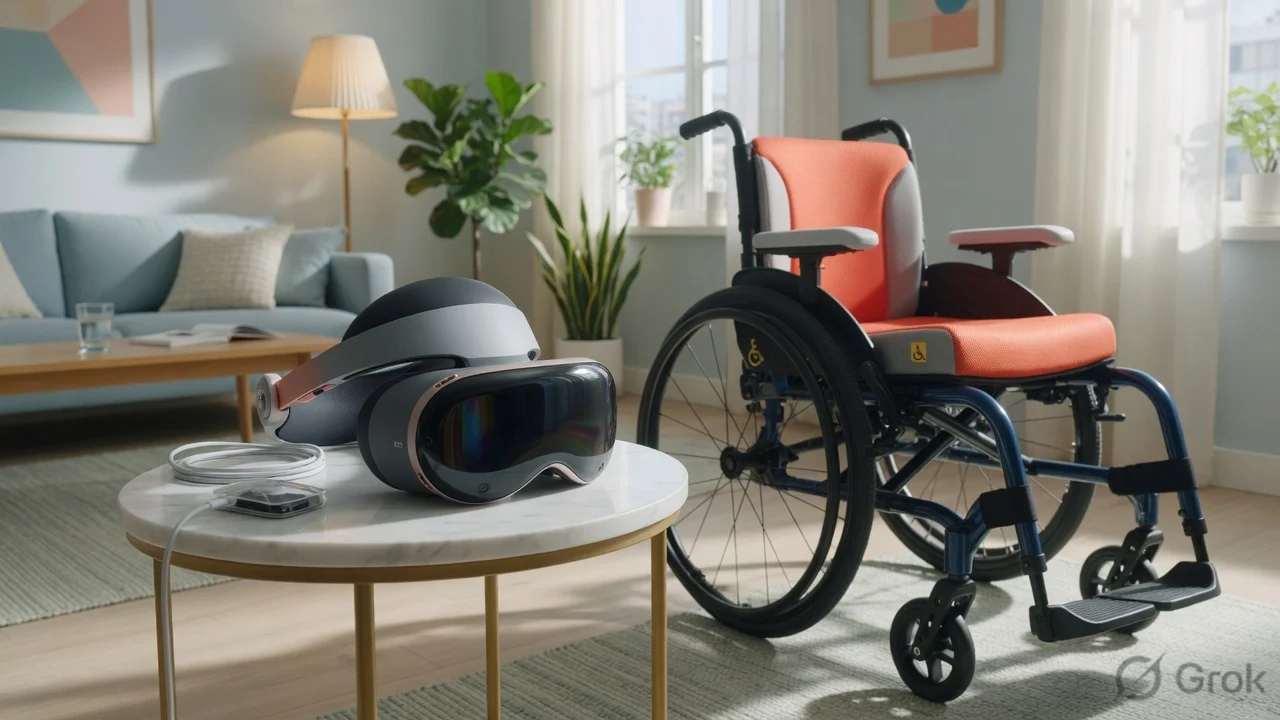
- A Vision Pro app that lets users steer a powered wheelchair with eye‑tracking and voice.
- New VoiceOver enhancements, background‑noise reduction for Live Listen, and smarter Siri commands for people with limited mobility.
All of this runs locally, meaning your data never leaves the iPhone or Vision Pro – a big win for privacy‑conscious users.
Live subtitles – no internet required
Apple’s new Live Captions feature works in real‑time on iPhone 15, iPad OS 18 and Vision Pro. When you watch a video, join a FaceTime call or even listen to a podcast, the device creates subtitles on the fly using the on‑device LLM. The captions appear in the language you select, and you can adjust font size, background colour and position.
Why does this matter in India? Many regional language speakers rely on subtitles to follow English content. Since the processing stays on the device, you can use it on a cheap 4G iPhone without worrying about data caps or latency.
Vision Pro meets wheelchair control
Apple unveiled a new Vision Pro app called Wheelchair Pilot. Using the headset’s eye‑tracking, hand‑gesture detection and Siri voice, the app translates your gaze and spoken commands into movement for any Bluetooth‑enabled powered wheelchair.
Here’s how it works in three steps:
- Pair your wheelchair’s Bluetooth module with Vision Pro.
- Open the Wheelchair Pilot app and select a “drive mode” – forward, reverse, turn left/right.
- Look at the direction you want to go and say “Go forward” or “Turn right”. The headset sends the command to the wheelchair’s motor controller.
Apple says the latency is under 200 ms, which feels almost instantaneous. For users with limited hand function, this could replace a bulky joystick with a simple glance and voice cue.
Other AI‑driven tweaks
Beyond subtitles and wheelchair control, Apple rolled out several smaller but useful updates:
- VoiceOver now reads out emojis with context (e.g., "smiling face with heart‑eyes") and can announce battery level of connected devices.
- Live Listen now filters background chatter using the on‑device model, making it easier for hard‑of‑hearing users to focus on a single speaker.
- Siri understands more natural commands like “Read my messages from Mom” without needing to specify the app.
Impact for Indian users
Apple’s ecosystem is still premium in India – iPhone 15 starts at around ₹79,900 and Vision Pro is expected to cost upwards of ₹1.5 lakh once it launches. Still, the accessibility upgrades are a game‑changer for the growing segment of users with disabilities.
Many NGOs and government schools use iPads for special‑needs education. The on‑device subtitle engine means they can run offline classrooms in remote villages without a reliable internet connection.
Power‑wheelchair manufacturers in India are already exploring Bluetooth integration. If Apple’s SDK is open for third‑party hardware, we could see a wave of locally‑made smart chairs that pair with Vision Pro or even an iPhone.
TamilTech‑ஓட கருத்து
Honestly, the tech is impressive, but the price tag will keep most Indian families away for now. The real win is the privacy‑first approach – everything happens on the device, so no one’s listening to your wheelchair commands.
We’d love to see Apple bring these features to older iPhone models via a software‑only update, or at least a cheaper “Accessibility‑Lite” version for the Indian market.
What’s next?
Apple will roll out the new features with iOS 18.2 and visionOS 2 in the coming weeks. Keep an eye on the Settings‑>Accessibility menu – you’ll find a new “Apple Intelligence” toggle to enable or disable on‑device processing.
In the next few months, expect third‑party developers to build apps that piggy‑back on the same AI engine – think real‑time sign‑language translation or AI‑driven note‑taking for students with dyslexia.
For now, if you own an iPhone 15 or Vision Pro, dive into the new tools and see how they fit your workflow. And if you’re a developer, start experimenting with Apple’s on‑device ML framework – the ecosystem is just opening up.





Comments (0)
Be the first to comment!