


Okay, drop that scroll for a second. If you use WhatsApp on Android in India — which is basically all of us — you need to hear this before you tap “Update” on anything that looks green and familiar.
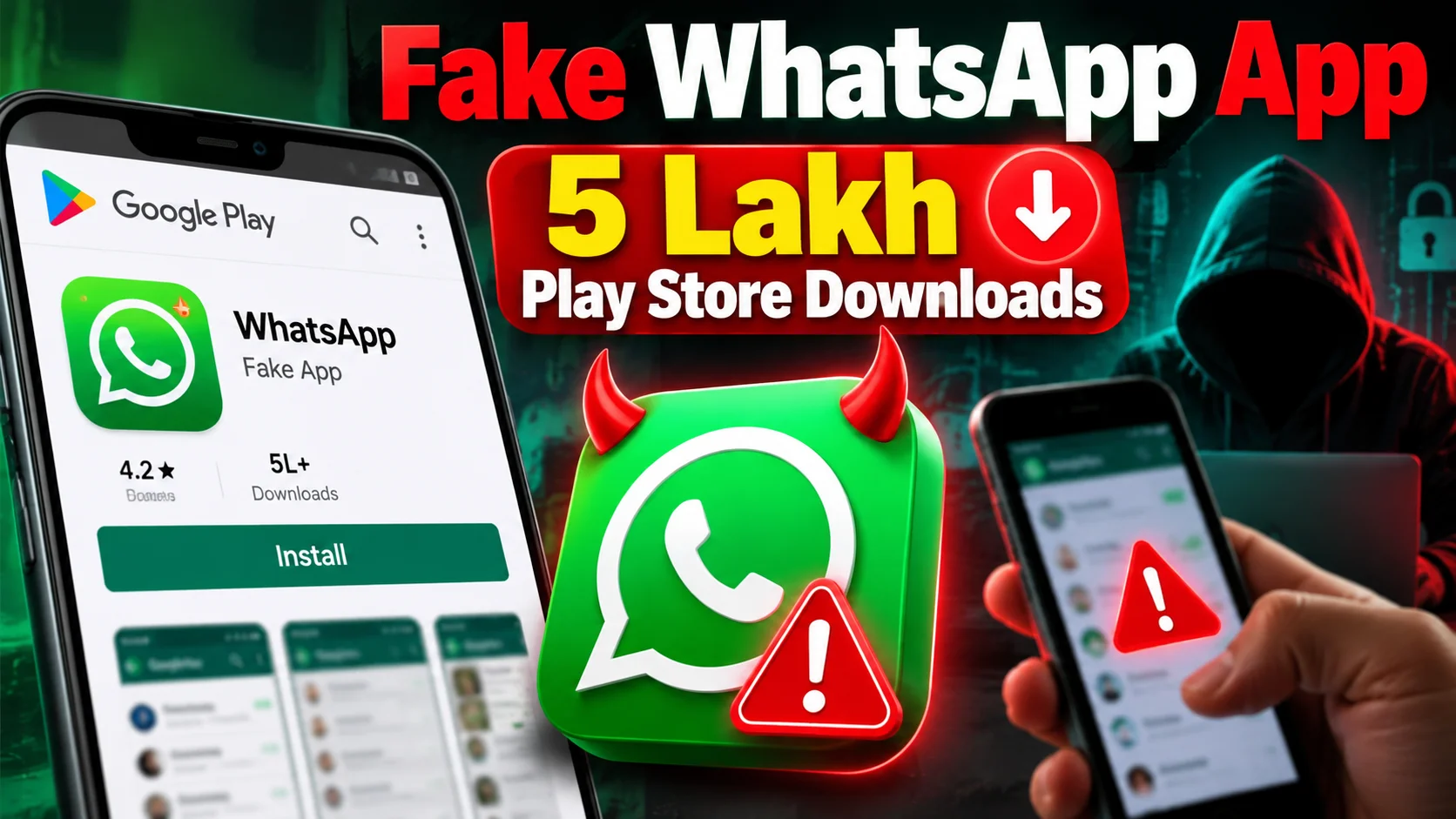
A fake WhatsApp clone has been spotted on the Google Play Store with more than 5 lakh downloads. Worse: it reportedly showed up as a sponsored search result above the real WhatsApp Messenger. That means people searching for the real app could have installed the dupe first without even meaning to.
I’m Praveen. I’m writing this the way I’d dump it in our college/work group chat at 11pm — no drama theatre, just “open your phone and check now.”
What exactly happened
According to coverage from Moneycontrol (drawing on reports that first circulated via Reddit, then Android Authority and The Verge), a third-party app impersonating WhatsApp accumulated over 5 lakh downloads on Google Play.
The Verge’s Stevie Bonifield reported on October 16, 2026 that the “‘WhatsApp Messenger’ dupe” popped up as a sponsored result above the real version. Moneycontrol’s India desk followed on October 17, 2026 (11:42 IST), framing the same risk for Indian users: wrong app, huge install base, data could be at risk.
At the time of The Verge’s report, the listing was still available on the Play Store. Google had not immediately responded to requests for comment in that coverage.
This lands right after another Play Store clone scare earlier the same week (a Chrome lookalike was also flagged in the same reporting chain). Pattern, not one-off.
Why Indian users should care more than “global tech Twitter”
India isn’t a side market for WhatsApp. It’s the daily OS of family groups, housing society complaints, UPI payment screenshots, school homework PDFs, office stand-up links, and “share location I’m outside the gate” messages.
If a lookalike sits above the real app in sponsored Play search:
- Parents and first-time smartphone users tap the top result by habit
- “WhatsApp Messenger” in the title is enough social proof for many people
- 5 lakh downloads creates a fake trust signal (“so many people installed it, must be fine”)
- Once permissions are granted, chat backups, contacts, and notification access become the crown jewels
You don’t need a Hollywood hack. You need one confused install on a phone that also holds GPay, PhonePe, and the office email app.
How a sponsored fake beats the real app in search
Play Store search isn’t only organic ranking. Sponsored placements can sit on top. That’s useful for legitimate developers. It’s catastrophic when a clone buys or otherwise lands that slot with a near-identical name and icon language.
What makes these listings suspicious in the reporting:
- Name engineered to look like official WhatsApp Messenger
- Placement above the real Meta-owned app in sponsored results
- Rapid download count that looks “popular” at a glance
- Developer identity that is not Meta Platforms / WhatsApp LLC when you actually open the full listing
Most of us never scroll to the developer row. We see green. We tap Install. Life continues — until it doesn’t.
What could go wrong if you installed the wrong one
I’m not going to invent malware PE analysis I haven’t run. But the risk model every security desk repeats for messenger clones is boring and brutal:
- Contact harvesting — your entire phonebook becomes a spam/phishing lead list
- Notification access — OTPs, bank alerts, WhatsApp codes readable by a bad actor app
- Storage permissions — media, documents, ID scans sitting in Download/
- Accessibility / overlay tricks — classic Android scam toolkit if those permissions were granted
- Session confusion — users “log in” on a fake UI and type the real WhatsApp OTP into the wrong box
Even if the clone is “only” ad junk today, the install base is the asset. 5 lakh devices is a farm.
Do this in the next 10 minutes — practical checklist
1) Confirm which WhatsApp you actually have
Open Play Store → Manage apps & device → Manage. Find anything named WhatsApp / WhatsApp Messenger.
Tap it. Check:
- Developer should be WhatsApp LLC (Meta)
- Install source should be Play Store with the official listing
- Package behaviour: official app updates frequently from the known publisher
If the developer name is random, misspelled, or a no-name studio — treat it as hostile until proven otherwise.
2) Uninstall the stranger
Long-press the icon → App info → Uninstall. Don’t “Open and check casually” first if you already suspect it. Uninstall, then reboot if you want to be thorough.
3) Reinstall only from a clean path
Best paths in India:
- Play Store official WhatsApp LLC listing (double-check developer)
- Or the link from whatsapp.com that routes you correctly
Avoid third-party APK sites. Always. Especially this week.
4) Lock the account down
Inside real WhatsApp:
- Enable two-step verification (Settings → Account → Two-step verification) with a PIN you won’t forget
- Review linked devices and log out unknowns
- Turn on the security notifications / check recent login behaviour if anything feels off
- If you typed an OTP into a weird screen, assume compromise: two-step PIN + device review + tell family not to click odd links from “you”
5) Android permission autopsy
Settings → Apps → see recently installed apps. Revoke:
- SMS / notification access you don’t recognise
- Accessibility services you didn’t knowingly enable
- Device admin rights on unknown apps
6) Parents and office groups
Forward this without the scary emoji spam. One line is enough: “Play Store pe fake WhatsApp aaya tha sponsored mein — developer WhatsApp LLC hai na check karo, 5 lakh+ downloads ho chuke.”
For parents: sit with them once. Search “WhatsApp” together. Show the difference between the top sponsored tile and the real publisher name.
How to spot fake messenger listings forever
Use this muscle memory every time you install anything money- or chat-related:
- Developer name first, icon second
- Ignore download count as a trust signal (fakes farm installs)
- Read the last update date and number of reviews quality, not just star average
- Be allergic to sponsored results when the brand is already a default system app
- If an app asks for SMS + Accessibility on first launch for a “chat client,” delete and walk away
- Prefer updating the app you already trust over installing a second “WhatsApp” beside it
Also: WhatsApp will almost never need you to sideload a random “Pro / GB / Plus / Aero” package for normal features. Those names are a whole separate red-flag universe Indian users already know from shady APK blogs.
Play Store trust is a feature — until it isn’t
We tell relatives “only install from Play Store” because it’s safer than random APKs. That advice is still directionally right. It is not a magical shield.
Sponsored inventory + clone branding + slow human review = a window where junk can look official. Google has removed countless impersonators over the years. The fact this one reportedly crossed 5 lakh downloads while sitting above the real app is exactly why “Play Store = safe” needs a footnote in 2026.
If you work in IT for an Indian company: this is a Monday standup item. Contractor phones, sales team devices, warehouse Androids — messenger clones are how business WhatsApp accounts get socially engineered.
Pros / cons of how platforms handle this (blunt take)
What worked (sort of)
- Community spotting (Reddit user → specialist press → India desks) still moves faster than many official channels
- Major tech press amplified it within a day
- Users who verify publisher names remain largely fine
What failed users
- A clone reaching 5 lakh downloads is already a population-scale miss
- Sponsored placement above the real brand is indefensible UX for high-risk categories
- Elderly and low-literacy users have no realistic “check the package name” workflow
What Google, Meta, and regulators should do next
- Google: harder verification gates for messenger/banking keyword ads; faster kill switches when download velocity + brand impersonation flags trip together
- Meta/WhatsApp: in-app education in India locales about official listing checks; push two-step verification harder
- CERT-In / MeitY ecosystem: consumer advisories in Hindi + regional languages when India-scale install bases show up on clones (we’re already in an AI-agent security news cycle — consumer app impersonation belongs in the same risk conversation)
- Banks/UPI apps: remind users that OTPs must never be typed into a fresh “WhatsApp” screen that just got installed
Future scope — clones won’t stop
As long as Play ads can put a lookalike above a brand, someone will try Telegram clones, GPay lookalikes, Truecaller twins, Instagram “Pro” junk, and government-app impersonators during tax or DigiLocker season.
The durable skill isn’t memorising one fake app’s name. It’s the 10-second publisher check. Teach it once to your family WhatsApp group and you’ve done more security work than another generic “stay safe online” poster.
Bottom line
Yes — a fake WhatsApp reportedly sat in sponsored Play Store search above the real app and crossed 5 lakh downloads. Yes — Indian Android users are high-value targets because WhatsApp is life infrastructure here. No — panicking and factory-resetting without cause isn’t the move.
The move is: verify developer name, uninstall strangers, turn on two-step verification, audit linked devices, and forward one calm message to the family group.
If your uncle replies with a screenshot of two WhatsApp icons on the home screen, you already know which one to delete.
Stay nosy about developer names. It’s the new “look both ways before crossing.”

Comments (0)
Be the first to comment!