


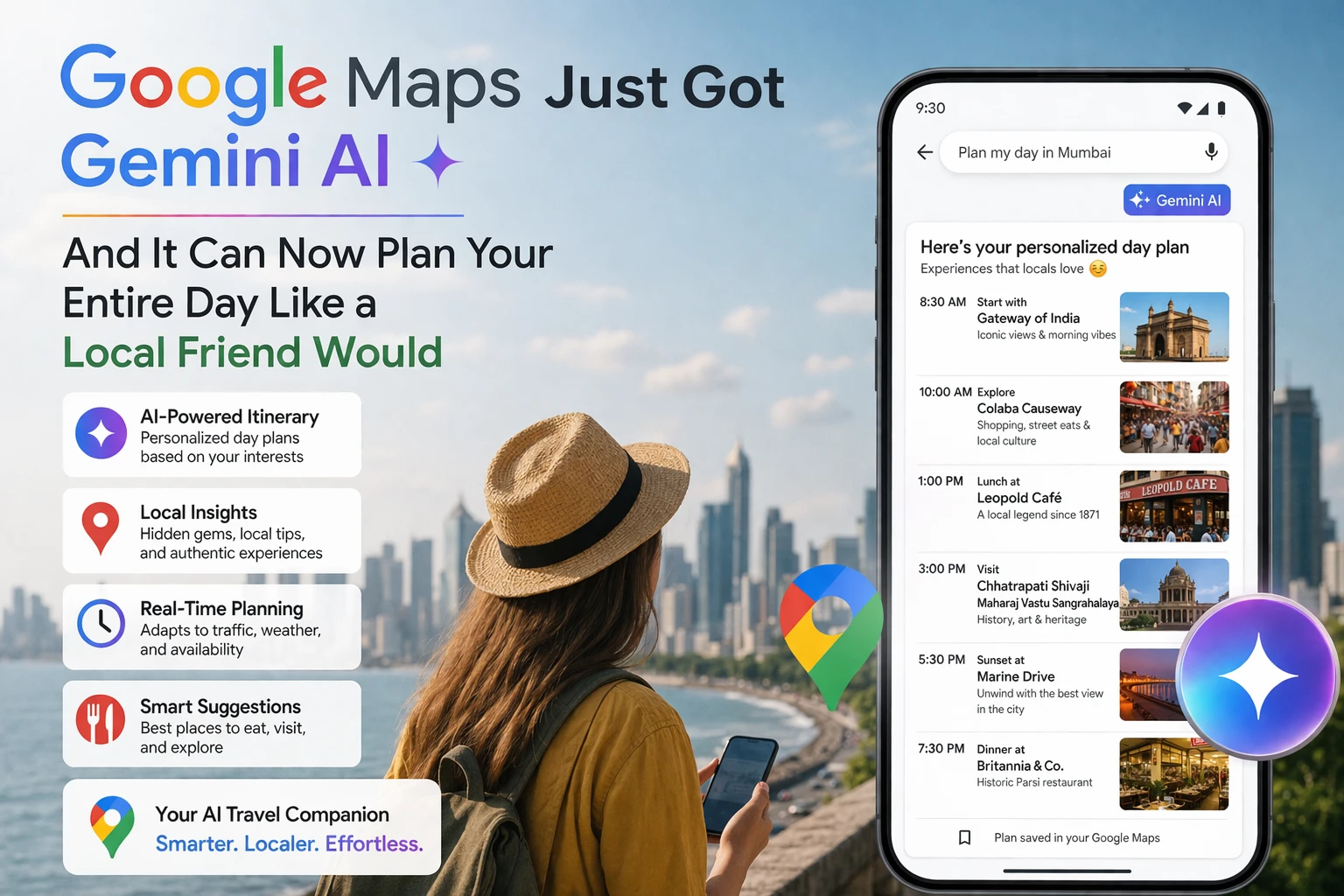
Google Maps used to tell you how to get somewhere. Now it helps you decide where to go.
Think about the last time you were trying to plan a day out — maybe in a part of Chennai you don't know well, or visiting Bangalore for work with a free evening. You probably opened Google Maps, searched a few things, jumped to Zomato for reviews, came back to Maps to check locations, switched to Instagram to see photos, and eventually just picked the same two places you always go because the research got overwhelming.
Gemini inside Google Maps is trying to fix exactly that problem. The feature, called "Ask Maps," launched in India and the US in March 2026 on both Android and iOS. It's a conversational AI built directly into Google Maps — not a separate app, not a shortcut to Gemini.ai — right inside the Maps interface you already use every day.
The idea: instead of searching for individual places and piecing together a plan yourself, you describe what you want in plain language and Ask Maps builds you a coherent itinerary from Google's database of over 300 million places and 500 million user reviews.
How Ask Maps actually works — step by step
Open Google Maps on your phone (update to the latest version if you haven't). At the bottom of the search bar, tap "Ask Maps." A chat interface appears — the same kind of text box you'd see in ChatGPT or Gemini.ai. Type your request in natural language.
Instead of searching "restaurants near me" and scrolling through 200 results, you type something like: "I have 4 hours free this evening near Koramangala. I want a good South Indian dinner, somewhere quiet to walk after, and a coffee place to end the night. I'm on foot." Ask Maps processes the request, cross-references your location, reviews, opening hours, and walking distances, and gives you a structured plan with specific recommendations — each one clickable to get directions or see full details.
What makes it genuinely useful versus a basic search is the context awareness. If you ask it to find a restaurant near a specific area, it factors in that you said you're walking — so it won't recommend something 3 kilometres away. If you mention you're traveling with kids, it filters recommendations accordingly. It can also check the weather for you and factor that into suggestions — if rain is coming, it'll lean toward indoor options.
Each recommendation comes with an AI-generated summary of user reviews, photos, current opening hours, and the option to save to a list or get directions immediately. It's not creating new information — everything comes from Maps' existing database — but it's making that database conversational rather than requiring you to dig through it yourself.
The real India use case — and why it matters here specifically
Google Maps has been available in India for years, and most Indian smartphone users are already on it daily — for auto routes, checking traffic on OMR and Sarjapur Road, finding the nearest ATM, navigating IRCTC station pickups. But the discovery use case — finding genuinely good places you haven't heard of yet — has always been weaker in India than in Western cities.
Part of this is review volume. In US cities, a coffee shop that opened six months ago might have 800 Google reviews and a clear picture of quality. In many Indian localities, a fantastic idli shop that's been open for 20 years might have 40 reviews and a photo of the sign. Ask Maps is trained on Google's full database including review text, not just star ratings, so it can pull out the signal from smaller review sets better than a human scrolling through listings.
Ask Maps launched in India simultaneously with the US rollout in March 2026 — not a delayed rollout, not a "coming soon for India" situation. It works in English on Indian addresses, Indian locality names, and Indian landmark searches. If you type "near Nungambakkam" or "around Bandra West" it understands exactly what you mean.
For weekend explorers in Chennai, Bangalore, Mumbai, Hyderabad, and Pune — the people who want to discover the neighbourhood beyond their usual four restaurants — this is the feature you've been waiting for. For families planning a Saturday without wanting to spend 45 minutes of research before leaving the house, Ask Maps handles the planning conversation so you can focus on the actual outing.
Immersive Navigation — the other major Gemini upgrade in Maps
Ask Maps is the discovery feature. The navigation side got a separate Gemini-powered upgrade called Immersive Navigation, also rolling out from March 2026.
Current Google Maps navigation gives you a 2D top-down view of your route with turn instructions. Immersive Navigation switches this to a vivid 3D perspective that shows actual buildings, overpasses, lane markings, crosswalks, and traffic light positions along your route. The 3D rendering is generated by Gemini models analysing Street View imagery and aerial photos of the actual road you're driving.
The practical benefit: if you've ever missed a turn because the Maps instruction said "turn right" but you couldn't tell which of three possible right turns it meant, Immersive Navigation shows you the actual visual landmark. "Turn right at the building that looks like this." It also replaces the Google Assistant voice layer in Maps with a Gemini-powered voice that gives more natural, context-aware guidance — less like a robotic GPS, more like a friend who's been on this route before.
Immersive Navigation launched for mobile in the US first and is coming to Android Auto, Apple CarPlay, and Google Built-in systems later in 2026. For Indian urban drivers dealing with complex intersections — Silk Board junction, Parel flyover, Tambaram signal — the 3D visual context has obvious value. India rollout timeline hasn't been confirmed separately, but the feature is being built on the same Maps infrastructure that's already live here.
Airport and transit navigation — a quiet but useful Maps upgrade
One Maps feature that's been useful for Indian travellers for a while but is getting better: indoor navigation for airports and major train stations. The Directory tab inside Maps lets you navigate terminals, find specific gates, locate restaurants before security, and check real-time train departure boards at major stations.
For anyone who's ever landed at Chennai International and needed to find the right exit for the Uber pickup, or navigated CSMT Mumbai during rush hour to find a specific platform, Maps' indoor maps make this significantly less stressful. The Gemini integration extends this to let you ask conversational questions — "where's the closest charging point to Gate 4" or "which terminal has the Air India lounge" — rather than hunting through the directory manually.
What Ask Maps doesn't do well yet
It's worth being honest about the limitations. Ask Maps is better at recommending established, well-reviewed places than genuinely undiscovered gems. If a new restaurant opened last month with 12 reviews, it's unlikely to show up prominently in Ask Maps' recommendations even if it's excellent. The system tends toward places with more data — which, in Indian cities, often means chains and popular spots that are already on everyone's radar.
The conversational interface also can't book for you. It can find a restaurant and give you the number, but you can't say "book a table for 7pm" and have it complete the reservation. That level of integration — connecting Maps with Swiggy, Zomato, or direct restaurant booking systems — would make Ask Maps dramatically more useful and is presumably where this is heading over the next year or two.
For now, Ask Maps is best understood as an intelligent shortlist generator. It cuts the research time from 30 minutes to 5 minutes, and the shortlist quality is genuinely good. The final decision and the booking are still yours.
TamilTech's take
Google has been putting Gemini into everything — Gmail, Google Docs, Google Search, Google Photos — and the results have been mixed. Ask Maps in Google Maps is the one that actually makes sense to us. Discovery is the hardest problem in local search, and having a conversation about what you want beats scrolling through an undifferentiated list of search results every time. For Indian users specifically, the simultaneous India launch and the ability to work with Indian locality names from day one is the right move. If you haven't tried Ask Maps yet, open Google Maps, update the app, and try planning your next weekend outing through it rather than your usual Google Search plus Zomato plus Instagram loop. The time you save on research is time you spend actually at the place.






Comments (0)
Be the first to comment!