


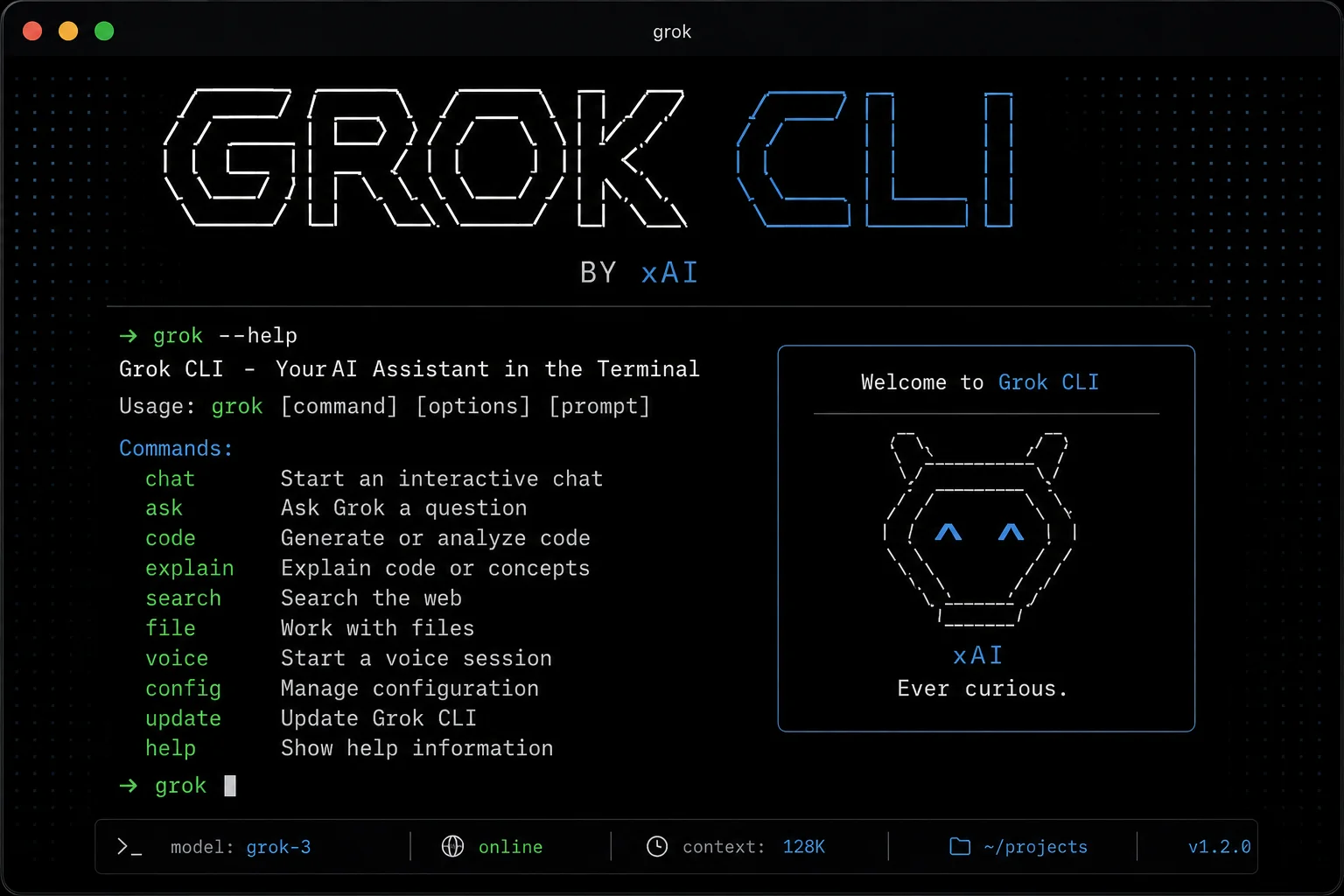
If you have been watching the terminal-based AI coding agent race, xAI has quietly turned Grok Build into one of the fastest-moving tools in the category. Not one big annual launch - a new version almost every day. As of 12 July 2026, the CLI sits at v0.2.98, and the changes shipped over the last few weeks are substantial enough that a developer who last tried Grok Build at launch would barely recognise it.
This is not a press-release rewrite. Below is a breakdown of what the tool actually is, what the recent updates changed, how it compares with the alternatives an Indian developer is realistically choosing between, and where it still falls short.
First, what is Grok Build?
Grok Build is xAI's agentic coding agent that runs in your terminal. You point it at a codebase, describe what you want in plain English, and it reads files, writes code, runs commands and shows you diffs before applying them. It is the same category as Claude Code, Gemini CLI and OpenAI Codex - a coding agent, not an autocomplete.
Installation is a single command:
curl -fsSL https://x.ai/cli/install.sh | bashThe agent can be driven three ways, and this flexibility is the part most coverage skips:
- Interactive TUI - the normal fullscreen terminal experience with a plan view, diffs and a subagent tree.
- Headless -
grok -p "your prompt"inside scripts, CI pipelines or bots, with no UI at all. - Agent Client Protocol (ACP) - so other editors and apps can drive Grok Build as a backend agent.
The launch timeline
- 14 May 2026 - early beta, restricted to SuperGrok Heavy subscribers (the 299 USD per month tier).
- 25 May 2026 - opened up to all SuperGrok and X Premium+ subscribers. This is the moment it became relevant to normal developers.
- July 2026 - near-daily releases, now powered by the grok-4.5 model.
xAI announced the wider rollout on X, and the post is worth reading because it spells out exactly which subscription tiers get access:
What actually changed in the recent updates
Rather than list all fifteen releases, here are the changes that alter how you would actually use the tool day to day.
1. /goal - long-running autonomous mode
This is the headline addition, introduced in v0.2.94. Normal agent mode is turn-based: you prompt, it works, it stops, you prompt again. /goal flips that. You give it an objective, and it plans the work and executes to completion across many turns, with pause and resume controls. It is configured through a [goal] table in config.toml, so you can bound how far it is allowed to run.
This is xAI chasing the same thing everyone is chasing - an agent that survives a long task without a human babysitting every step. Treat it with the caution any autonomous mode deserves: run it on a branch, not on main.
2. Subagents that run in parallel, in their own worktrees
For large tasks, Grok Build delegates to specialised subagents that run at the same time. The genuinely useful part is the git worktree integration - you can dispatch an agent into a fresh worktree with Ctrl+W, so parallel agents are not fighting over the same working directory. Anyone who has had two AI agents stomp on each other in one folder will understand why this matters.
3. Headless output you can trust
A --json-schema flag now forces validated JSON output from headless grok -p runs. This is the difference between a toy and something you can put in a CI pipeline - if the output shape is guaranteed, you can parse it without defensive string-scraping.
4. Voice mode and real cost tracking
The July builds added voice dictation (including on Linux, from v0.2.89) and voice mode for API-key sessions. More practically, /context now shows token costs and /usage shows your prepaid credit balance. Knowing what a session is costing you while it is costing you is a small feature with a big effect on bills.
5. Quality-of-life fixes that add up
- Turn cancellation moved to
Ctrl+Cinstead ofEsc- fewer accidental kills. - Persistent "Never allow" permissions, so you stop re-answering the same prompt.
- MCP servers can be added or replaced without restarting the session.
/minimaland/fullscreendisplay modes, mouse support, grouped tool calls.- Rewind, which removes turns from the transcript rather than just scrolling past them.
The model behind it, and what it costs
Grok Build runs on grok-4.5. The same model is now exposed on the xAI API as grok-build-0.1, in public beta - and the pricing is the aggressive part of this story:
At 1 USD per million input tokens and 2 USD per million output tokens, that is roughly Rs 88 and Rs 176 per million tokens at current rates. For an Indian developer or a small startup, that price point is the actual news. It undercuts most frontier coding models by a wide margin, which changes the arithmetic on things like running an agent across a whole repository, or letting a bot triage issues overnight.
Access options for Indian developers
| Route | What you get | Rough cost |
|---|---|---|
| X Premium+ | Grok Build CLI access | Subscription, billed in INR on the X app or web |
| SuperGrok | Grok Build CLI access, higher limits | Around 30 USD per month (approx Rs 2,600) |
| SuperGrok Heavy | Highest limits, earliest features | 299 USD per month (approx Rs 26,000) |
| xAI API (grok-build-0.1) | Pay per token, scriptable, no subscription | 1 USD in / 2 USD out per million tokens |
Note the last row carefully. If you are a student or an independent developer, the API route means you can use the same model without paying a monthly subscription at all - you pay only for what you consume. Web and app subscription prices differ by platform and region, so check the current price in your own X app before assuming.
How it compares
| Feature | Grok Build | Claude Code | Antigravity CLI |
|---|---|---|---|
| Runs in terminal | Yes | Yes | Yes |
| Parallel subagents | Yes | Yes | Yes |
| Git worktree isolation | Yes, built in | Yes | Yes |
| Autonomous long-run mode | Yes - /goal | Yes | Yes |
| Voice input | Yes | No | Yes |
| Headless JSON schema output | Yes | Yes | Yes |
| Release cadence | Near-daily | Frequent | Frequent |
The honest summary: on capabilities, these tools have largely converged. Every serious coding agent now has plan mode, parallel subagents, worktrees and a headless mode. The differentiators that remain are model quality, price and how much the tool gets in your way.
Where Grok Build still falls short
Balance matters, so here are the real caveats:
- It is still beta. A near-daily release cadence is exciting, but it also means the tool under you changes constantly. Regressions happen. Pin a version if you depend on it for production work.
- Subscription gating. The CLI is tied to SuperGrok or X Premium+. The API is the escape hatch, but that is a separate billing relationship.
- Autonomous mode is not magic.
/goalrunning unattended on an unfamiliar codebase is a good way to generate a large diff you do not understand. Bound it. - Ecosystem maturity. Claude Code has a longer track record and a deeper plugin and skills ecosystem. Grok Build is catching up fast, but it is catching up.
Getting started, step by step
- Make sure you have an active SuperGrok or X Premium+ subscription (or an xAI API key if you prefer to pay per token).
- Install:
curl -fsSL https://x.ai/cli/install.sh | bash cdinto a project you know well - not a client codebase on day one.- Run
grokand sign in. - Start in plan mode. Ask for a plan before you allow any edits, read it, and edit the plan itself if it is wrong. This is the single highest-value habit with any coding agent.
- Only once you trust it on small tasks should you try
/goal- and only on a branch.
Why this matters
Two years ago, an AI coding tool meant autocomplete. Today, four different companies ship a terminal agent that plans, spawns subagents, isolates them in git worktrees, and runs headlessly in your CI. The competition has compressed a decade of tooling evolution into about eighteen months.
For developers in India, the most consequential line in this entire story is the API pricing. When a frontier-class coding model costs 1 USD per million input tokens, the barrier to building your own agents, bots and automations stops being cost and starts being imagination. That is a genuinely different world from the one we were in last year.





Comments (0)
Be the first to comment!