


முக்கிய விஷயங்கள்
- List keeps order and allows duplicates, Set removes duplicates, Map stores key-value pairs - pick based on what you're modelling, not habit.
- ArrayList is fast for reading by index, LinkedList is fast for inserting/removing at the ends - most real projects use ArrayList by default.
- HashMap uses hashCode() to decide a 'bucket' and equals() to check for the exact match - get both wrong on a custom key class and your map silently breaks.
- Streams are great for filtering and transforming collections in one readable line, but a plain for-loop is still fine and sometimes faster to write under interview pressure.
- Interviewers at TCS, Infosys, CTS, Zoho and product companies love asking 'how does HashMap work internally' - know it cold.
What are List, Set, and Map, in one line?
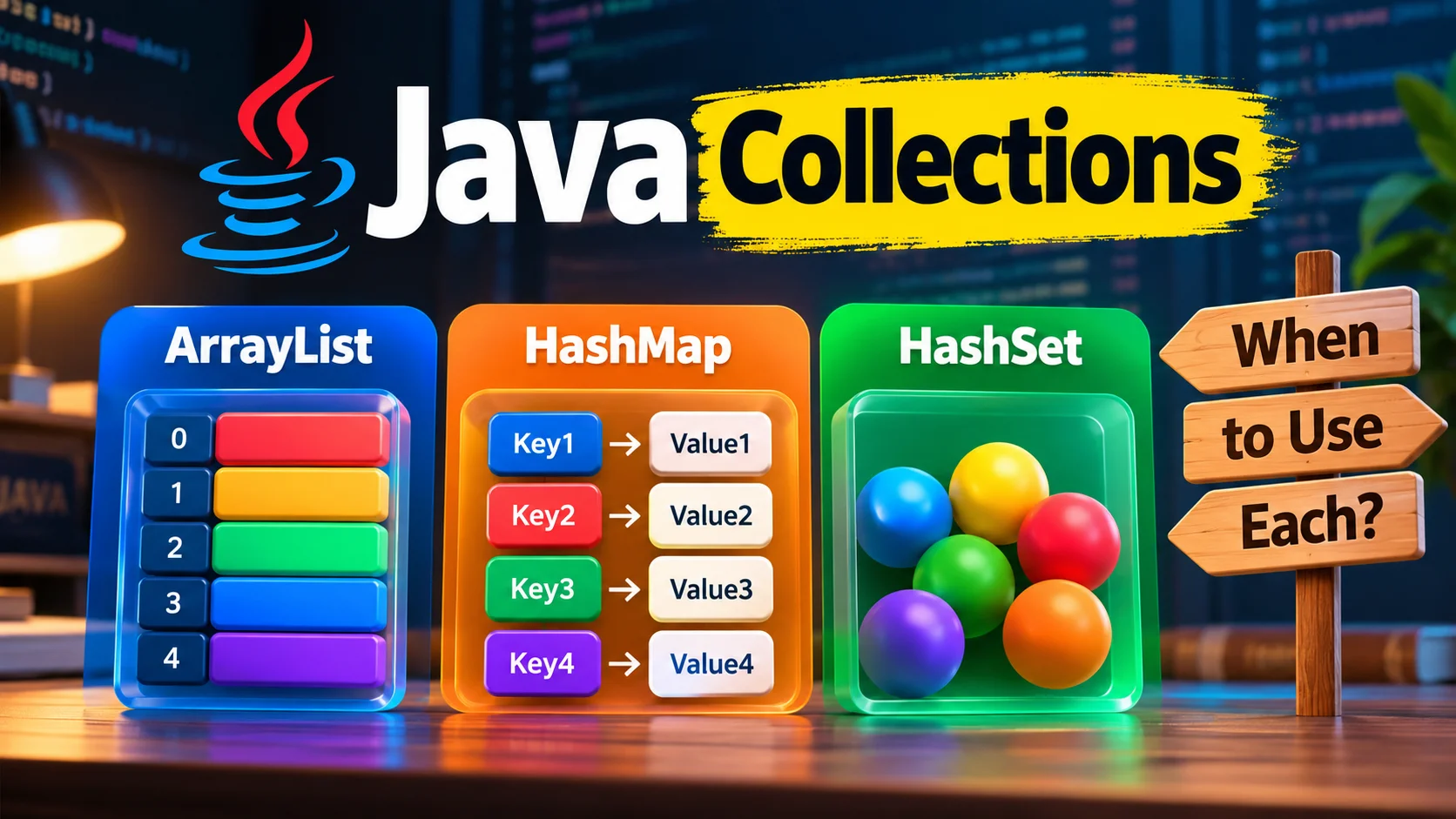
Java Collections is just a fancy name for 'ready-made containers to hold your data'. You don't write your own array-resizing logic every time - the JDK already did that work for you. There are three interfaces you'll use 90% of the time. List keeps items in order and allows duplicates - think of a queue at a Jio recharge counter, first-come order matters. Set throws away duplicates automatically - useful when you only care whether something exists, like a list of unique PAN numbers. Map stores key-value pairs - like a phonebook where the name is the key and the number is the value.
ArrayList, LinkedList, Vector implement List. HashSet, LinkedHashSet, TreeSet implement Set. HashMap, LinkedHashMap, TreeMap implement Map. Same family, different behaviour under the hood - and that behaviour is exactly what interviewers probe.
ArrayList vs LinkedList - which one should you pick?
ArrayList is backed by an array internally. When it's full, Java quietly creates a bigger array and copies everything over. Reading list.get(5) is instant because it's just array-index math. Inserting in the middle is slower because everything after that index has to shift.
LinkedList is a chain of nodes, each pointing to the next and previous one. Adding or removing from the front or back is cheap - no shifting needed. But get(5) means walking the chain from the start, one node at a time, which is slower for large lists.
In practice? Pick ArrayList unless you have a specific reason not to. Most Indian production codebases - from a Flipkart order-item list to a Zoho form-fields list - default to ArrayList. LinkedList shows up more in interview theory than in day-to-day code.
import java.util.*;

public class ListDemo {
    public static void main(String[] args) {
        List<String> arrayList = new ArrayList<>();
        arrayList.add("Chennai");
        arrayList.add("Coimbatore");
        arrayList.add(1, "Madurai"); // insert at index 1

        List<String> linkedList = new LinkedList<>();
        linkedList.add("Chennai");
        linkedList.addFirst("Trichy"); // cheap operation for LinkedList

        System.out.println(arrayList);
        System.out.println(linkedList);
    }
}
How does HashMap actually work under the hood?
This is the question. Every single interview, someone asks it. Here's the plain-words version.
When you do map.put(key, value), Java calls key.hashCode() to get a number. That number decides which 'bucket' (slot) the entry lands in internally. When you call map.get(key), Java computes the hash again, jumps straight to that bucket, and then uses key.equals() to confirm it's the exact same key - not just one with the same hash.
Two different keys can produce the same hash (called a collision). When that happens, HashMap stores both in the same bucket as a tiny linked list, and later versions of Java even convert a crowded bucket into a mini tree for speed. You don't need to manage any of this - but you do need to know it happens.
The part that actually trips people up: if you use a custom class as a HashMap key (say an Employee object instead of a String ID), you must override both hashCode() and equals() correctly. Miss one, and your map will 'lose' entries or let in duplicates that look identical but aren't matched.
import java.util.*;

public class HashMapDemo {
    record Employee(String id, String name) {}

    public static void main(String[] args) {
        Map<String, Employee> employeeMap = new HashMap<>();
        employeeMap.put("E101", new Employee("E101", "Karthik"));
        employeeMap.put("E102", new Employee("E102", "Divya"));

        // same key again overwrites the old value
        employeeMap.put("E101", new Employee("E101", "Karthik Updated"));

        for (Map.Entry<String, Employee> entry : employeeMap.entrySet()) {
            System.out.println(entry.getKey() + " -> " + entry.getValue());
        }
    }
}
Records in modern Java automatically generate correct equals() and hashCode() for you, which is one reason they're handy as map keys or set elements - one less thing to get wrong.
How do you loop through a Collection - plain loops vs streams?
The old-school way is a for-each loop. It's readable, debuggable, and nobody will judge you for using it - a lot of production Java at Indian service companies still looks like this.
Streams, introduced back in Java 8 and now completely mainstream, let you filter, transform and collect data in a single readable chain. HashSet is a good example to pair with streams because it already removes duplicates for you - you just shape what's left.
import java.util.*;
import java.util.stream.Collectors;

public class StreamDemo {
    public static void main(String[] args) {
        Set<String> cities = new HashSet<>(List.of("Chennai", "Chennai", "Bengaluru", "Hyderabad"));

        List<String> longCityNames = cities.stream()
                .filter(city -> city.length() > 6)
                .map(String::toUpperCase)
                .sorted()
                .collect(Collectors.toList());

        System.out.println("Unique cities: " + cities.size());
        System.out.println(longCityNames);
    }
}
Use streams when the operation is a clean filter-map-collect pipeline - it reads almost like English. Use a plain loop when the logic has multiple conditions, side effects, or early exits - forcing that into a stream just makes it harder to debug at 11pm when production is down.
Which mistakes get people into trouble with Java Collections?
A few patterns show up again and again in code reviews and in interview rejections both.
- Modifying a list while looping over it with for-each. This throws a ConcurrentModificationException. Use an Iterator's remove() method, or collect items to remove and delete them after the loop.
- Forgetting that HashMap and HashSet don't guarantee order. If you need insertion order, use LinkedHashMap or LinkedHashSet. If you need sorted order, use TreeMap or TreeSet.
- Overriding equals() without overriding hashCode(). Java's contract says if two objects are equal, their hash codes must match too. Break this and HashMap/HashSet behave unpredictably.
- Using ArrayList when you really need a Set. People manually check
if (!list.contains(x))before adding - that's O(n) every time. A HashSet does the same uniqueness check in constant time. - Not thinking about thread safety. ArrayList and HashMap are not thread-safe. In multi-threaded code, reach for Collections.synchronizedList(), ConcurrentHashMap, or CopyOnWriteArrayList instead of patching it later.
Where does all this actually show up at work? Any backend built in Java - order processing at an e-commerce company, a billing engine at a telecom vendor, a CRM module at Zoho or Freshworks - is basically Collections all the way down. Interviewers at TCS, Infosys, Cognizant, Wipro and most Chennai-based product startups treat 'explain HashMap internals' and 'ArrayList vs LinkedList' as baseline screening questions before they even get to System Design.
What should you expect in interview questions, and what should you practice now?
Common questions to be ready for: 'How does HashMap handle collisions?', 'Why is String a popular HashMap key?' (because String is immutable and caches its hashCode), 'Difference between HashMap and ConcurrentHashMap', 'When would you pick TreeSet over HashSet?', and 'What happens if you don't override hashCode when you override equals?'. Be ready to write the code too, not just describe it - many interviews ask you to actually type a small HashMap or stream example on a shared screen.
Practice task: Create a List<String> of 10 city names with duplicates, convert it to a Set to find the unique ones, then build a Map<String, Integer> that counts how many times each city appeared in the original list - using a plain loop first, then rewrite the counting logic using streams with Collectors.groupingBy(). If both versions give the same counts, you've understood the topic.




Comments (0)
Be the first to comment!