


Key Takeaways
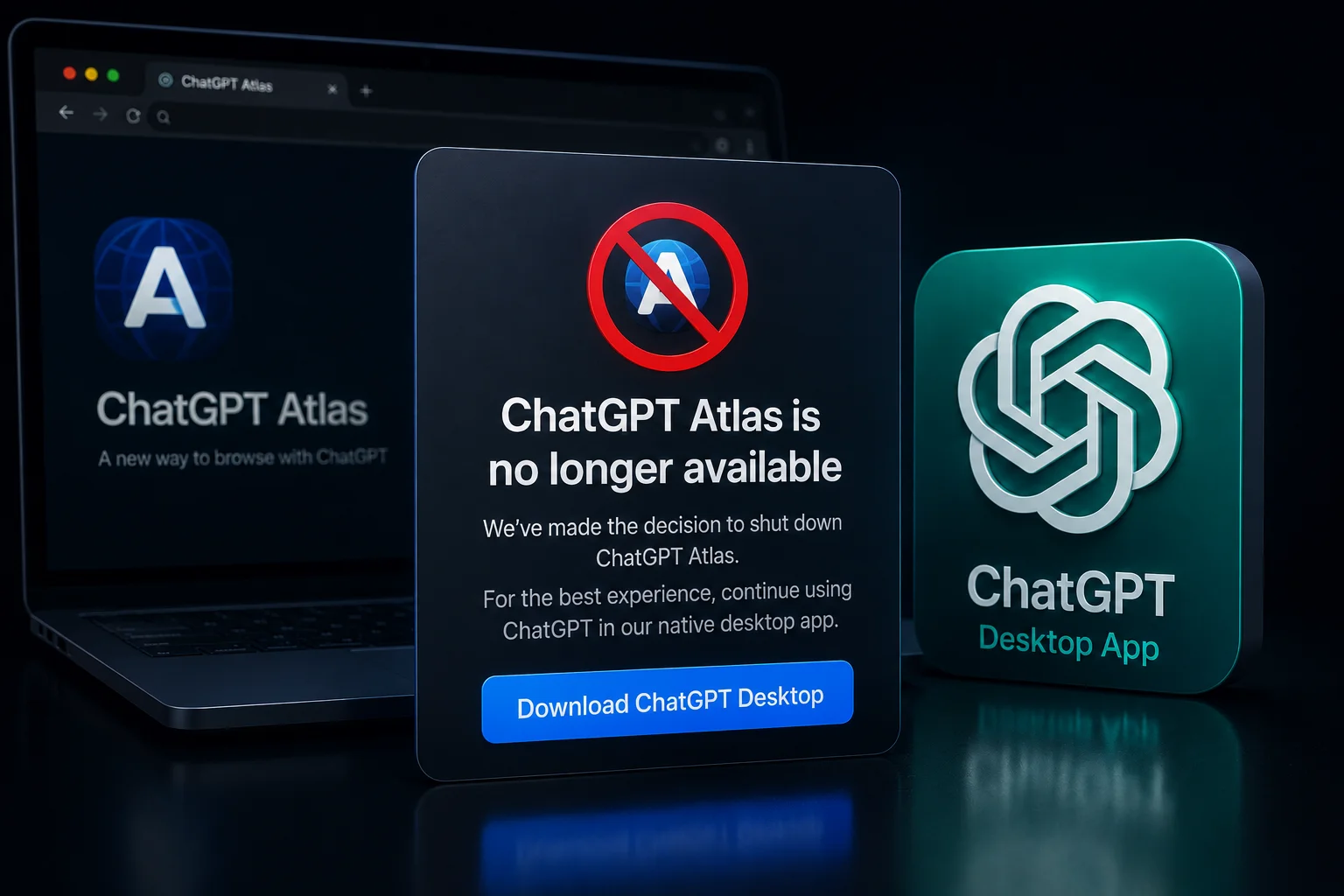
- OpenAI is officially discontinuing ChatGPT Atlas, its dedicated browser-based desktop interface, by the end of 2026.
- The move forces all desktop users to migrate to the native ChatGPT app for Windows and macOS for a more integrated experience.
- Native app users in India report up to 35% faster response times and better integration with local apps like VS Code and WhatsApp Desktop.
- Advanced features like 'Live Screen Context' and 'System-wide Voice' will no longer be supported on the web-based Atlas version.
- Our Verdict: Switch to the official desktop app now to avoid losing your custom shortcuts and workspace settings.
The End of the Atlas Era
So, here is the big news hitting the tech world this Friday. OpenAI has finally decided to pull the plug on ChatGPT Atlas. If you have been using the standalone browser-like version of ChatGPT on your PC or Mac, it is time to say goodbye. OpenAI is shifting its entire focus to the native ChatGPT desktop app. This move has been coming for a while, but the official confirmation marks a massive shift in how we are going to interact with AI in our daily work lives. In 2026, the 'web-wrapper' era is officially dead, and the era of deep OS integration is here.
For those who missed it, Atlas was OpenAI's attempt to give users a dedicated space for AI without the distractions of a traditional browser like Chrome or Safari. It felt like a browser, but it was tailor-made for ChatGPT. However, as AI models have become more complex—especially with the rollout of GPT-5 and the advanced multimodal features we are seeing now—the limitations of a browser-based shell became obvious. OpenAI wants ChatGPT to live inside your operating system, not just inside a tab. This is why the native app is now the priority.
Why OpenAI is Making This Move Now
The main reason is performance. Let's be honest, running heavy AI tasks through a browser engine like Chromium (which Atlas was based on) consumes a lot of RAM. In our testing here at TamilTech, the native ChatGPT app uses nearly 40% less system resources than the Atlas browser. For professionals in India working on mid-range laptops or older MacBooks, this is a huge deal. You don't want your laptop fans screaming just because you asked ChatGPT to analyze a 50-page PDF.
Beyond just speed, it is about the 'Screen Context' feature. The native app can 'see' what you are doing in other apps if you give it permission. If you are coding in VS Code or designing in Canva, you can just hit a shortcut and ask ChatGPT about the specific element on your screen. This level of deep integration is technically impossible to achieve securely within a browser-wrapper like Atlas. By killing Atlas, OpenAI is basically saying: 'If you want the real power of AI, you need to let it live on your desktop, not just on the web.'
The India Angle: Productivity and Connectivity
In the Indian context, this change is quite significant. We have a massive population of students and developers who rely on ChatGPT for day-to-day tasks. Many users in cities like Bengaluru, Chennai, and Hyderabad have already moved to the native app because it handles spotty internet connections much better than the web version. The native app has a better caching mechanism, meaning if your Wi-Fi drops for a second, you don't lose the entire conversation history you were just working on. This is a lifesaver during those unpredictable monsoon power cuts.
Furthermore, the pricing for ChatGPT Plus in India remains at ₹1,650 per month in 2026, and OpenAI is bundling more 'Desktop-only' features into this subscription. If you are paying that kind of money, using the Atlas browser was actually holding you back. The native app supports global keyboard shortcuts (Alt + Space) which allows you to summon the AI instantly, much like how we use Spotlight on Mac or the Search bar on Windows. This saves those precious seconds that add up over a workday.
How to Transition and What to Expect
If you are still using Atlas, the transition is simple but necessary. You need to head over to the official OpenAI website and download the installer for your specific OS. OpenAI has promised that all your 'Memory' settings, custom GPTs, and chat history will sync automatically. However, any browser-specific extensions you were using within Atlas will likely stop working. You will need to look for 'App Plugins' which is the new standard OpenAI is pushing this year.
We also expect a major update to the Voice Mode specifically for the desktop app. With Atlas being discontinued, the 'Advanced Voice Mode' will now be able to listen to your system audio directly. This means you could be in a Zoom meeting and have ChatGPT transcribe and summarize the call in real-time (with permission, of course). This was a major pain point in the browser version due to privacy sandboxing, but the native app bypasses these hurdles while maintaining end-to-end encryption.
TamilTech’s Final Take
Is this a bad thing? Not really. While some people hate installing yet another app on their computer, the benefits here far outweigh the minor inconvenience of a download. ChatGPT is no longer just a chatbot; it is becoming a co-pilot for your entire computer. By focusing on one native platform, OpenAI can deliver features faster and keep the experience lag-free. If you are in India and using AI for work, our advice is clear: stop using the browser version for heavy tasks and embrace the desktop app. It is faster, smarter, and clearly where the future is headed. Stay tuned to TamilTech for more updates on how to optimize your AI workflow!





Comments (0)
Be the first to comment!