


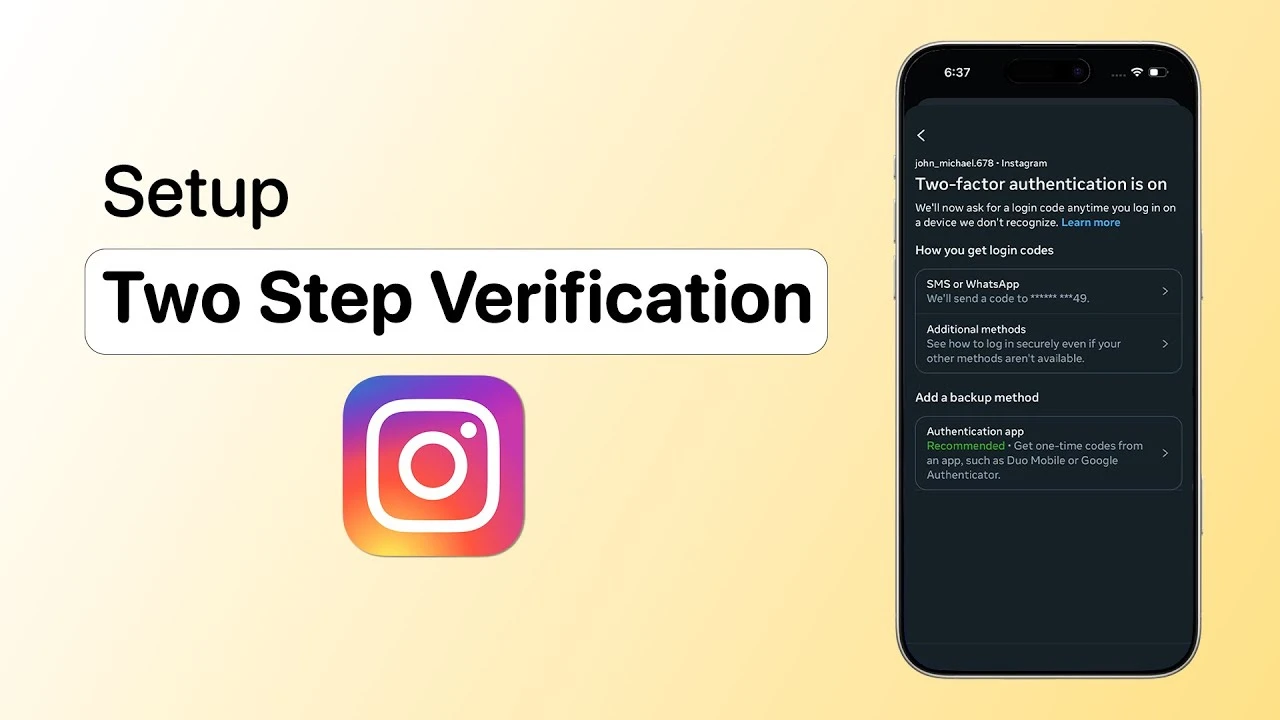
Two-Factor Authentication — 99.9% Hack Attacks-ஐ தடுக்கும் Simple Setup!
Microsoft-ன் data படி, MFA enable பண்ணினா 99.9% automated hack attempts-ஐ prevent பண்ணலாம். Google confirm பண்றது — recovery phone number add பண்ணினா 99% phishing attacks block ஆகும். ஆனா India-ல் 2024-ல் Rs 22,845 crore cyber fraud loss — 2023-ல் இருந்து 206% increase. 22.68 lakh complaints register ஆனது.
இதற்கு முக்கிய காரணம் — பெரும்பாலான users password மட்டும் use பண்றாங்க, 2FA enable பண்றதில்ல. Two-Factor Authentication (2FA) என்பது உங்கள் account-க்கு ஒரு extra lock போடுவது. Password-ஐ யாரோ guess பண்ணினாலும், 2FA இல்லாம account-க்குள் போக முடியாது. இந்த guide-ல் எல்லா popular apps-லும் 2FA setup பண்ற step-by-step instructions, best authenticator apps, backup codes, passkeys, YubiKey India price — எல்லாம் explain பண்றோம்.
2FA என்றால் என்ன? எப்படி வேலை செய்கிறது?
Two-Factor Authentication (2FA) = Two different types of verification required:
RBI New Rule (April 2026): எல்லா digital payments-க்கும் 2 different authentication factors mandatory — PIN + device/token + biometric. SMS OTP alone போதாது.
8. Banking Apps (SBI, HDFC, ICICI)
Recommendation: Beginners-க்கு Google Authenticator (simple). Multi-device sync வேண்டுமானால் Authy. Privacy-first users-க்கு open-source Aegis (Android) அல்லது Ente Auth.
Backup Codes — Phone தொலைந்தால் என்ன செய்வது?
2FA setup பண்ணும்போது 8-10 one-time-use backup codes கிடைக்கும். இவை phone இல்லாமல் login பண்ண help பண்ணும்.
Backup Codes-ஐ எங்கே Save பண்றது?
- ✅ Print பண்ணி safe/locker-ல் வைங்க
- ✅ Encrypted USB drive-ல் save
- ✅ Password manager-ல் store (Bitwarden, 1Password)
- ❌ Cloud notes, email, Google Drive-ல் save பண்ணாதீங்க (hack ஆகலாம்)
Phone தொலைந்தா?
- Backup codes இருந்தா: உடனே login பண்ணுங்க
- Cloud-synced authenticator: New phone-ல் setup → codes auto-restore (Google Authenticator, Authy)
- இரண்டும் இல்லையானால்: Telecom operator-கிட்ட number transfer → SMS OTP receive
- Last resort: Account recovery process (days/weeks ஆகலாம், identity verification தேவை)
Best Practice: Backup codes-ஐ 2 separate secure locations-ல் save பண்ணுங்க!
Passkeys — Passwords-க்கு மாற்று (Future of Authentication)
Passkeys FIDO2/WebAuthn standard based — public-key cryptography use பண்றது. Password தேவையில்ல, biometric (fingerprint/face) மட்டும் போதும்.
Passkey Stats (2025-2026)
- Globally 1 billion+ passkeys generate ஆகிவிட்டன
- 95% iOS & Android devices passkey-ready
- 87% US/UK companies passkeys use பண்றாங்க
- Passwords-ஐ விட 40% faster
Passkeys Support பண்ற Services
Google, Apple, Microsoft, Amazon, GitHub, PayPal, WhatsApp, LinkedIn, X (Twitter)
Google Passkey Setup
- myaccount.google.com → Security → Passkeys
- Device biometric use பண்ணி passkey create
- Next login: biometric verification (fingerprint/face) — password தேவையில்ல!
RBI April 2026: India-ல் OTP-based authentication-ல் இருந்து move ஆகும் direction — passkeys adoption accelerate ஆகும்.
2FA Common Mistakes — இதெல்லாம் தவிர்க்கணும்!
முடிவுரை — 2FA Enable பண்ணுங்க, Safe-ஆ இருங்க!
Two-Factor Authentication enable பண்றது 2026-ல் optional இல்ல — essential. India-ல் cybercrime 400% increase (2021-2024), Rs 22,845 crore loss, 22.68 lakh complaints. ஒரு simple 2FA setup 99.9% attacks-ஐ prevent பண்ணும்.
இன்றே செய்யுங்க: Gmail-ல் 2FA enable → WhatsApp PIN set → Instagram authenticator add → Banking apps biometric enable → Backup codes save. இது 30 minutes-ல் முடிக்கலாம் — but your accounts will be 99.9% safer!
Best Practice: SMS OTP-ஐ விட Authenticator App prefer. Banking-க்கு biometric. Email-க்கு first priority. Backup codes-ஐ 2 places-ல் save. Passkeys available-ஆ இருந்தா switch over. YubiKey budget-ல் இருந்தா (₹3,500+) most secure.



Comments (0)
Be the first to comment!