


முக்கிய விஷயங்கள்
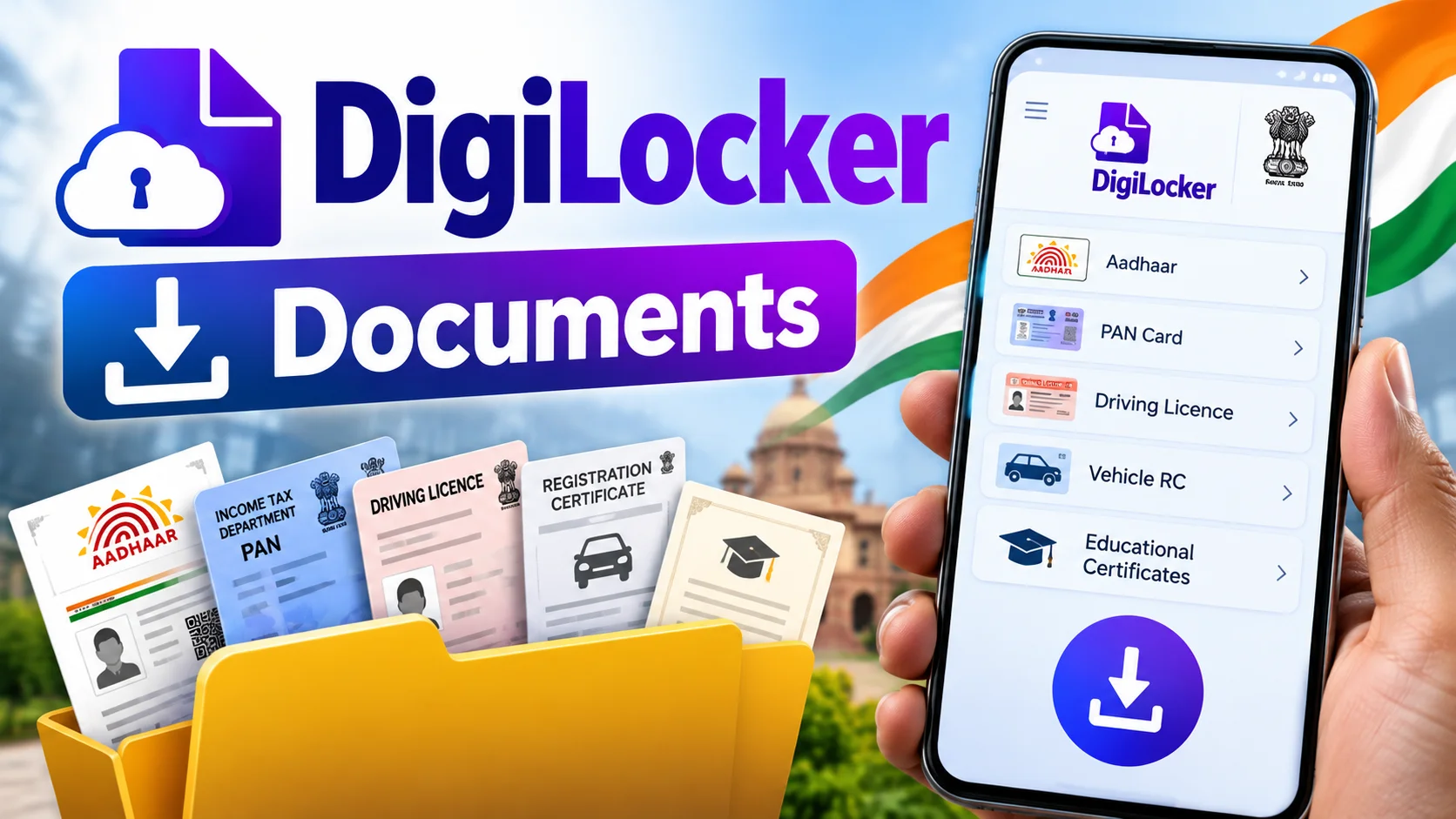
- DigiLocker is a free Government of India app/website to store and download Aadhaar, PAN, driving licence, RC, marksheets and more as digitally signed PDFs.
- You need an Aadhaar-linked mobile number to sign up and complete e-KYC — that's the whole trick to getting documents pulled instantly.
- Not every document shows up automatically. Some you have to search for and pull from the issuing department yourself.
- DigiLocker PDFs with the QR code carry the same legal validity as the physical original under the IT Act.
- It's completely free — there's no subscription, no hidden charge, no premium tier.
What is DigiLocker, in one line?
DigiLocker is the Indian government's digital document locker — a free app and website where you can fetch, store and download official documents like Aadhaar, PAN, driving licence and school marksheets as verified PDFs. If someone's asking "digilocker documents download," the short answer is: open the DigiLocker app, log in with your Aadhaar-linked mobile, go to the document type you need, and hit download.
Think of it as your government ID wallet on the phone. No more digging through a steel cupboard for the original SSLC certificate when a job portal asks for it at 11 pm.
How do you download documents from DigiLocker, step by step?
Here's the actual flow most people need, broken down plainly.
Step 1 — Get the app or open the site. Download DigiLocker from Play Store or App Store, or just go to digilocker.gov.in on a browser. Both work the same way.
Step 2 — Sign up. You'll be asked for your mobile number (it should ideally be the one linked to your Aadhaar), name, date of birth, and you set a username and PIN or password. An OTP comes to confirm the number.
Step 3 — Do the Aadhaar e-KYC. This is the step people skip and then wonder why nothing works. Link your Aadhaar inside the app and verify with the OTP sent to your Aadhaar-registered number. Once this is done, DigiLocker auto-pulls documents like your Aadhaar card instantly.
Step 4 — Go to "Issued Documents" or search for what you need. Some documents — Aadhaar, for example — sit there automatically after e-KYC. Others, like your PAN, driving licence, RC, or marksheet, you have to search for in the "Search Documents" tab, pick the issuing department (UIDAI, Income Tax, state transport department, your board), and tap "Get Document."
Step 5 — Download as PDF. Once it's pulled into your locker, tap the document, then the download icon. You get a PDF with a QR code and digital signature — that QR is what makes it officially valid, not just a screenshot.
DigiLocker also sits inside MeriPehchaan now, the government's single sign-on system, so the same login works across a bunch of other citizen portals too.
What documents can you actually pull, and what does it cost?
Cost-wise, this one's simple — DigiLocker is 100% free. No subscription, no per-document fee, nothing. The real question people actually have is which documents are available and how they land in your account. Here's a quick table.
| Document Type | Issuing Agency | How It Lands in DigiLocker |
|---|---|---|
| Aadhaar Card | UIDAI | Auto-pulled right after e-KYC |
| PAN Card | Income Tax Department | Search and pull manually |
| Driving Licence & RC | State Transport Dept (Parivahan) | Search and pull manually |
| Class 10 / 12 Marksheets | CBSE and most state boards | Search and pull, if your board is integrated |
| Caste / Income Certificate | State e-District portal | Search and pull manually |
| Vehicle Insurance Policy | Select insurance companies | Search and pull, insurer-dependent |
Not every state board or every insurer is on DigiLocker yet, so if a document doesn't show up in search, it simply means that issuer hasn't integrated — not that you did something wrong.
Which mistakes get people into trouble with DigiLocker?
The most common one is signing up with a mobile number that isn't linked to Aadhaar. Without that link, e-KYC fails and documents like Aadhaar won't auto-populate — you'll be stuck staring at an empty locker.
Second mistake — people search for a document before checking if that issuer is even on DigiLocker. If your college or a smaller private board never digitized records with DigiLocker, no amount of searching will pull up your marksheet. In that case you still need the physical copy or a request to the institution.
Third, some officials at ground level — a bank branch, an RTO clerk in a smaller town — still aren't fully used to accepting the DigiLocker PDF with QR code. Carrying a printed copy as backup, at least for now, saves you an argument.
Fourth, there are fake lookalike apps on app stores using similar icons and names. Stick to the app published by the National eGovernance Division / Government of India, and check the publisher name before installing.
Who should actually use DigiLocker, and who can skip it?
If you're a student applying to colleges, a driver who hates carrying a physical licence everywhere, or someone who needs Aadhaar or PAN at short notice for a bank or government form, DigiLocker genuinely saves the day. Indian Railways also accepts DigiLocker IDs like driving licence and Aadhaar for train travel in place of the physical card, which is handy if you've forgotten your wallet at home.
If none of your documents' issuers are digitized on DigiLocker yet — say a private school marksheet or an old-style certificate from a small institution — you'll still need the original for now. DigiLocker is powerful, but it only works for documents its partner departments have actually uploaded.
How does DigiLocker actually hold up when an officer checks it on the spot?
This is the bit people worry about most — will a traffic cop or a bank clerk actually accept a phone screen instead of paper? Legally, yes. Under the IT Act and the rules notified for DigiLocker, a document pulled from DigiLocker with its QR code and digital signature counts as equivalent to the physical original, and government offices, banks, and most RTOs are required to accept it just like they'd accept the paper copy.
In practice, this plays out well in bigger cities and on national platforms — airport security, Indian Railways ticket checks, and most PSU bank branches scan the QR without fuss. In smaller towns, you may still run into an RTO clerk or a local bank staffer who insists on a photocopy because they're simply not trained on scanning the QR yet. That's not a DigiLocker problem, it's an awareness gap on the ground, and it's slowly closing as more departments push staff to accept digital documents.
Worth watching going forward: more state boards, private insurers and RTOs are expected to integrate every year, so documents that aren't searchable today might show up next year. If you hit a dead end searching for something — say your marksheet from a smaller state board — it's worth checking back every few months rather than assuming DigiLocker will never have it. The system keeps expanding quietly in the background, without much fanfare, which is honestly how most good government-tech rollouts in India tend to work.

Comments (0)
Be the first to comment!